
AcolytePawn - Minecraft Skins & Skin History
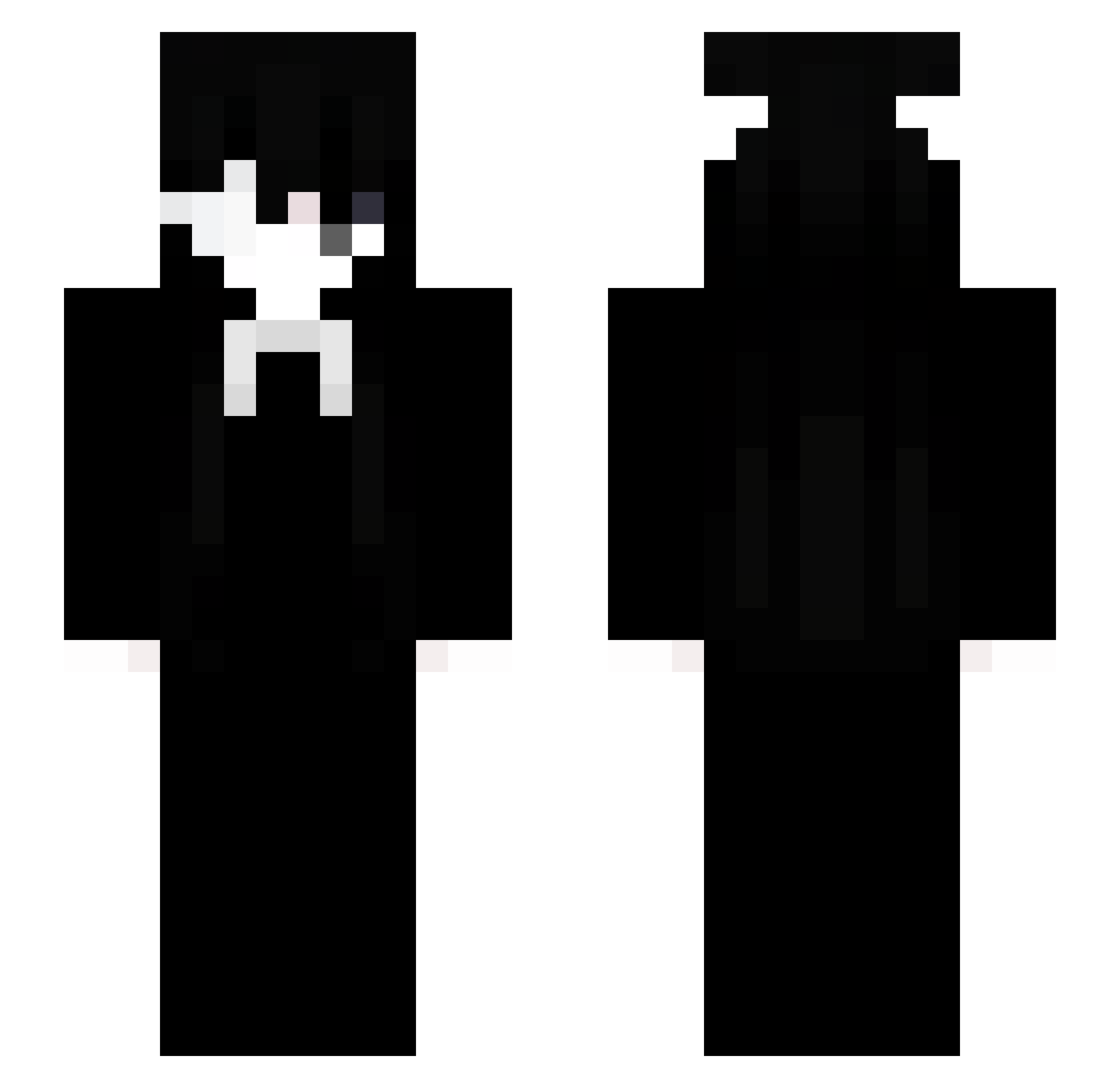
Current Minecraft skin of the player AcolytePawn, loaded from the official Mojang API. Rotate the 3D model with your mouse or finger, then download the skin as a PNG file and use it in Minecraft: Bedrock Edition or Java Edition for free. When AcolytePawn changes their skin, this page updates automatically and the old skin stays in the history below.
Other players with this skin (80)
AcolytePawn was the 43rd player we have seen with this skin, first spotted on 02.09.2026. The same skin was seen on these players. Open a nickname to see their current skin and skin history.
 pijq klqd_ gardeningDingle eeleven1 _27l walidmgbi DarkStellar_ sea5029 _Alnsoso dyk5 bb1m clickmore soulsx Lkdinho Thal4ssopho6i4 santoxx650 _Azurea JordiniPizzanini JRadddd dorlite cairemos uvlx L1koiw KLnight Deveku
 LA85di9 laowenxi noncrozzz joshualopez12 Kyuxxa AleX_gms acutso ken09677 yuni19 SasakiHaisee Andrway Mgdz8276
 NereaRG MeAcuerdo VniciusF18 yuriogoti22 ndk520 darknetmaschine
 Jyxon AltF4Mode _TRADEX_ snow8537 RavenT7 sillyz_ knoTHEDEFFICIENT showasZzz7 Mythiiicc
 IGNk1ng YTwTY NotAbbyXD
 eykjqr KayaSilly whatie zBenjaaak MLoo93
More Sunny Minecraft skins
How to install the AcolytePawn skin
- Press the Download button above to save the skin as a PNG file.
- Minecraft: Bedrock Edition (PE): open the Dressing Room from the main menu (or tap your character → Edit Character), go to Classic Skins → Owned, press the + (new skin) button, choose the downloaded PNG and pick the Slim (Alex) model. Works on PC and mobile; consoles cannot import custom skins.
- Minecraft: Java Edition: open the Minecraft Launcher, go to the Skins tab, click New Skin, load the PNG, pick the Slim (Alex) model and press Save & Use. You can also upload it at minecraft.net → Profile → Change Skin.
The skin does not show up after import - what should I do?
Restart Minecraft and open the Dressing Room again - imported skins sometimes appear only after a restart. Also make sure you selected the imported skin and picked the Slim (Alex) model.
Which model should I choose, Classic or Slim?
This skin is designed for the Slim (Alex) model. If you pick the wrong model, the arms of the skin will look stretched or squeezed.
Is the skin of AcolytePawn free to download?
Yes. Press Download, save the PNG file and use it in Minecraft: Bedrock Edition or Java Edition - no payment or registration needed. The skin also works on multiplayer servers and Realms.
More skins
Looking for more? Go back to all Minecraft skins and check the top skins of the week, month and all time, or find any player's skin by nickname.