
AcheH - Minecraft Skins & Skin History
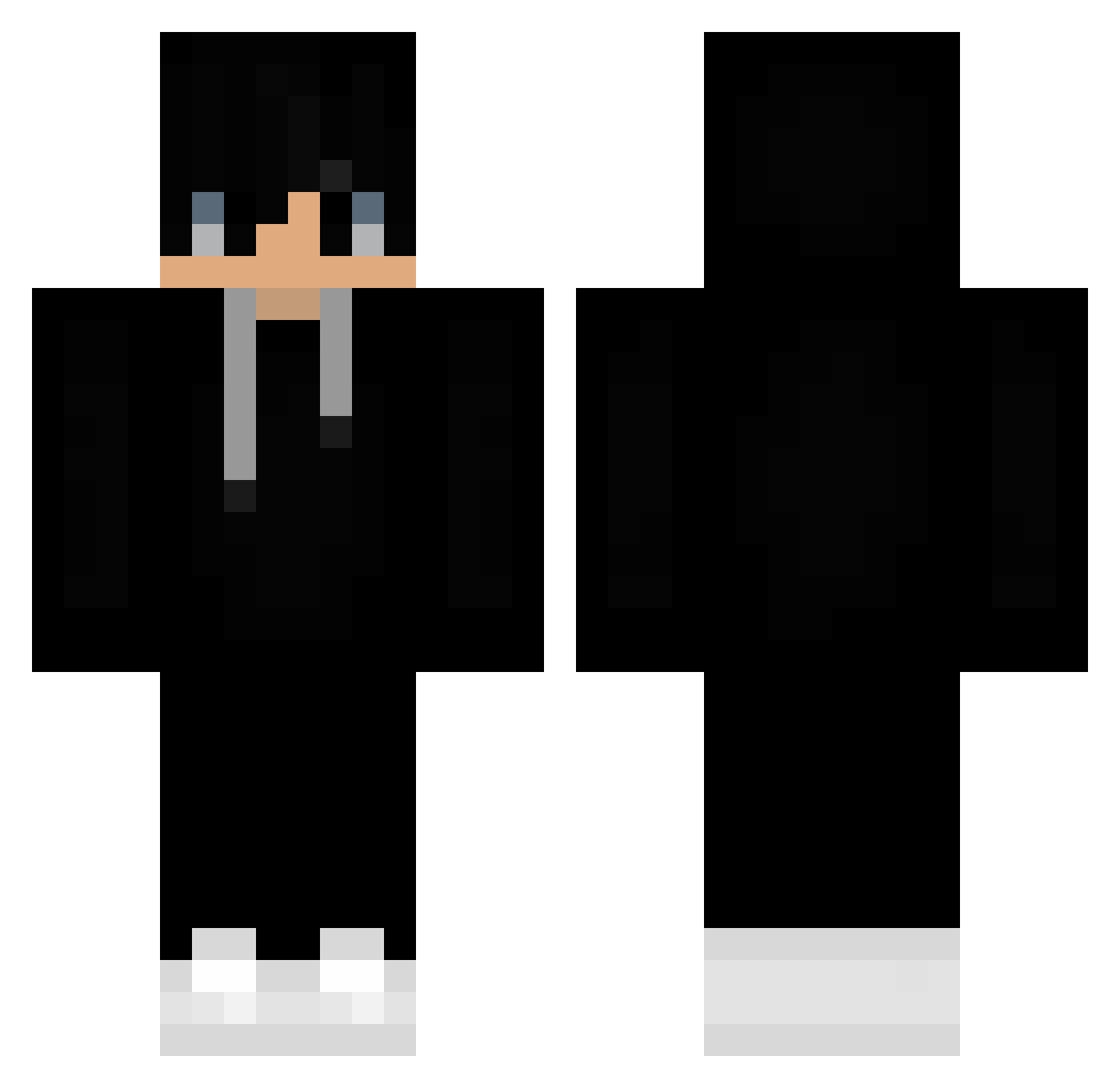
Current Minecraft skin of the player AcheH, loaded from the official Mojang API. Rotate the 3D model with your mouse or finger, then download the skin as a PNG file and use it in Minecraft: Bedrock Edition or Java Edition for free. When AcheH changes their skin, this page updates automatically and the old skin stays in the history below.
Other players with this skin (383)
AcheH was the 298th player we have seen with this skin, first spotted on 02.10.2026. The same skin was seen on these players. Open a nickname to see their current skin and skin history.
 BennyJa RyosukeTaka Stone_Cheetah EspRit_xX Hruntos TOBIASUNIVERSE Alakorsito WeyRen Nico181599 LSGamer2017 TheNorta uRyber mizaru93 M4TT4X Allikseys Lostjojo Soduk SquarerRaptor Sat_Touka GAGHOSTME xtracktnicolas arieuss megious wldn1234 Michael_Hranica julox3124 Em1t4 pantelis12p JunSeo09 EliteSoulFire PHOENIX66546 medommc Mayerling1995 Fixien ___DaviD____ Merrickzin Mloxas xlaspectlx Baidar Johancasa10 Obie_707 Lesteryz Koko7ik1237 TMac_23 MG_TLG_VN poorfellow NaviChick DarkGhostXo ian_moreira05 RoNyLoB RzZzeD lono0203 MistyxF Bizinkas SrdePaula LpFazon270 cichon9 PetitEscargot SpintiSefu Hovseb7
More Sneakers Minecraft skins
How to install the AcheH skin
- Press the Download button above to save the skin as a PNG file.
- Minecraft: Bedrock Edition (PE): open the Dressing Room from the main menu (or tap your character → Edit Character), go to Classic Skins → Owned, press the + (new skin) button, choose the downloaded PNG and pick the Classic (Steve) model. Works on PC and mobile; consoles cannot import custom skins.
- Minecraft: Java Edition: open the Minecraft Launcher, go to the Skins tab, click New Skin, load the PNG, pick the Classic (Steve) model and press Save & Use. You can also upload it at minecraft.net → Profile → Change Skin.
The skin does not show up after import - what should I do?
Restart Minecraft and open the Dressing Room again - imported skins sometimes appear only after a restart. Also make sure you selected the imported skin and picked the Classic (Steve) model.
Which model should I choose, Classic or Slim?
This skin is designed for the Classic (Steve) model. If you pick the wrong model, the arms of the skin will look stretched or squeezed.
Is the skin of AcheH free to download?
Yes. Press Download, save the PNG file and use it in Minecraft: Bedrock Edition or Java Edition - no payment or registration needed. The skin also works on multiplayer servers and Realms.
More skins
Looking for more? Go back to all Minecraft skins and check the top skins of the week, month and all time, or find any player's skin by nickname.