
Acai1 - Minecraft Skins & Skin History
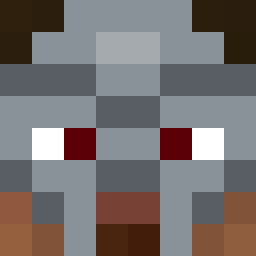
Current Minecraft skin of the player Acai1, loaded from the official Mojang API. Rotate the 3D model with your mouse or finger, then download the skin as a PNG file and use it in Minecraft: Bedrock Edition or Java Edition for free. When Acai1 changes their skin, this page updates automatically and the old skin stays in the history below.

Other players with this skin (225)
Acai1 was the 62nd player we have seen with this skin, first spotted on 19.08.2026. The same skin was seen on these players. Open a nickname to see their current skin and skin history.
 FestiveAle AloneEiEi TheReason1 Hanno_2015 il_vostro_Frank
 3ELAX MRiurs777 c66t Guz1or Digester
 Pihvi88 AsapJuanpiii Dangerous11625 kRa___ rgodrigoL IClutchI jackson_qwe DAVIDEKING18 ______BEN MaximXPlay julian151452 Nerovalens jerelelovesdea Stachozaur Smartation Joito1720 OffRasn Sv2_Jade_yif yummithacraziest anpoopo117 H4Z4 Zafiro_Gameplays sonanh_indra MGR_the_GOD
 EmerladElf givemegirls hhv_mirai_xsq Fa1aL1 vabarba Gra4s
 JohtajaTabulu tukde rozzzwick ExityPvP Lussindo ZenMkmn KBIGGSS Ryu2550 IVQ7C enableeee xex73 Zwaknek t1mm_925 Mr_Davidek
 TOST123456 loisehlb JDeltaA HYPERONLEAN tayjayhan SimSLL
More Entity 303 Minecraft skins
How to install the Acai1 skin
- Press the Download button above to save the skin as a PNG file.
- Minecraft: Bedrock Edition (PE): open the Dressing Room from the main menu (or tap your character → Edit Character), go to Classic Skins → Owned, press the + (new skin) button, choose the downloaded PNG and pick the Classic (Steve) model. Works on PC and mobile; consoles cannot import custom skins.
- Minecraft: Java Edition: open the Minecraft Launcher, go to the Skins tab, click New Skin, load the PNG, pick the Classic (Steve) model and press Save & Use. You can also upload it at minecraft.net → Profile → Change Skin.
The skin does not show up after import - what should I do?
Restart Minecraft and open the Dressing Room again - imported skins sometimes appear only after a restart. Also make sure you selected the imported skin and picked the Classic (Steve) model.
Which model should I choose, Classic or Slim?
This skin is designed for the Classic (Steve) model. If you pick the wrong model, the arms of the skin will look stretched or squeezed.
Is the skin of Acai1 free to download?
Yes. Press Download, save the PNG file and use it in Minecraft: Bedrock Edition or Java Edition - no payment or registration needed. The skin also works on multiplayer servers and Realms.
More skins
Looking for more? Go back to all Minecraft skins and check the top skins of the week, month and all time, or find any player's skin by nickname.