
AbrahamGrana - Minecraft Skins & Skin History
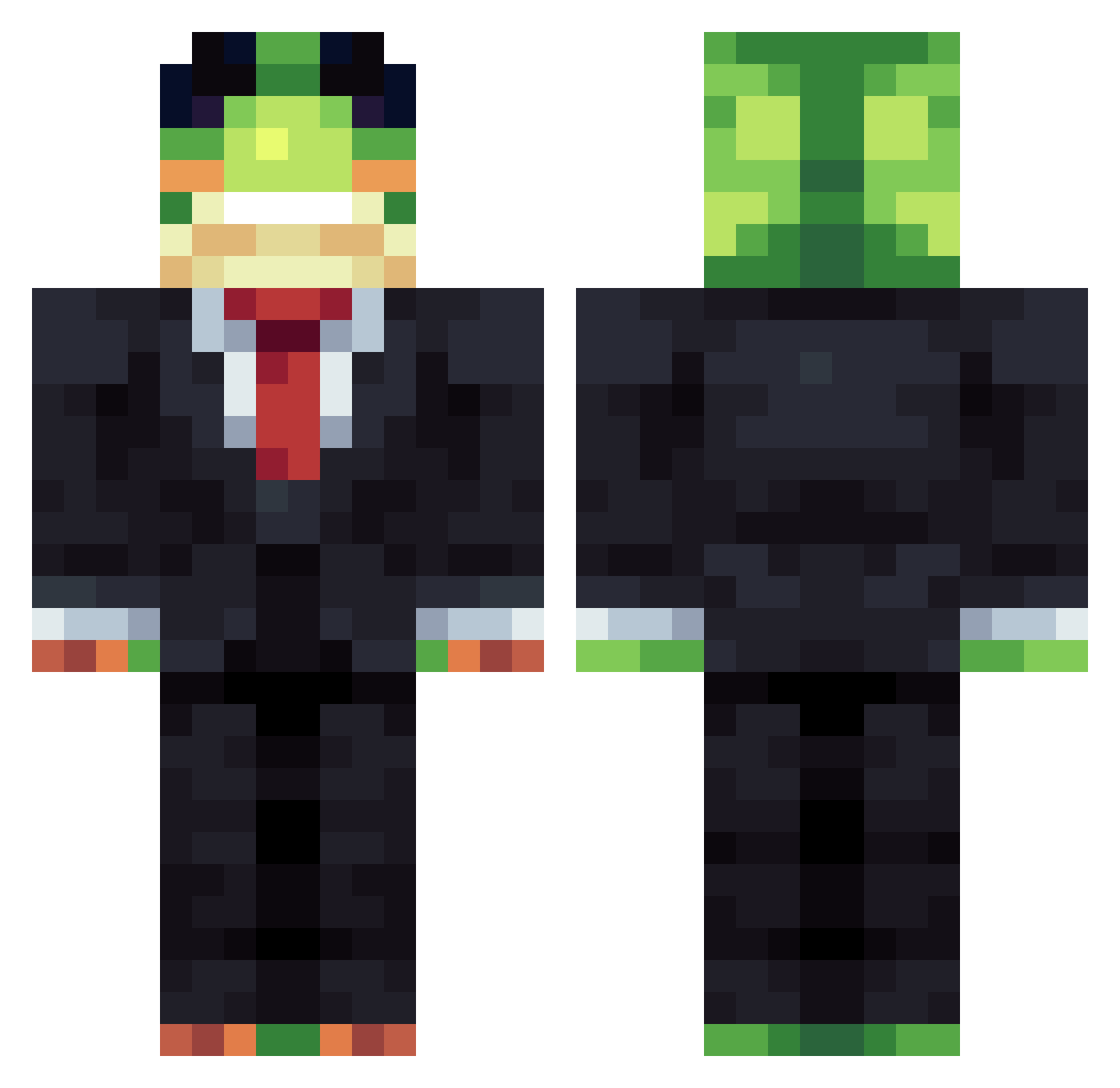
Current Minecraft skin of the player AbrahamGrana, loaded from the official Mojang API. Rotate the 3D model with your mouse or finger, then download the skin as a PNG file and use it in Minecraft: Bedrock Edition or Java Edition for free. When AbrahamGrana changes their skin, this page updates automatically and the old skin stays in the history below.
Other players with this skin (1341)
AbrahamGrana was the 939th player we have seen with this skin, first spotted on 06.10.2026. The same skin was seen on these players. Open a nickname to see their current skin and skin history.
 zoliver1510 Dokem3133 supac7623 _Alchemilla taylorkrauss DivineDog_ Topsu00 volcanceg guilhermw WindsmpTrade Jamadox Hamzito2015 kapi226 d3thfeather Zylithic RtzRyan xtkj Yessir032 Bensweaty eXistenZD1 Pizzaman2334 Aris54 Tefo25msp fottoda Frandar Deltacraft25 FMO_Odin Budgie_King oskot TitansArmy ArtixLogane_0 MrBencker GeorgeFloyd1234 fnans DuckXGG SweetestCargo99 Vi_mega braisero Emanlui ClinicalFrog LiZaiMingPVE Dizleno negrohead CamiloSL666 maxghg2013 DanKingw hoiaapje321 blubye BDG9999 rdeluk Janct Mrxplays ByeTotem iankim1234 Alikeykey Jakersondrums JacopoCraft FH7D_ K0BOB Vulkrox
More Frog Minecraft skins
How to install the AbrahamGrana skin
- Press the Download button above to save the skin as a PNG file.
- Minecraft: Bedrock Edition (PE): open the Dressing Room from the main menu (or tap your character → Edit Character), go to Classic Skins → Owned, press the + (new skin) button, choose the downloaded PNG and pick the Classic (Steve) model. Works on PC and mobile; consoles cannot import custom skins.
- Minecraft: Java Edition: open the Minecraft Launcher, go to the Skins tab, click New Skin, load the PNG, pick the Classic (Steve) model and press Save & Use. You can also upload it at minecraft.net → Profile → Change Skin.
The skin does not show up after import - what should I do?
Restart Minecraft and open the Dressing Room again - imported skins sometimes appear only after a restart. Also make sure you selected the imported skin and picked the Classic (Steve) model.
Which model should I choose, Classic or Slim?
This skin is designed for the Classic (Steve) model. If you pick the wrong model, the arms of the skin will look stretched or squeezed.
Is the skin of AbrahamGrana free to download?
Yes. Press Download, save the PNG file and use it in Minecraft: Bedrock Edition or Java Edition - no payment or registration needed. The skin also works on multiplayer servers and Realms.
More skins
Looking for more? Go back to all Minecraft skins and check the top skins of the week, month and all time, or find any player's skin by nickname.