
AaronRMarshall - Minecraft Skins & Skin History
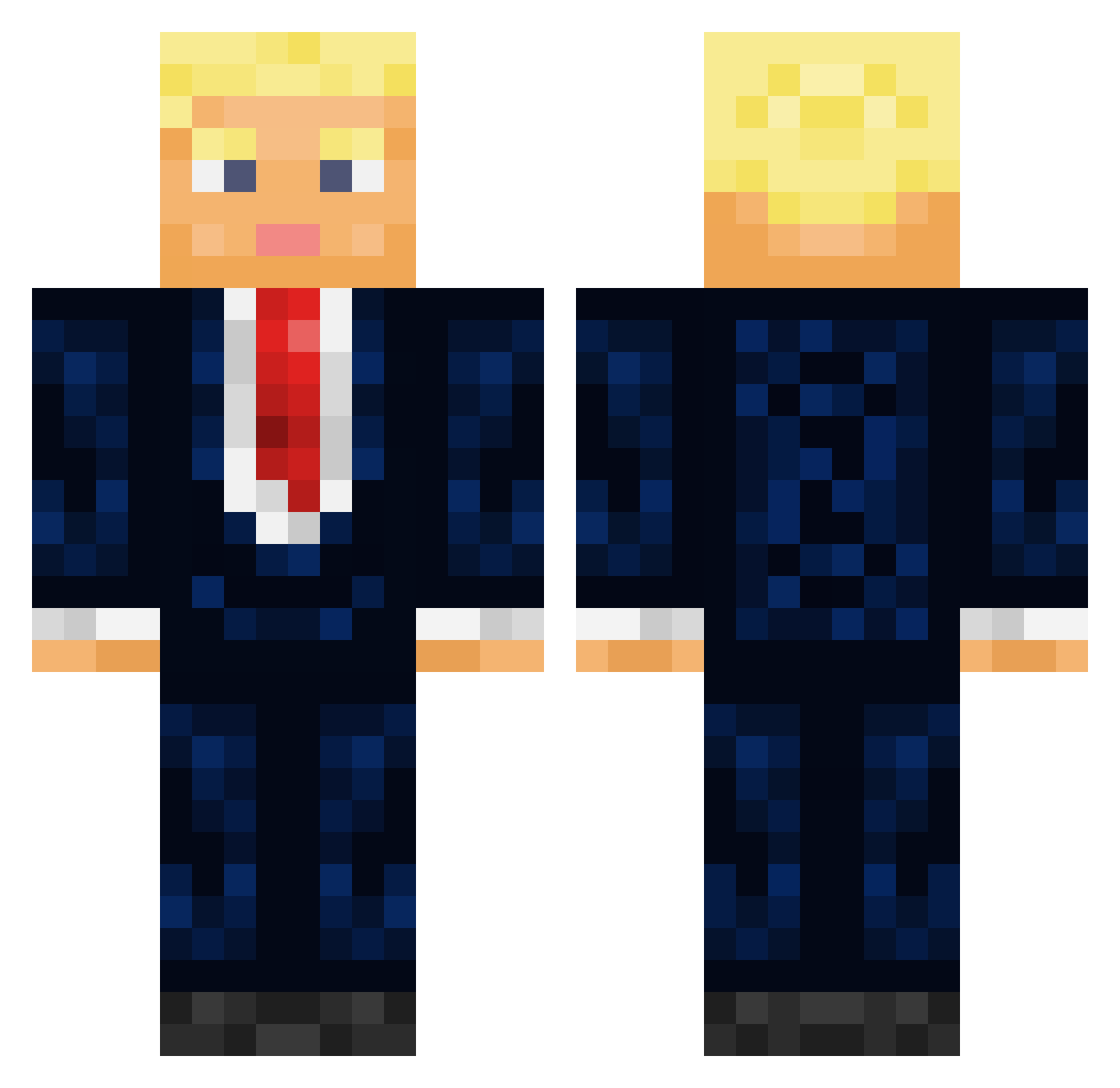
Current Minecraft skin of the player AaronRMarshall, loaded from the official Mojang API. Rotate the 3D model with your mouse or finger, then download the skin as a PNG file and use it in Minecraft: Bedrock Edition or Java Edition for free. When AaronRMarshall changes their skin, this page updates automatically and the old skin stays in the history below.
Other players with this skin (544)
AaronRMarshall was the 489th player we have seen with this skin, first spotted on 10.11.2026. The same skin was seen on these players. Open a nickname to see their current skin and skin history.
 Krizlyyy youknowit55 santininysd viperx78 darthbeko Godzilla_Top Gumby0007 Marvel8953 JuanChurro69 hwoongkang debrattv Jaxxy17 XxFarquaad420xX Jawbr3aker11 FallenAvenger3 MarkCT7567 AzraelXXI psykobat55 chosebine11 goingglint spaghettishoe Hohame LeandroCampos lost094461 kobemyguy Patrokl0 Hutch3197 Yanco18 derWaiseBAron grazetrip CLOUDY234 jack2201 JoeJoeSaxo MrManiac H0ffieJr NuraudesPimpalas Txchin asiancraft18 Generalgreavous CrushyYT1234 _PaTeR_ Kubort Jan20 Coolmannn Bo7amd B5Alive gonz_1 PapiiPabloo HerbertKlaus Campiyon Der_Rothaarige smat4 GRADlUS Querasija SuperHoschi0815 AlcabontaGames MarkeFace SrDuckNoodles _Rodolphe_ Thebestgamer122
More Donald Trump Minecraft skins
See all 368 Donald Trump skins
How to install the AaronRMarshall skin
- Press the Download button above to save the skin as a PNG file.
- Minecraft: Bedrock Edition (PE): open the Dressing Room from the main menu (or tap your character → Edit Character), go to Classic Skins → Owned, press the + (new skin) button, choose the downloaded PNG and pick the Classic (Steve) model. Works on PC and mobile; consoles cannot import custom skins.
- Minecraft: Java Edition: open the Minecraft Launcher, go to the Skins tab, click New Skin, load the PNG, pick the Classic (Steve) model and press Save & Use. You can also upload it at minecraft.net → Profile → Change Skin.
The skin does not show up after import - what should I do?
Restart Minecraft and open the Dressing Room again - imported skins sometimes appear only after a restart. Also make sure you selected the imported skin and picked the Classic (Steve) model.
Which model should I choose, Classic or Slim?
This skin is designed for the Classic (Steve) model. If you pick the wrong model, the arms of the skin will look stretched or squeezed.
Is the skin of AaronRMarshall free to download?
Yes. Press Download, save the PNG file and use it in Minecraft: Bedrock Edition or Java Edition - no payment or registration needed. The skin also works on multiplayer servers and Realms.
More skins
Looking for more? Go back to all Minecraft skins and check the top skins of the week, month and all time, or find any player's skin by nickname.