
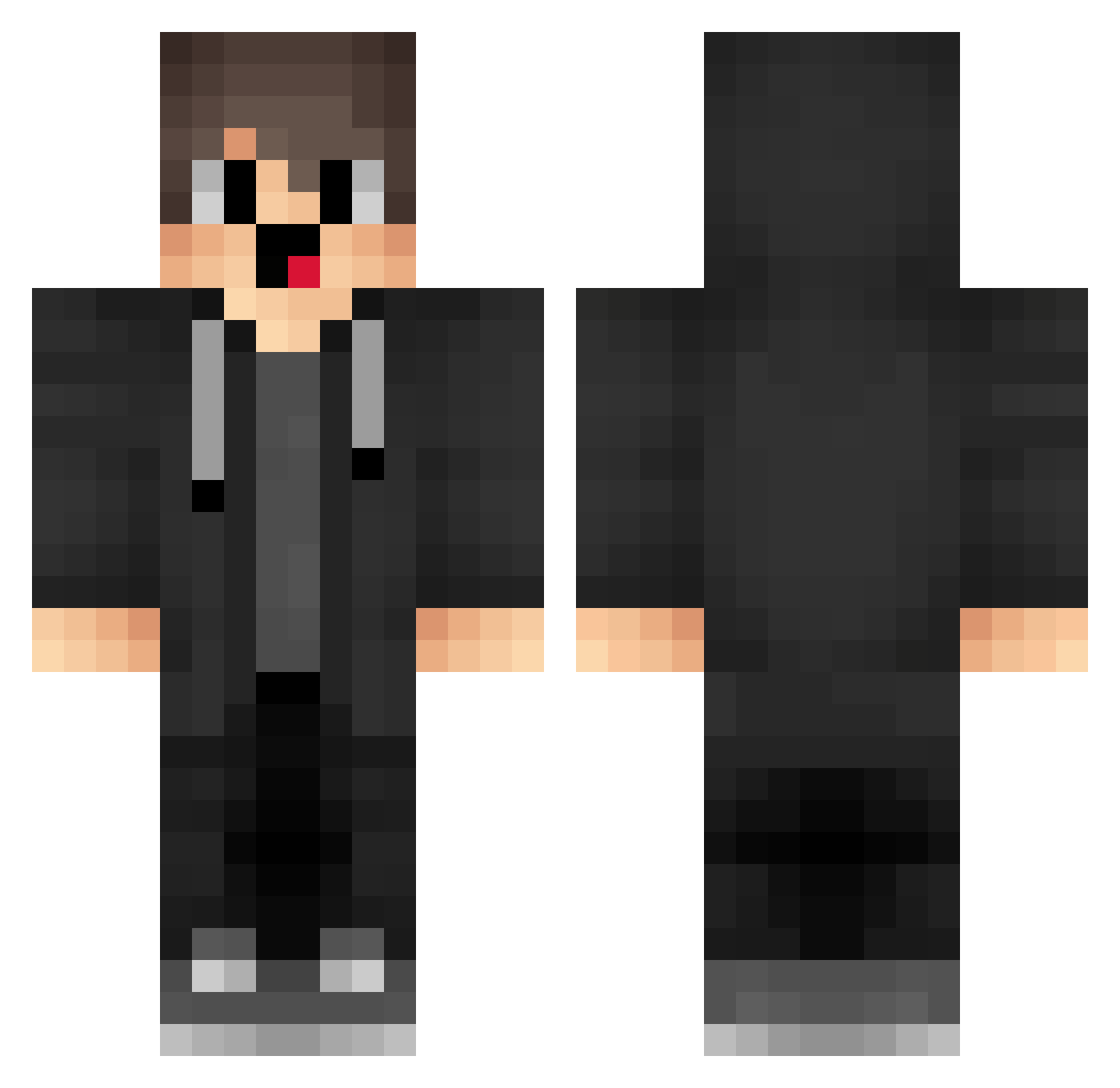
Current Minecraft skin of the player AVm193, loaded from the official Mojang API. Rotate the 3D model with your mouse or finger, then download the skin as a PNG file and use it in Minecraft: Bedrock Edition or Java Edition for free. When AVm193 changes their skin, this page updates automatically and the old skin stays in the history below.
Other players with this skin (1291)
AVm193 was the 868th player we have seen with this skin, first spotted on 23.09.2026. The same skin was seen on these players. Open a nickname to see their current skin and skin history.
 CGm513 Zdz680 QtC109 wNR218 LgE588 box_bBPezvokF127 aTc568 sJk867 zeA473 kFO591 RmB52 ihF543 WkA922 IB1__0_ EUq891 box_GrioRAuMr863 iXY531 weN713 Vaper_A01 mgV4 XpX661 nZG303 jyB91 RtO418 FNE231 XMN381 C3rb3R Ujz13 Fky824 box_SxQgxpeCN845 YSs162 VRc309 __MwZco dnZ209 GFU216 RZV44 cemgeberamk lhm114 AQe243 lf_HqRqz_06_29 KoB384 DHm273 dFP930 dwf946 wxr322 YvF993 SMI861 QbS19 ibI159 QFU536 VAK284 quantumshadowz1 ryX218 hynmn_ OBY178 AyV833 Mal_qGoxvd Lmt145 xiao_laod zmG330
How to install the AVm193 skin
- Press the Download button above to save the skin as a PNG file.
- Minecraft: Bedrock Edition (PE): open the Dressing Room from the main menu (or tap your character → Edit Character), go to Classic Skins → Owned, press the + (new skin) button, choose the downloaded PNG and pick the Classic (Steve) model. Works on PC and mobile; consoles cannot import custom skins.
- Minecraft: Java Edition: open the Minecraft Launcher, go to the Skins tab, click New Skin, load the PNG, pick the Classic (Steve) model and press Save & Use. You can also upload it at minecraft.net → Profile → Change Skin.
The skin does not show up after import - what should I do?
Restart Minecraft and open the Dressing Room again - imported skins sometimes appear only after a restart. Also make sure you selected the imported skin and picked the Classic (Steve) model.
Which model should I choose, Classic or Slim?
This skin is designed for the Classic (Steve) model. If you pick the wrong model, the arms of the skin will look stretched or squeezed.
Is the skin of AVm193 free to download?
Yes. Press Download, save the PNG file and use it in Minecraft: Bedrock Edition or Java Edition - no payment or registration needed. The skin also works on multiplayer servers and Realms.
More skins
Looking for more? Go back to all Minecraft skins and check the top skins of the week, month and all time, or find any player's skin by nickname.