
ARGENTHAN - Minecraft Skins & Skin History
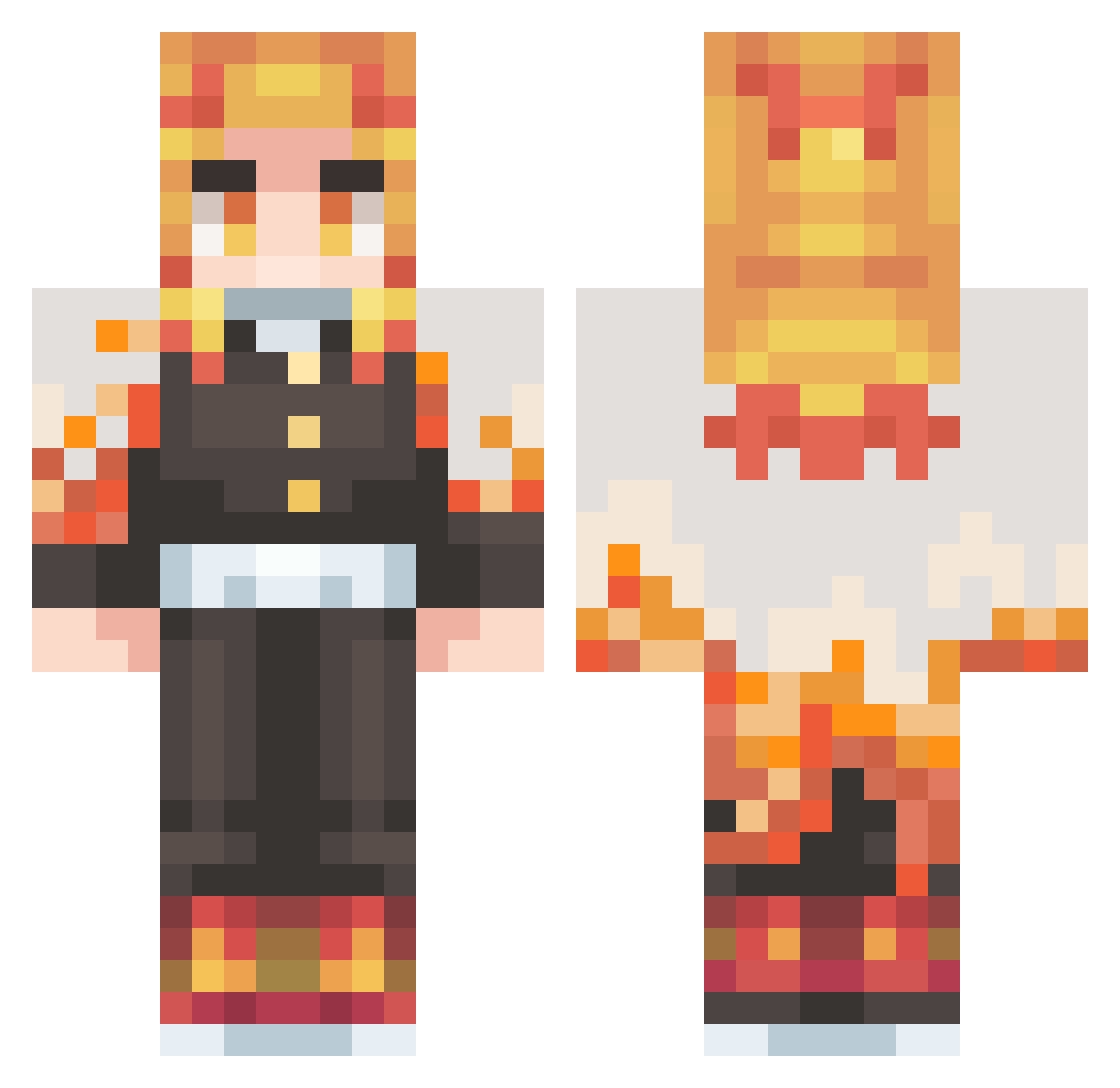
Current Minecraft skin of the player ARGENTHAN, loaded from the official Mojang API. Rotate the 3D model with your mouse or finger, then download the skin as a PNG file and use it in Minecraft: Bedrock Edition or Java Edition for free. When ARGENTHAN changes their skin, this page updates automatically and the old skin stays in the history below.
Other players with this skin (431)
ARGENTHAN was the 79th player we have seen with this skin, first spotted on 15.08.2026. The same skin was seen on these players. Open a nickname to see their current skin and skin history.
 judy24965121 T14G0_ cupidopanda yusufpro79 billy_billy xiezongying Garry125 ezse99 mister_Rafael ducbulol13 Alkowi monchigaming ZaLordOfWeebs IronsKai psychoking0508 Candidoo Mottita naatsoe _Kyoujurou_ bigpixel15 akc988 Gecata BlackJackKingV nicai1234 SrFacadas Kurosa074 Mohammed91 Dreaming_Mari Arias1610 Mibzz1905 boin1 GaryWilliams1314 PunPun1127 osukke Santiago_03 MMGragas R_SIGNORINI saxoxo NlKOV Einhornenya IZENNX Chile_pepper4 NUUBZZ AfKFiNiTe reu721 Hitorax48 Suzuyazumi patricklamas1 minjae84 68kevinn Hotbot_06 lenderneantnoir
 ssupernnovaa Creedzera waldo_torrest HANHAOYUN KyoArce Rjje2 topG6969420 Bfumblez
More Kyojuro Rengoku Minecraft skins
See all 114 Kyojuro Rengoku skins
How to install the ARGENTHAN skin
- Press the Download button above to save the skin as a PNG file.
- Minecraft: Bedrock Edition (PE): open the Dressing Room from the main menu (or tap your character → Edit Character), go to Classic Skins → Owned, press the + (new skin) button, choose the downloaded PNG and pick the Classic (Steve) model. Works on PC and mobile; consoles cannot import custom skins.
- Minecraft: Java Edition: open the Minecraft Launcher, go to the Skins tab, click New Skin, load the PNG, pick the Classic (Steve) model and press Save & Use. You can also upload it at minecraft.net → Profile → Change Skin.
The skin does not show up after import - what should I do?
Restart Minecraft and open the Dressing Room again - imported skins sometimes appear only after a restart. Also make sure you selected the imported skin and picked the Classic (Steve) model.
Which model should I choose, Classic or Slim?
This skin is designed for the Classic (Steve) model. If you pick the wrong model, the arms of the skin will look stretched or squeezed.
Is the skin of ARGENTHAN free to download?
Yes. Press Download, save the PNG file and use it in Minecraft: Bedrock Edition or Java Edition - no payment or registration needed. The skin also works on multiplayer servers and Realms.
More skins
Looking for more? Go back to all Minecraft skins and check the top skins of the week, month and all time, or find any player's skin by nickname.