
ANTONBOO - Minecraft Skins & Skin History
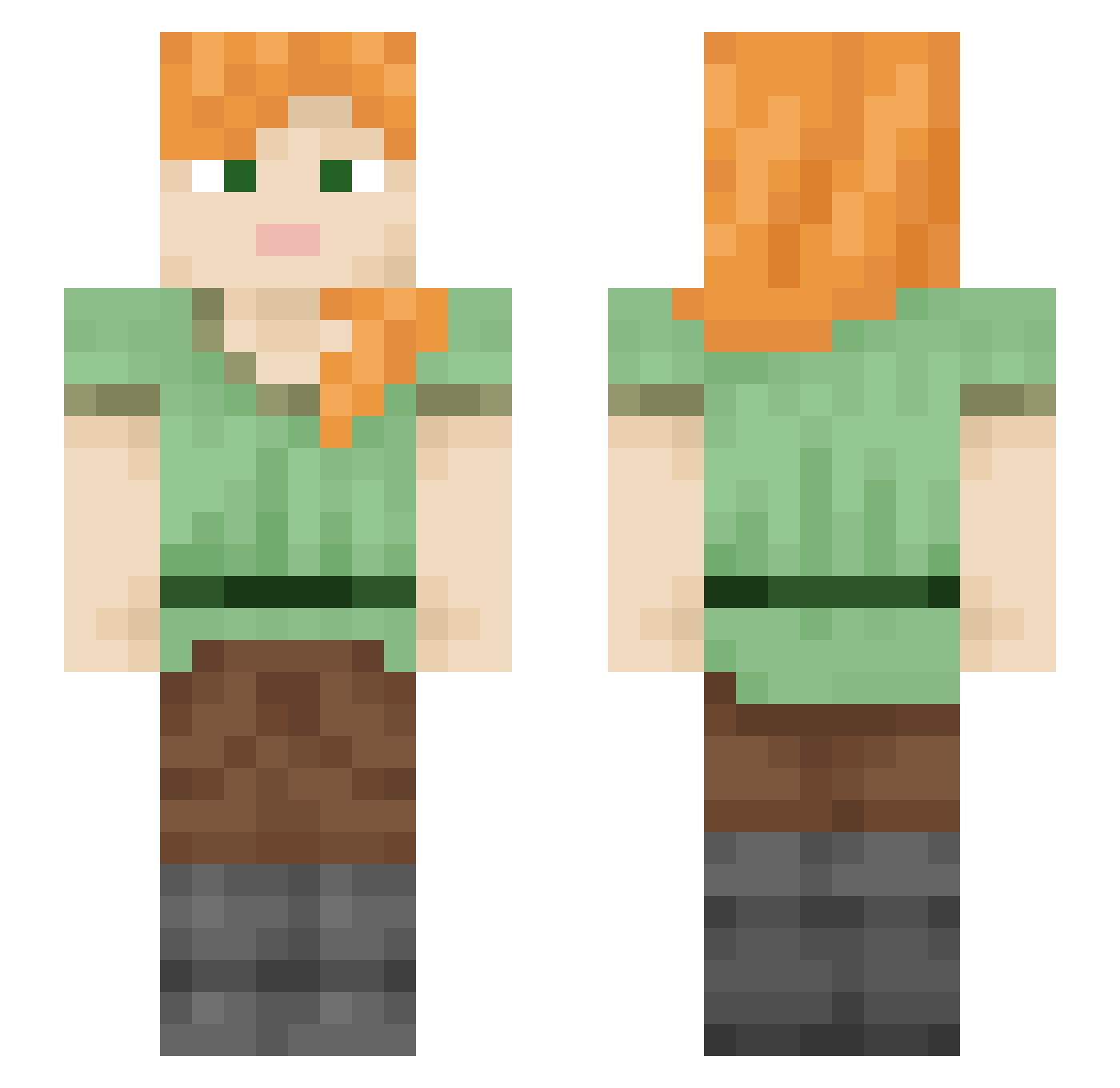
Current Minecraft skin of the player ANTONBOO, loaded from the official Mojang API. Rotate the 3D model with your mouse or finger, then download the skin as a PNG file and use it in Minecraft: Bedrock Edition or Java Edition for free. When ANTONBOO changes their skin, this page updates automatically and the old skin stays in the history below.
Other players with this skin (2108)
ANTONBOO was the 910th player we have seen with this skin, first spotted on 12.09.2026. The same skin was seen on these players. Open a nickname to see their current skin and skin history.
 ionicism Massimo0303 TYROOM OBESENESS Skooge_McGooge Hisenberg101 DustyPlant quadoo Carnie sanyang Fronton Hoondi lime_124 L0lluz_ Sharp_exe TWINEs mandan08 GuilleGamer18 Pedro314 ROMANTICGOLDSUN theIzzyB wabbbbit Bkbman5 Recollect stannnley_ Pastouuuu Blueblazerchrist knilB DrWhiteBear EtherealB _Cy_ sonsofthunder94 dotColin Dewata lills1111 Jacooo Acerola23
 Skipper816 blackwashing relodaniel Kassandra HugoXMC ShadoLee Hypersthene YhGriff terrydavis14 whetted AKSAL Muhammadanism Takogonet mrdouglaswbhs_ ulanoguz evergreens DimonEye wtoe JulietKiwi naerol sepp312 Upfly Lagoonside
How to install the ANTONBOO skin
- Press the Download button above to save the skin as a PNG file.
- Minecraft: Bedrock Edition (PE): open the Dressing Room from the main menu (or tap your character → Edit Character), go to Classic Skins → Owned, press the + (new skin) button, choose the downloaded PNG and pick the Slim (Alex) model. Works on PC and mobile; consoles cannot import custom skins.
- Minecraft: Java Edition: open the Minecraft Launcher, go to the Skins tab, click New Skin, load the PNG, pick the Slim (Alex) model and press Save & Use. You can also upload it at minecraft.net → Profile → Change Skin.
The skin does not show up after import - what should I do?
Restart Minecraft and open the Dressing Room again - imported skins sometimes appear only after a restart. Also make sure you selected the imported skin and picked the Slim (Alex) model.
Which model should I choose, Classic or Slim?
This skin is designed for the Slim (Alex) model. If you pick the wrong model, the arms of the skin will look stretched or squeezed.
Is the skin of ANTONBOO free to download?
Yes. Press Download, save the PNG file and use it in Minecraft: Bedrock Edition or Java Edition - no payment or registration needed. The skin also works on multiplayer servers and Realms.
More skins
Looking for more? Go back to all Minecraft skins and check the top skins of the week, month and all time, or find any player's skin by nickname.