
AKADRAGONXL - Minecraft Skins & Skin History
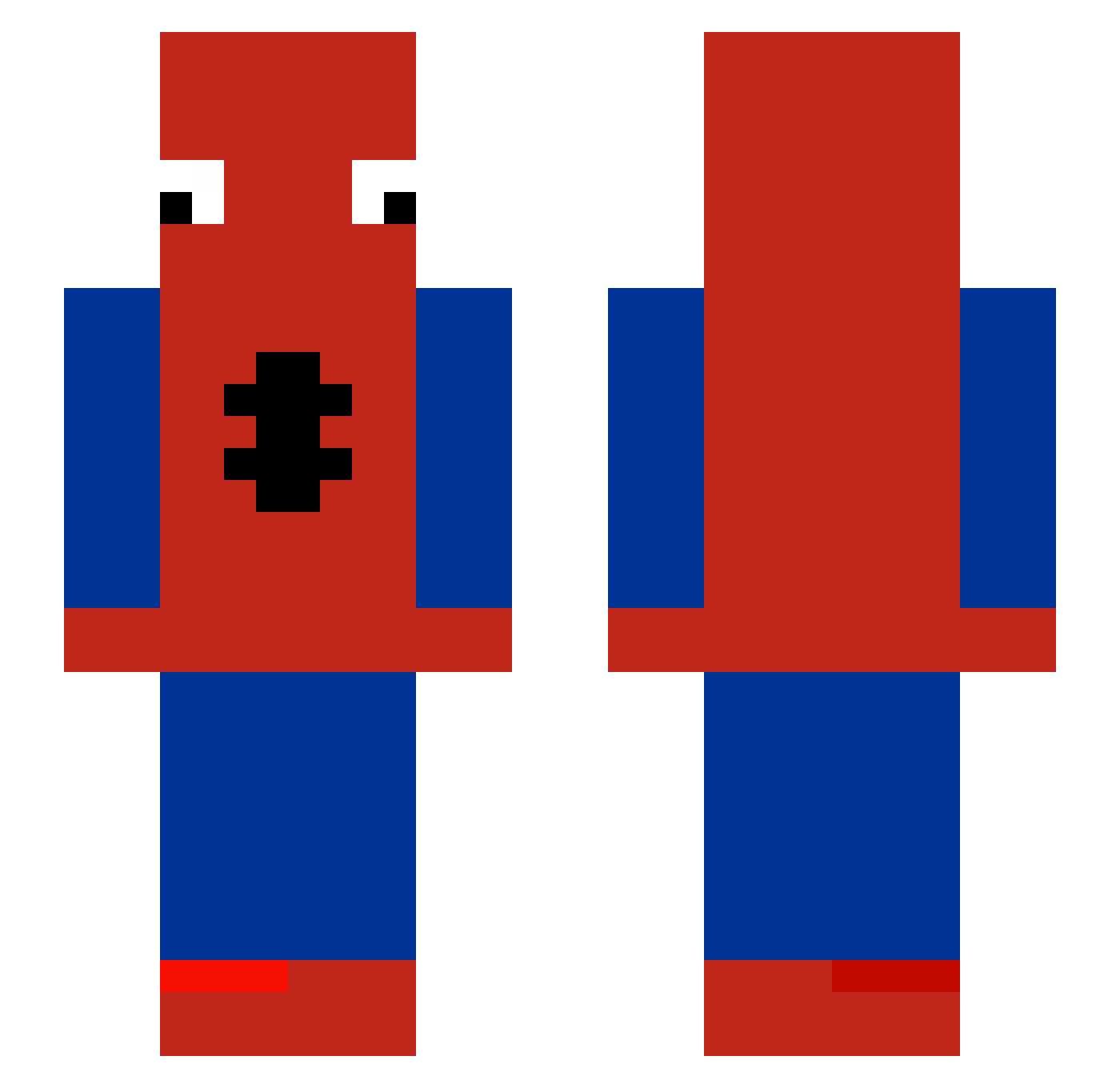
Current Minecraft skin of the player AKADRAGONXL, loaded from the official Mojang API. Rotate the 3D model with your mouse or finger, then download the skin as a PNG file and use it in Minecraft: Bedrock Edition or Java Edition for free. When AKADRAGONXL changes their skin, this page updates automatically and the old skin stays in the history below.
Other players with this skin (510)
AKADRAGONXL was the 365th player we have seen with this skin, first spotted on 11.10.2026. The same skin was seen on these players. Open a nickname to see their current skin and skin history.
 Saturngt SpooderMan04 Nuggetjuice69 Juice7709 l2nf lil_MoonMoon13 Yuurii5 Circoplomber tai1359 ParkerSK Triopsman skinwalker76 MALIK1230 brocoly2746 rawrandy Davcax66 _Santos_0 iRitzzy Patro_77 mauridk SlidySloth261 TOTO_LE_GOAT SpedeyMan SuPeRbArBoZ LuvlyFjell TtvRealLocalMigo MajesticAsFuq TheLeX99 TrixyWixy1 TwistyTick35246 MrPeabody6 Lemonz46 picklez_are_good StartedFromTheB Pick690 Marbiam Jayy1962 babamba5909 rottncoffn LilGamerr yTurTle_1227 Kacperkwcn cool_name QZ96T Jackcraft215 vinnss K1MB0B Lost_Earner MakeYourBedRock_ oreokunn gaigerolain SkibidiWave sevenrc MatsouBoy Lea_1122 m001023 KamiNoMaki Spi3ermaN TETAnick157 Feiv
More Spider-Man Minecraft skins
How to install the AKADRAGONXL skin
- Press the Download button above to save the skin as a PNG file.
- Minecraft: Bedrock Edition (PE): open the Dressing Room from the main menu (or tap your character → Edit Character), go to Classic Skins → Owned, press the + (new skin) button, choose the downloaded PNG and pick the Slim (Alex) model. Works on PC and mobile; consoles cannot import custom skins.
- Minecraft: Java Edition: open the Minecraft Launcher, go to the Skins tab, click New Skin, load the PNG, pick the Slim (Alex) model and press Save & Use. You can also upload it at minecraft.net → Profile → Change Skin.
The skin does not show up after import - what should I do?
Restart Minecraft and open the Dressing Room again - imported skins sometimes appear only after a restart. Also make sure you selected the imported skin and picked the Slim (Alex) model.
Which model should I choose, Classic or Slim?
This skin is designed for the Slim (Alex) model. If you pick the wrong model, the arms of the skin will look stretched or squeezed.
Is the skin of AKADRAGONXL free to download?
Yes. Press Download, save the PNG file and use it in Minecraft: Bedrock Edition or Java Edition - no payment or registration needed. The skin also works on multiplayer servers and Realms.
More skins
Looking for more? Go back to all Minecraft skins and check the top skins of the week, month and all time, or find any player's skin by nickname.