
AFU_Man - Minecraft Skins & Skin History
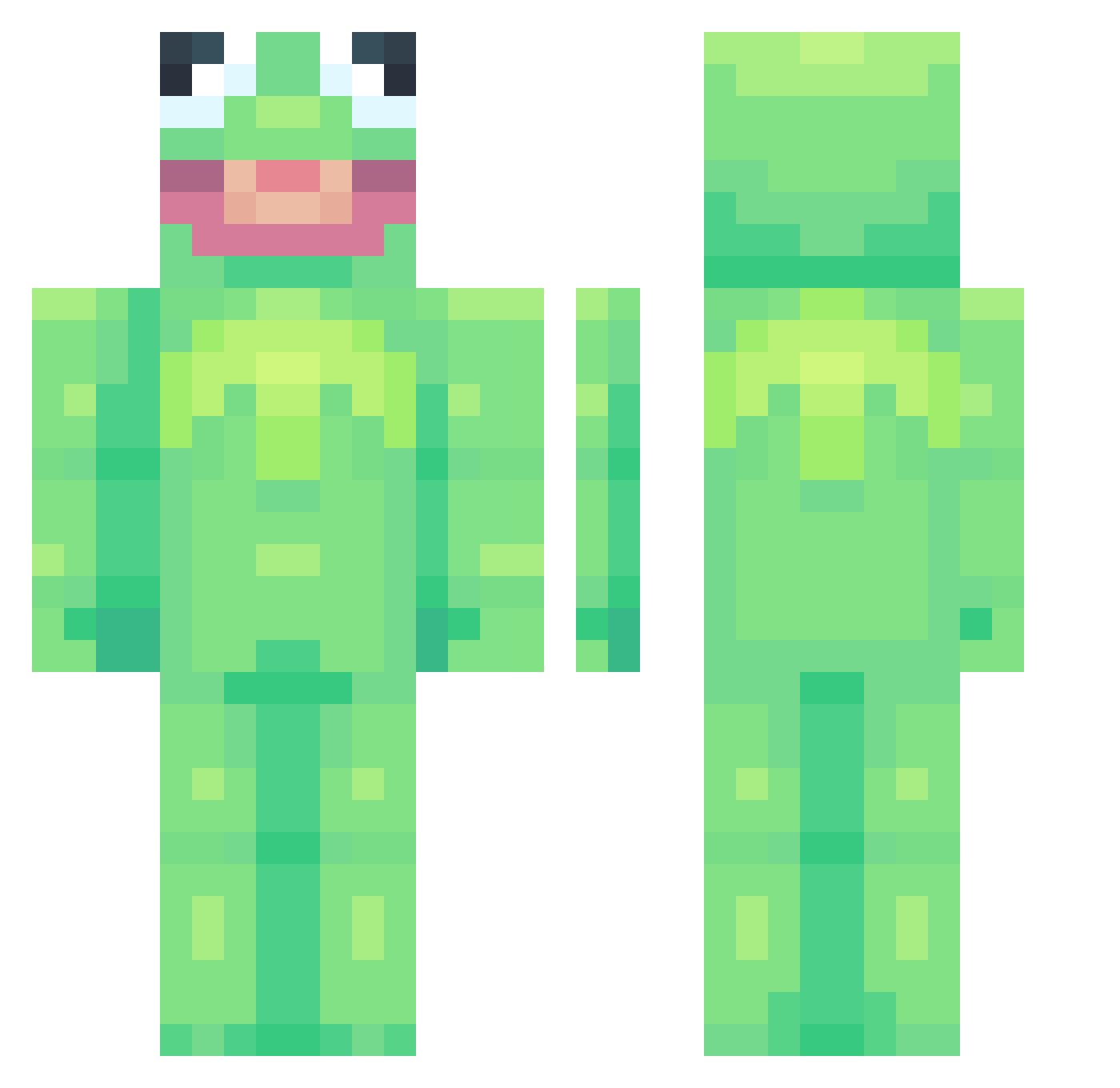
Current Minecraft skin of the player AFU_Man, loaded from the official Mojang API. Rotate the 3D model with your mouse or finger, then download the skin as a PNG file and use it in Minecraft: Bedrock Edition or Java Edition for free. When AFU_Man changes their skin, this page updates automatically and the old skin stays in the history below.
Other players with this skin (912)
AFU_Man was the 700th player we have seen with this skin, first spotted on 25.10.2026. The same skin was seen on these players. Open a nickname to see their current skin and skin history.
 UnPetitCaillou ppfunny22 kierstenkier TomTomatenmark Siccness831 Papi_Chulo1999 Herffmen miserlysauce PeachSprouts KR_ProBlem NiceGuyAyden Vyoalet Kinky_Jesus_ K3rmit_The_Frawg vengeanceclimber BigEpicLax xXtoxicbeansXx MallahLasVegas throwupnow Aragacki Jasonchou12 SavageBenjamin JamalBukera Robitto julianna_chilli BestNarwhal MONZIC Liquid_Ice23 paco5630 SturmUser _calb_ CreeperPasSympa_ wooyoung0907 Sizouhe LandonsNightmare Scootaloo313 BoingMan06 syuaday Hekathea Tr0gD0g xanduba saltymello ToofPoof kelowe iThan0s kokwobben123 essie_s McByte anabro22 SenorBrownCow denfi__ PeeEyeEmmPee sadbeaniebb iWolfey MrBananaHands CryptoCuz tylergage187 BlockBuzzters maggievangogh PerrinHex
More Kermit The Frog Minecraft skins
See all 472 Kermit The Frog skins
How to install the AFU_Man skin
- Press the Download button above to save the skin as a PNG file.
- Minecraft: Bedrock Edition (PE): open the Dressing Room from the main menu (or tap your character → Edit Character), go to Classic Skins → Owned, press the + (new skin) button, choose the downloaded PNG and pick the Classic (Steve) model. Works on PC and mobile; consoles cannot import custom skins.
- Minecraft: Java Edition: open the Minecraft Launcher, go to the Skins tab, click New Skin, load the PNG, pick the Classic (Steve) model and press Save & Use. You can also upload it at minecraft.net → Profile → Change Skin.
The skin does not show up after import - what should I do?
Restart Minecraft and open the Dressing Room again - imported skins sometimes appear only after a restart. Also make sure you selected the imported skin and picked the Classic (Steve) model.
Which model should I choose, Classic or Slim?
This skin is designed for the Classic (Steve) model. If you pick the wrong model, the arms of the skin will look stretched or squeezed.
Is the skin of AFU_Man free to download?
Yes. Press Download, save the PNG file and use it in Minecraft: Bedrock Edition or Java Edition - no payment or registration needed. The skin also works on multiplayer servers and Realms.
More skins
Looking for more? Go back to all Minecraft skins and check the top skins of the week, month and all time, or find any player's skin by nickname.