
94iz - Minecraft Skins & Skin History
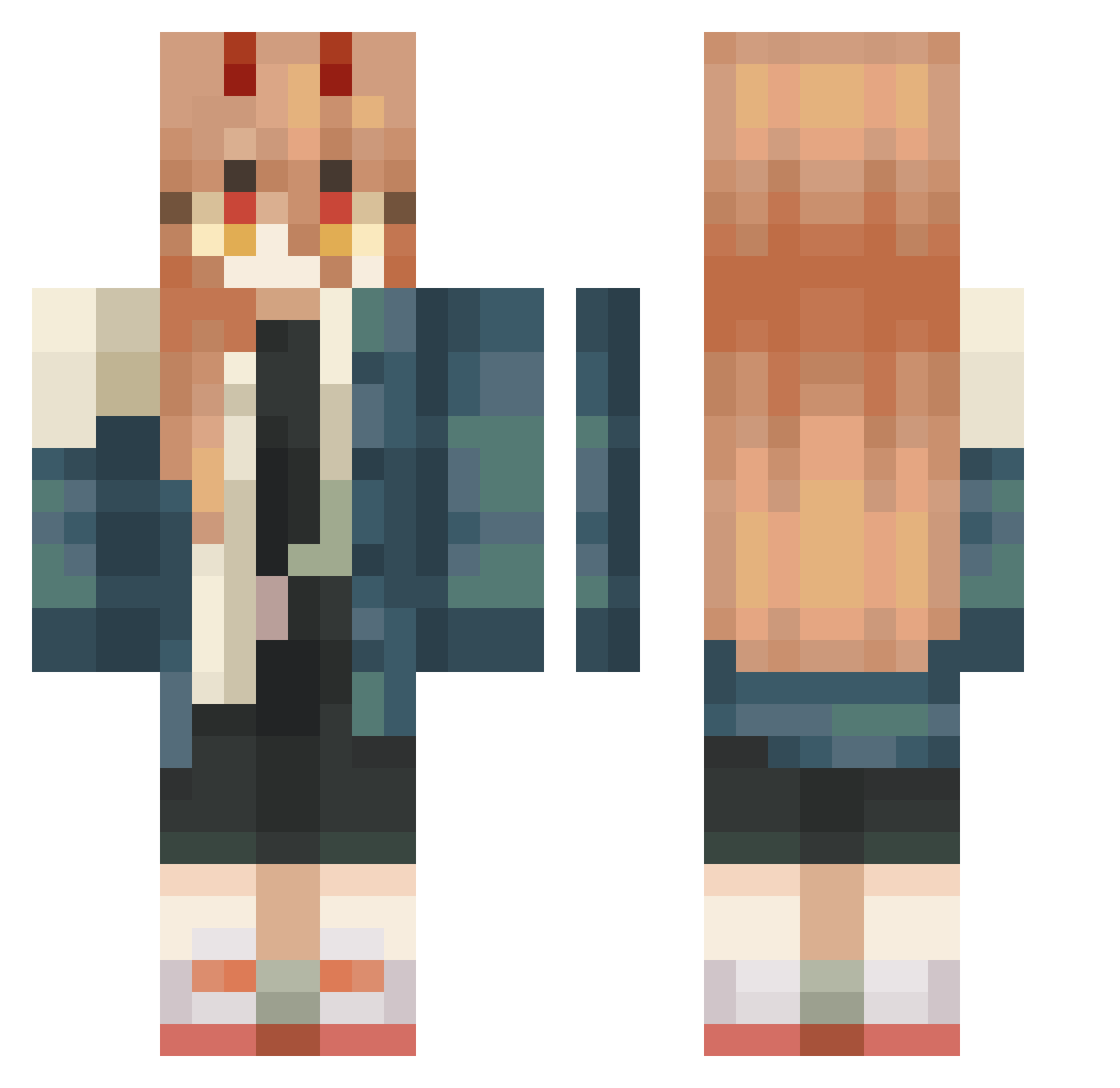
Current Minecraft skin of the player 94iz, loaded from the official Mojang API. Rotate the 3D model with your mouse or finger, then download the skin as a PNG file and use it in Minecraft: Bedrock Edition or Java Edition for free. When 94iz changes their skin, this page updates automatically and the old skin stays in the history below.
Other players with this skin (540)
94iz was the 520th player we have seen with this skin, first spotted on 15.11.2026. The same skin was seen on these players. Open a nickname to see their current skin and skin history.
 cameldepeu MeG1Emi the_greekster DrButtersz DiU1145 sovkokuu jezwsws Jean_Michwel LukiSaNiuMi 0r3oooo DioBraund Knuffii Swerval Aye2TOFU Darkfi36 Trap0308 CosmiKiee 0kneesbees0 irorori MagickCake aternalus XxKittySlayr69xX userhnn sbPollo Lerio_idk slimedata kamino_manimani yukinokore Axel573 monokooks Kole_0319 Arandomwombat73 Chamaki_ AlpineGalaxy890 1KAT01 Pelii1227 talvikki22 Shaedy_Hvam NotSel Sad_Mudkip aZzleep Togata8 venvri le_gasp sakusakupanda63 smoothan rynoah lelnyaa kokutekpeta Beatrix10 GnomeGrimble Nkagawa3242 Mich_MX maxixim TheMaZe143 NoskyTTMC Caldanaa TsukiTsuki08 Mr_Sushiiii PeachyRings21
More Power Minecraft skins
How to install the 94iz skin
- Press the Download button above to save the skin as a PNG file.
- Minecraft: Bedrock Edition (PE): open the Dressing Room from the main menu (or tap your character → Edit Character), go to Classic Skins → Owned, press the + (new skin) button, choose the downloaded PNG and pick the Classic (Steve) model. Works on PC and mobile; consoles cannot import custom skins.
- Minecraft: Java Edition: open the Minecraft Launcher, go to the Skins tab, click New Skin, load the PNG, pick the Classic (Steve) model and press Save & Use. You can also upload it at minecraft.net → Profile → Change Skin.
The skin does not show up after import - what should I do?
Restart Minecraft and open the Dressing Room again - imported skins sometimes appear only after a restart. Also make sure you selected the imported skin and picked the Classic (Steve) model.
Which model should I choose, Classic or Slim?
This skin is designed for the Classic (Steve) model. If you pick the wrong model, the arms of the skin will look stretched or squeezed.
Is the skin of 94iz free to download?
Yes. Press Download, save the PNG file and use it in Minecraft: Bedrock Edition or Java Edition - no payment or registration needed. The skin also works on multiplayer servers and Realms.
More skins
Looking for more? Go back to all Minecraft skins and check the top skins of the week, month and all time, or find any player's skin by nickname.