
92zeam - Minecraft Skins & Skin History
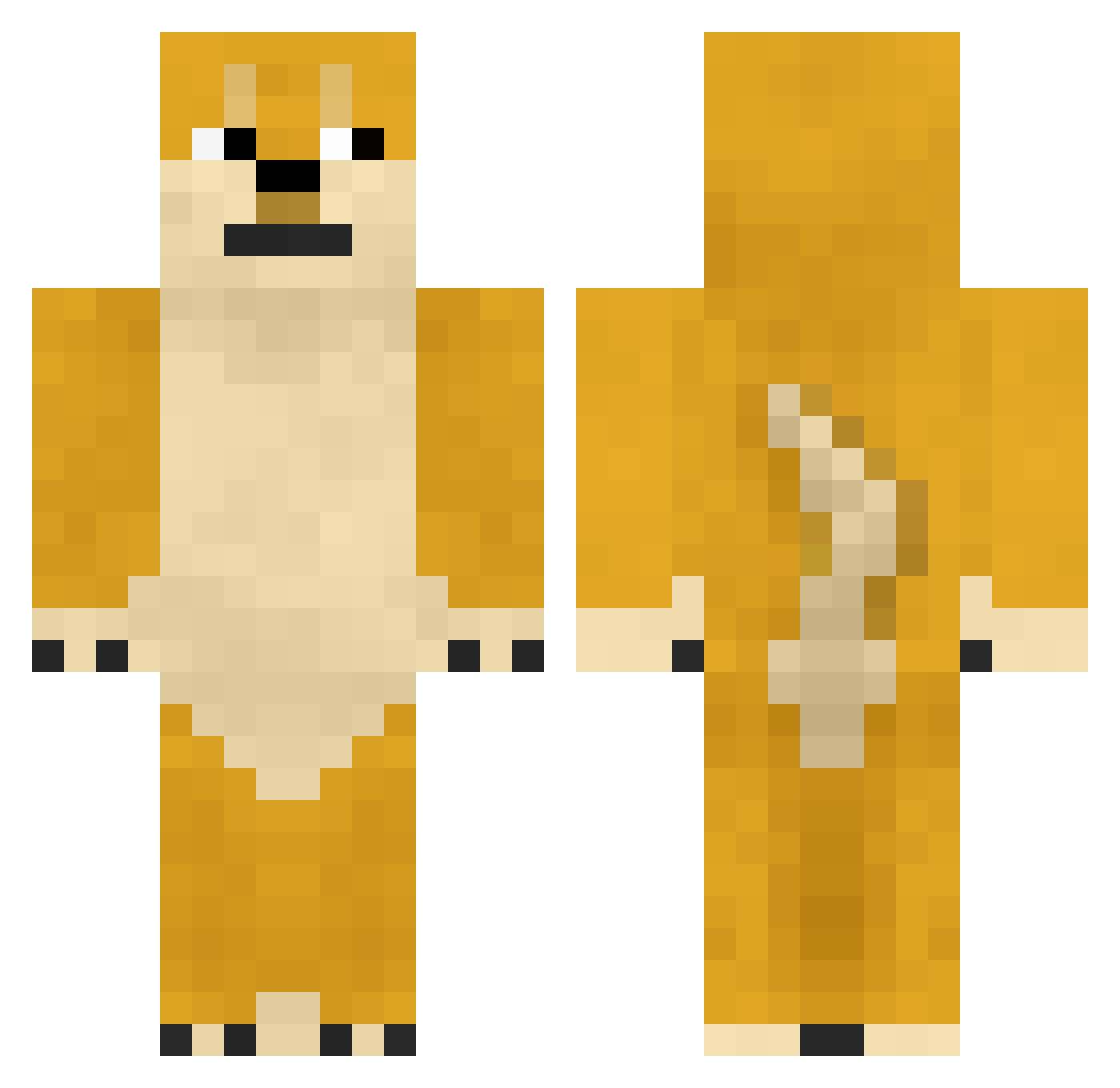
Current Minecraft skin of the player 92zeam, loaded from the official Mojang API. Rotate the 3D model with your mouse or finger, then download the skin as a PNG file and use it in Minecraft: Bedrock Edition or Java Edition for free. When 92zeam changes their skin, this page updates automatically and the old skin stays in the history below.
Other players with this skin (893)
92zeam was the 750th player we have seen with this skin, first spotted on 01.11.2026. The same skin was seen on these players. Open a nickname to see their current skin and skin history.
 HuYe jiaqiangmc Taoshiyi ____Toaster_____ TroyDu HornyGodd nevergu8 SleepyJol Sp1RitUalF0X happly_village shirashirohane braveymc Camillayi CementSealHeart MnTDew_21 Rman_Media JV7210 dgpgt sun_go email314 OGEndos YedLeo krtlover sk1ttl3 GGiimiii TwilightSp4rkle SHENG_7 xiansanrenyuan soojin521 daisuke001911 AdmiralGrak AQFY Jn0424 Benjamin_Burton MichaelMason MCxiaoliu abcdbaba ErriBaby Nibori052 PunsPHP Tunnelrat86 Corp_S Ladyxun The_Elder_Mod YZza_ CCCheems XtraVrgnOliveOil Big30s buchiyouzi ChineseJordan weg666 zzy1996 Sabersaber55 salmon588 yione66 AshesLUL tank798 TheDailyBarkz CrazyJDawg21 rain_0520
More Shiba Inu Minecraft skins
How to install the 92zeam skin
- Press the Download button above to save the skin as a PNG file.
- Minecraft: Bedrock Edition (PE): open the Dressing Room from the main menu (or tap your character → Edit Character), go to Classic Skins → Owned, press the + (new skin) button, choose the downloaded PNG and pick the Classic (Steve) model. Works on PC and mobile; consoles cannot import custom skins.
- Minecraft: Java Edition: open the Minecraft Launcher, go to the Skins tab, click New Skin, load the PNG, pick the Classic (Steve) model and press Save & Use. You can also upload it at minecraft.net → Profile → Change Skin.
The skin does not show up after import - what should I do?
Restart Minecraft and open the Dressing Room again - imported skins sometimes appear only after a restart. Also make sure you selected the imported skin and picked the Classic (Steve) model.
Which model should I choose, Classic or Slim?
This skin is designed for the Classic (Steve) model. If you pick the wrong model, the arms of the skin will look stretched or squeezed.
Is the skin of 92zeam free to download?
Yes. Press Download, save the PNG file and use it in Minecraft: Bedrock Edition or Java Edition - no payment or registration needed. The skin also works on multiplayer servers and Realms.
More skins
Looking for more? Go back to all Minecraft skins and check the top skins of the week, month and all time, or find any player's skin by nickname.