
921crash921 - Minecraft Skins & Skin History
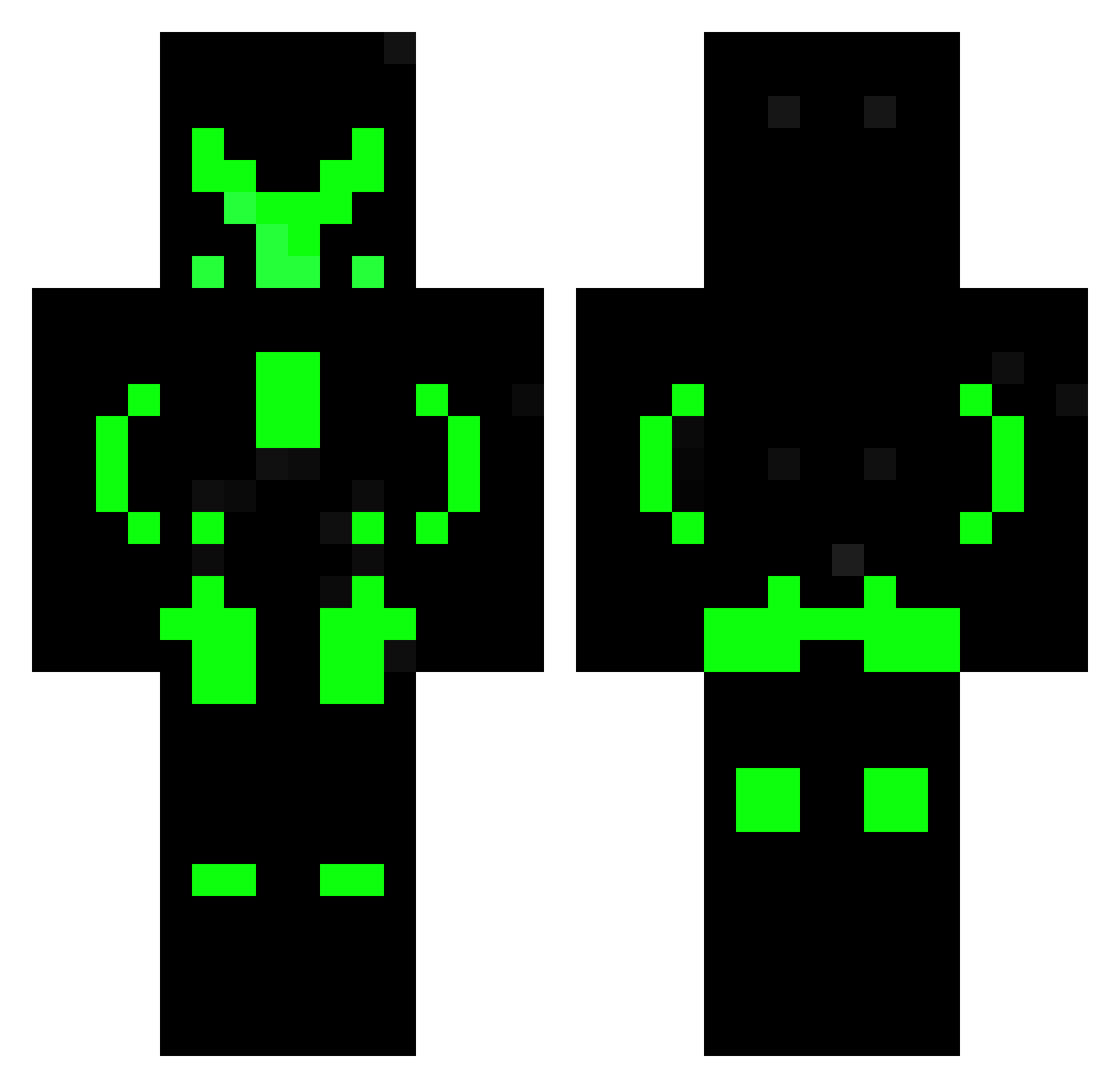
Current Minecraft skin of the player 921crash921, loaded from the official Mojang API. Rotate the 3D model with your mouse or finger, then download the skin as a PNG file and use it in Minecraft: Bedrock Edition or Java Edition for free. When 921crash921 changes their skin, this page updates automatically and the old skin stays in the history below.
Other players with this skin (493)
921crash921 was the 489th player we have seen with this skin, first spotted on 20.10.2026. The same skin was seen on these players. Open a nickname to see their current skin and skin history.
 ImHege Cyronix09 Araflo_hd ___zane___ WHTIEDOG Keiver razeeeen hoooonooooooooo MrRecird Hope_Mikaleson65 Italic02 ZZS3NTIN3LZZ VerticalHorizon Deimos_675 aromins Dapurpl3Walrus MeuAmante TheGreatAleWizar mateadv Cooptroop189 nimfu007 Lemmi556 Mc_Nuggies timWu0425 cpabo Emprestado01 kendal4 Robihun20000 Cyber_lizard KeineAhnung9970 TheAlves_ GamerPrime335 Shoprok itsmefuli Shiroe_Chan LOREX34 lollenny FuriousWolf maxiking_pro Contamusse Sincons Zamarripa Dasser09 silas2107 RisT_CookiMan KOLKOL_245 LoganCola Hashed8 WilsonCole Xevontex NeoKnight02 LILJmastery bugi12 Sabertooth9252 Bence858 StevenSTM97 banhao_gigante _NeonFex_ akvariekillen BadBoy_666
More Neon Armor Minecraft skins
How to install the 921crash921 skin
- Press the Download button above to save the skin as a PNG file.
- Minecraft: Bedrock Edition (PE): open the Dressing Room from the main menu (or tap your character → Edit Character), go to Classic Skins → Owned, press the + (new skin) button, choose the downloaded PNG and pick the Classic (Steve) model. Works on PC and mobile; consoles cannot import custom skins.
- Minecraft: Java Edition: open the Minecraft Launcher, go to the Skins tab, click New Skin, load the PNG, pick the Classic (Steve) model and press Save & Use. You can also upload it at minecraft.net → Profile → Change Skin.
The skin does not show up after import - what should I do?
Restart Minecraft and open the Dressing Room again - imported skins sometimes appear only after a restart. Also make sure you selected the imported skin and picked the Classic (Steve) model.
Which model should I choose, Classic or Slim?
This skin is designed for the Classic (Steve) model. If you pick the wrong model, the arms of the skin will look stretched or squeezed.
Is the skin of 921crash921 free to download?
Yes. Press Download, save the PNG file and use it in Minecraft: Bedrock Edition or Java Edition - no payment or registration needed. The skin also works on multiplayer servers and Realms.
More skins
Looking for more? Go back to all Minecraft skins and check the top skins of the week, month and all time, or find any player's skin by nickname.