
7zinx - Minecraft Skins & Skin History
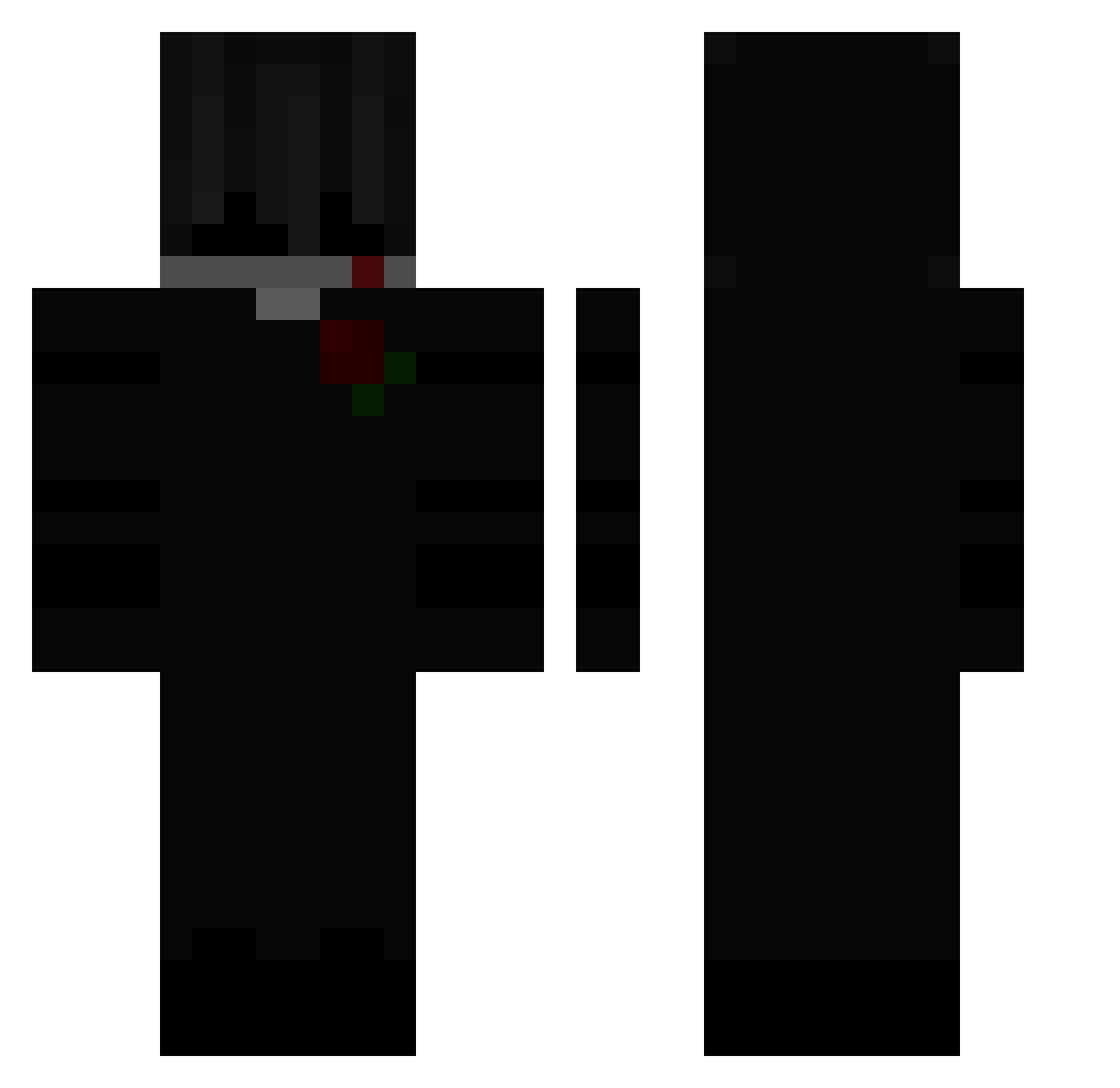
Current Minecraft skin of the player 7zinx, loaded from the official Mojang API. Rotate the 3D model with your mouse or finger, then download the skin as a PNG file and use it in Minecraft: Bedrock Edition or Java Edition for free. When 7zinx changes their skin, this page updates automatically and the old skin stays in the history below.
Other players with this skin (115)
7zinx was the 46th player we have seen with this skin, first spotted on 29.08.2026. The same skin was seen on these players. Open a nickname to see their current skin and skin history.
 _top_killer_ OODonzq XxDarkMoonYTxX SennyMoon zlhye Dysteks_ savafl42 qmb_ CrazyPat97 EfeKaan1370 _DaVaS_ ItsLunaBoo l2mby hagrow Mentally_YayaGM Namaryyy 6SA_ D1NSMOR3 Frostnightz j_AFN Justin_Gullit iUberRat md55 Needlesrileyy123 ShiiftAC wattlexp_6 Wiisk 111cm werdefreundlich _Nan_Kot_ __TheEnd__ v0lkryie buddget jacekkruwka krenkov_ Wingfreak iamgr00t DARKTONYEFFE777 MeliodasLover88 qpn Soir EXEloser Triceratops__ MassenReport Watashl K4Ureborn F9i3 VODKA_COKE dankosk5 _dwy FPSKOS vzaerrr Senju___ MiomajkCZ PzK167 Tazma_ H1taXa Nyshiq IQ_SAIF SemkaSAR
More Rose Minecraft skins
How to install the 7zinx skin
- Press the Download button above to save the skin as a PNG file.
- Minecraft: Bedrock Edition (PE): open the Dressing Room from the main menu (or tap your character → Edit Character), go to Classic Skins → Owned, press the + (new skin) button, choose the downloaded PNG and pick the Classic (Steve) model. Works on PC and mobile; consoles cannot import custom skins.
- Minecraft: Java Edition: open the Minecraft Launcher, go to the Skins tab, click New Skin, load the PNG, pick the Classic (Steve) model and press Save & Use. You can also upload it at minecraft.net → Profile → Change Skin.
The skin does not show up after import - what should I do?
Restart Minecraft and open the Dressing Room again - imported skins sometimes appear only after a restart. Also make sure you selected the imported skin and picked the Classic (Steve) model.
Which model should I choose, Classic or Slim?
This skin is designed for the Classic (Steve) model. If you pick the wrong model, the arms of the skin will look stretched or squeezed.
Is the skin of 7zinx free to download?
Yes. Press Download, save the PNG file and use it in Minecraft: Bedrock Edition or Java Edition - no payment or registration needed. The skin also works on multiplayer servers and Realms.
More skins
Looking for more? Go back to all Minecraft skins and check the top skins of the week, month and all time, or find any player's skin by nickname.