
52Tairitsu - Minecraft Skins & Skin History
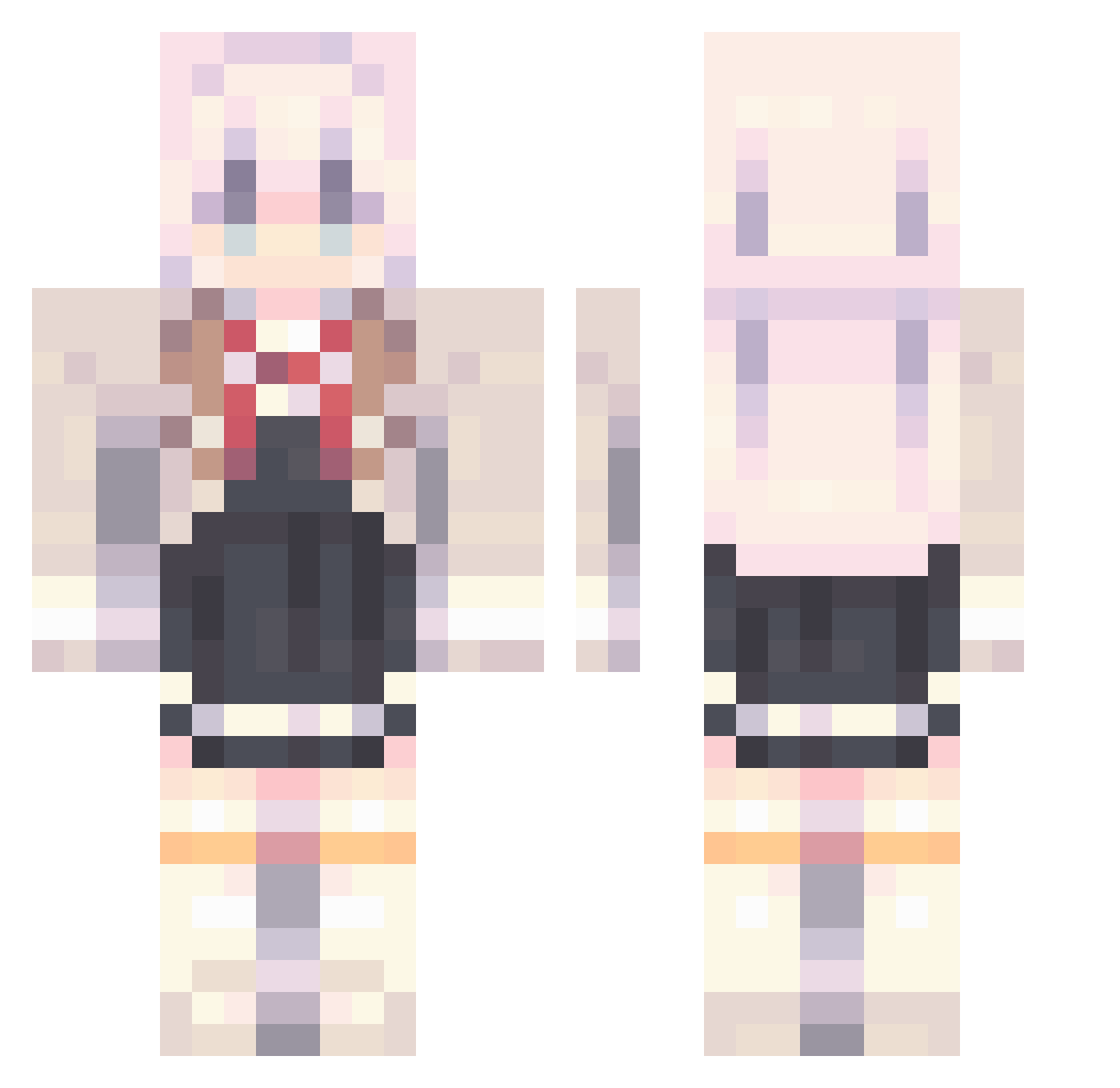
Current Minecraft skin of the player 52Tairitsu, loaded from the official Mojang API. Rotate the 3D model with your mouse or finger, then download the skin as a PNG file and use it in Minecraft: Bedrock Edition or Java Edition for free. When 52Tairitsu changes their skin, this page updates automatically and the old skin stays in the history below.
Other players with this skin (850)
52Tairitsu was the 403rd player we have seen with this skin, first spotted on 09.09.2026. The same skin was seen on these players. Open a nickname to see their current skin and skin history.
 Pin_Storm elnuvseacerca jamzy____ raindd Bubie00 frqme_ SorasakiHina3 Satity YuanqiStacey xinnovov swishle realcanelita67 ___Nova__ yzyzyz1 mefedronn nrygl skillbomja666 zzazy xiaomo320 CHILLNEKO jeremy0414 allowern mukaunonline 32menzi IHave6Nuts ThatDeafDrummer
 IUAENA0516 Sai113 businesscat11 ZackTian Tornaria ckjuss SuFanHh Zitronenkuchen10 niwaw y0f0j AliceSan087 OP_miHoYo zbxkong Alex_Yuki bylhz My_dearest_u KABUKI_LAN AlyaOnTop Abbernator Asiaflexy DevicezZ ClownTd plebeians AlyasThigh Dusk_1 LOL56465 Geruros Sebastian8541
 Bijoux2 Yuzhiyi07 Dedouo luozhiran waffle_0907 loseryul
More School Uniform Minecraft skins
See all 6210 School Uniform skins
How to install the 52Tairitsu skin
- Press the Download button above to save the skin as a PNG file.
- Minecraft: Bedrock Edition (PE): open the Dressing Room from the main menu (or tap your character → Edit Character), go to Classic Skins → Owned, press the + (new skin) button, choose the downloaded PNG and pick the Classic (Steve) model. Works on PC and mobile; consoles cannot import custom skins.
- Minecraft: Java Edition: open the Minecraft Launcher, go to the Skins tab, click New Skin, load the PNG, pick the Classic (Steve) model and press Save & Use. You can also upload it at minecraft.net → Profile → Change Skin.
The skin does not show up after import - what should I do?
Restart Minecraft and open the Dressing Room again - imported skins sometimes appear only after a restart. Also make sure you selected the imported skin and picked the Classic (Steve) model.
Which model should I choose, Classic or Slim?
This skin is designed for the Classic (Steve) model. If you pick the wrong model, the arms of the skin will look stretched or squeezed.
Is the skin of 52Tairitsu free to download?
Yes. Press Download, save the PNG file and use it in Minecraft: Bedrock Edition or Java Edition - no payment or registration needed. The skin also works on multiplayer servers and Realms.
More skins
Looking for more? Go back to all Minecraft skins and check the top skins of the week, month and all time, or find any player's skin by nickname.