
4homework - Minecraft Skins & Skin History
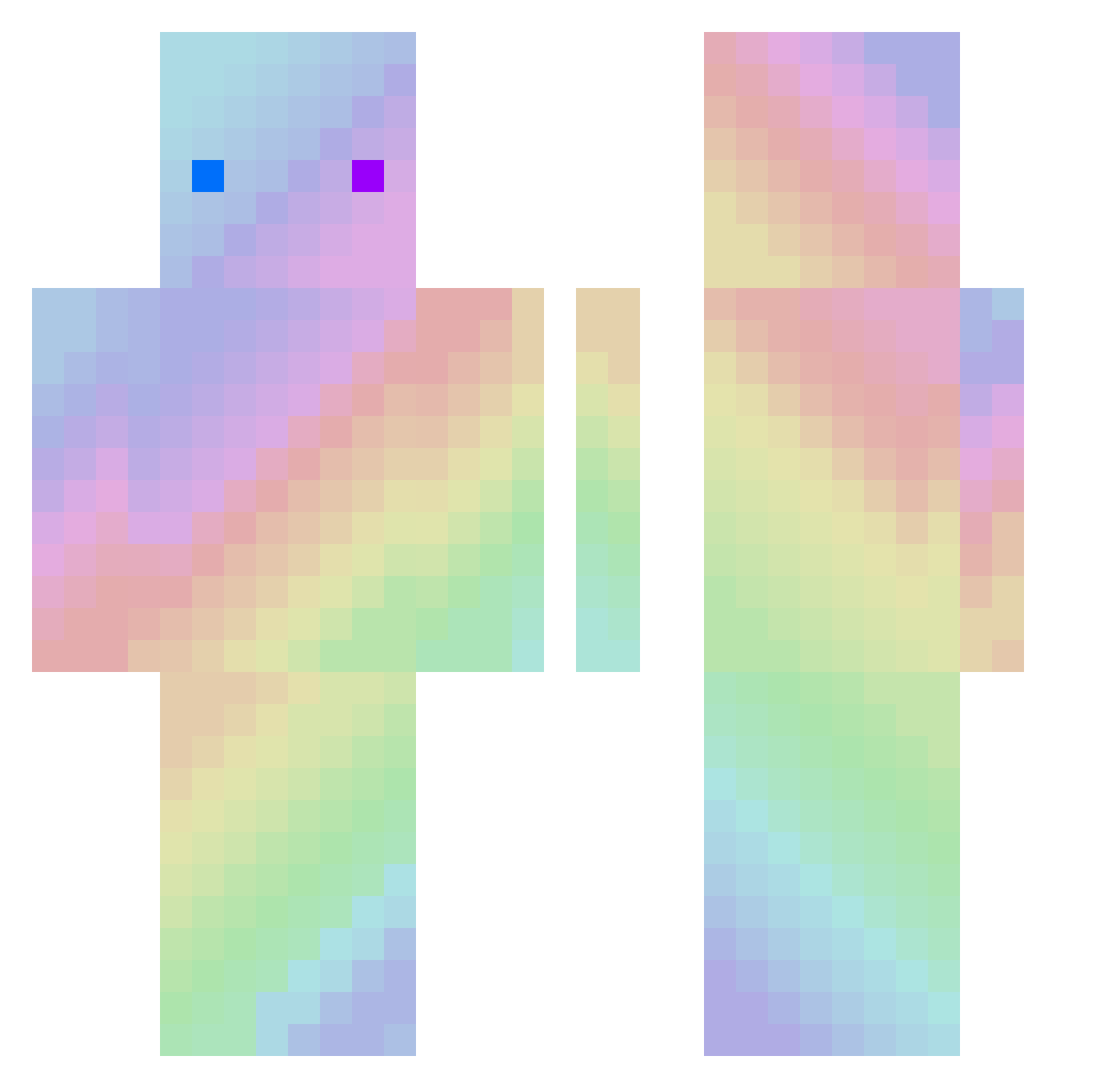
Current Minecraft skin of the player 4homework, loaded from the official Mojang API. Rotate the 3D model with your mouse or finger, then download the skin as a PNG file and use it in Minecraft: Bedrock Edition or Java Edition for free. When 4homework changes their skin, this page updates automatically and the old skin stays in the history below.
Other players with this skin (195)
4homework was the 116th player we have seen with this skin, first spotted on 02.10.2026. The same skin was seen on these players. Open a nickname to see their current skin and skin history.
 Lagom_nor fangziii atuyadaoo Sergio_pepene Ajing666 mao__qiu Chihiro_uvu YuKing06 Sunnnnnn_ mczxx NUNNU_06 GuaGua_D zbt652500 yun9_vn Shild_craft_man DPKYRIEZZH YGC666 Tangcc patata231_7 RenegadeDutchman Sikokiller Jay_6_ SheNnhoa Deusinthisbeat dwhddd CautiousMeows J1eJ1e628 Beast_Min Kele_kl Kan_g_Ya Ysabel_ __Starlight99 jasfizzled GrafKonki Lou_ag rruis HongDOoOoOoO inorganictofu HiBiKi20 wakeXL Torurun7 Zastrugi Valenyak zjy250 Han_nah__ 77Cheavie YZYZ1u RizzzleSticks dbgksruf11 p4togeno Your3Wishes tosejo daquavis6390 Phoenix__king DISIMFEEL TheGrape_ wei_shihu t133233 DaDastro Lu_ZoHo
How to install the 4homework skin
- Press the Download button above to save the skin as a PNG file.
- Minecraft: Bedrock Edition (PE): open the Dressing Room from the main menu (or tap your character → Edit Character), go to Classic Skins → Owned, press the + (new skin) button, choose the downloaded PNG and pick the Classic (Steve) model. Works on PC and mobile; consoles cannot import custom skins.
- Minecraft: Java Edition: open the Minecraft Launcher, go to the Skins tab, click New Skin, load the PNG, pick the Classic (Steve) model and press Save & Use. You can also upload it at minecraft.net → Profile → Change Skin.
The skin does not show up after import - what should I do?
Restart Minecraft and open the Dressing Room again - imported skins sometimes appear only after a restart. Also make sure you selected the imported skin and picked the Classic (Steve) model.
Which model should I choose, Classic or Slim?
This skin is designed for the Classic (Steve) model. If you pick the wrong model, the arms of the skin will look stretched or squeezed.
Is the skin of 4homework free to download?
Yes. Press Download, save the PNG file and use it in Minecraft: Bedrock Edition or Java Edition - no payment or registration needed. The skin also works on multiplayer servers and Realms.
More skins
Looking for more? Go back to all Minecraft skins and check the top skins of the week, month and all time, or find any player's skin by nickname.