
49reyzz - Minecraft Skins & Skin History
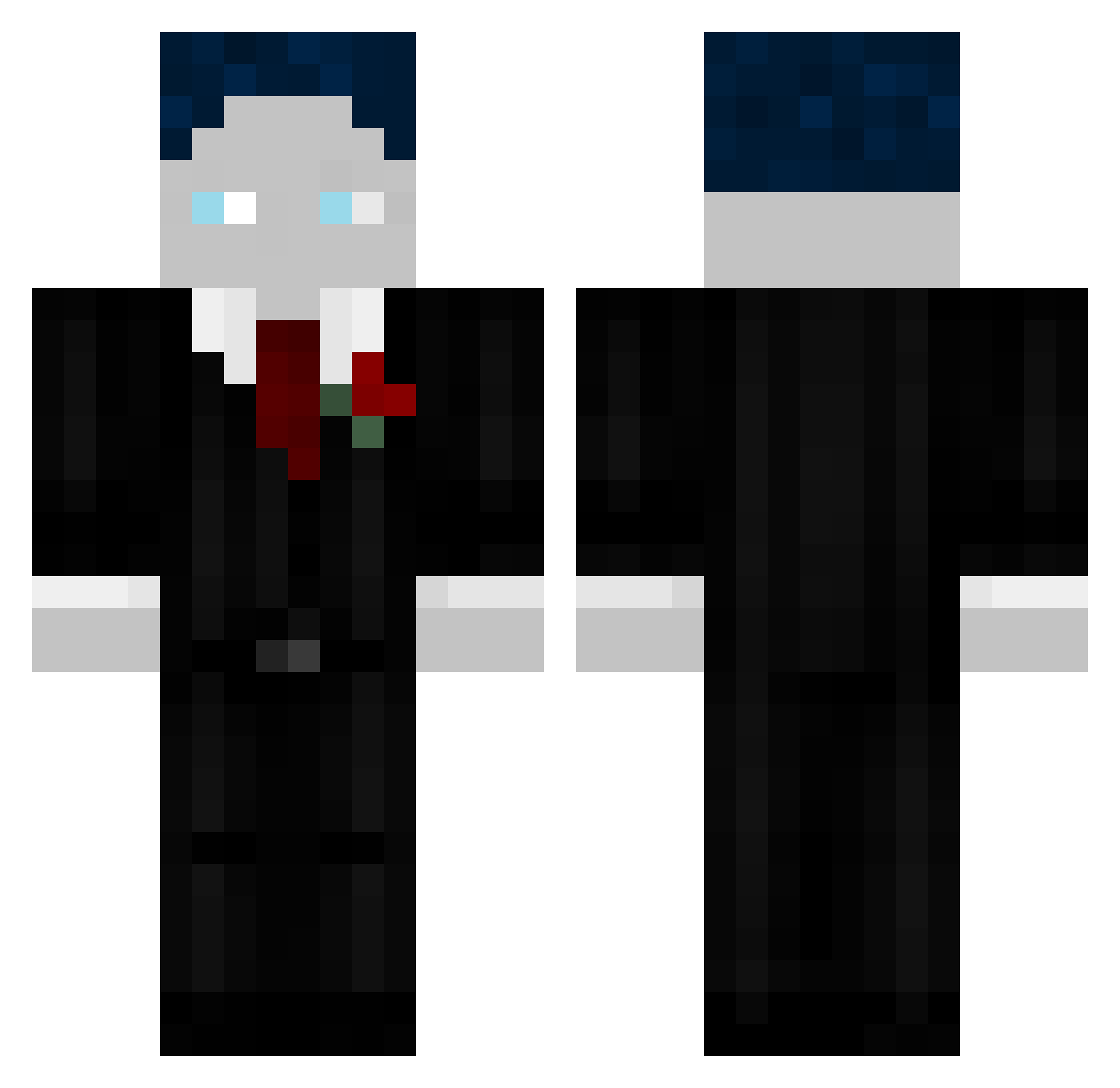
Current Minecraft skin of the player 49reyzz, loaded from the official Mojang API. Rotate the 3D model with your mouse or finger, then download the skin as a PNG file and use it in Minecraft: Bedrock Edition or Java Edition for free. When 49reyzz changes their skin, this page updates automatically and the old skin stays in the history below.
Other players with this skin (65)
49reyzz was the 17th player we have seen with this skin, first spotted on 01.09.2026. The same skin was seen on these players. Open a nickname to see their current skin and skin history.
 Ocin1234 MilhouseVII H1GHMANN DaTdsBoi BastiGHGxORI Ajanbosiii Kleksa Steven__129 Croochy002 finngrever Yiraqo33 Tim56Maverick
 Rafaello2010 _B_E_A_S_T_ Holly_14jb MultiPlus123 JonasGamingVT TitanWolf08 Mibexxx Isipiesi MarvinFF12 ModDestroyer Richtema LeiLenMai LisaaGHG _TheMinecraftGod FlashyGHG BastiGHG1539 sarahcxxz MG2_swetixtv waaix BubatzEnte
 einfach_klars DieKarltoffel nico_4_12 SmithTV Silas12348667 LuckyLuckes Lynaeus1 Da_Scheari jossiderspecht
 Shadowcraft0815 Ichwilllutschen UHCSIGMA Shiiyuux
 nellsus NickiGHG Vincent9876 mroczal Ankankara006 Mats0606 chaqx QueenAnnabel2013 sakunoh_eb5Kmtz AgentBenjamin GiulienGHG lama_18 Wolfnugget06 WOKE9 Jannick1806
More Slenderman Minecraft skins
How to install the 49reyzz skin
- Press the Download button above to save the skin as a PNG file.
- Minecraft: Bedrock Edition (PE): open the Dressing Room from the main menu (or tap your character → Edit Character), go to Classic Skins → Owned, press the + (new skin) button, choose the downloaded PNG and pick the Classic (Steve) model. Works on PC and mobile; consoles cannot import custom skins.
- Minecraft: Java Edition: open the Minecraft Launcher, go to the Skins tab, click New Skin, load the PNG, pick the Classic (Steve) model and press Save & Use. You can also upload it at minecraft.net → Profile → Change Skin.
The skin does not show up after import - what should I do?
Restart Minecraft and open the Dressing Room again - imported skins sometimes appear only after a restart. Also make sure you selected the imported skin and picked the Classic (Steve) model.
Which model should I choose, Classic or Slim?
This skin is designed for the Classic (Steve) model. If you pick the wrong model, the arms of the skin will look stretched or squeezed.
Is the skin of 49reyzz free to download?
Yes. Press Download, save the PNG file and use it in Minecraft: Bedrock Edition or Java Edition - no payment or registration needed. The skin also works on multiplayer servers and Realms.
More skins
Looking for more? Go back to all Minecraft skins and check the top skins of the week, month and all time, or find any player's skin by nickname.