
33obito - Minecraft Skins & Skin History
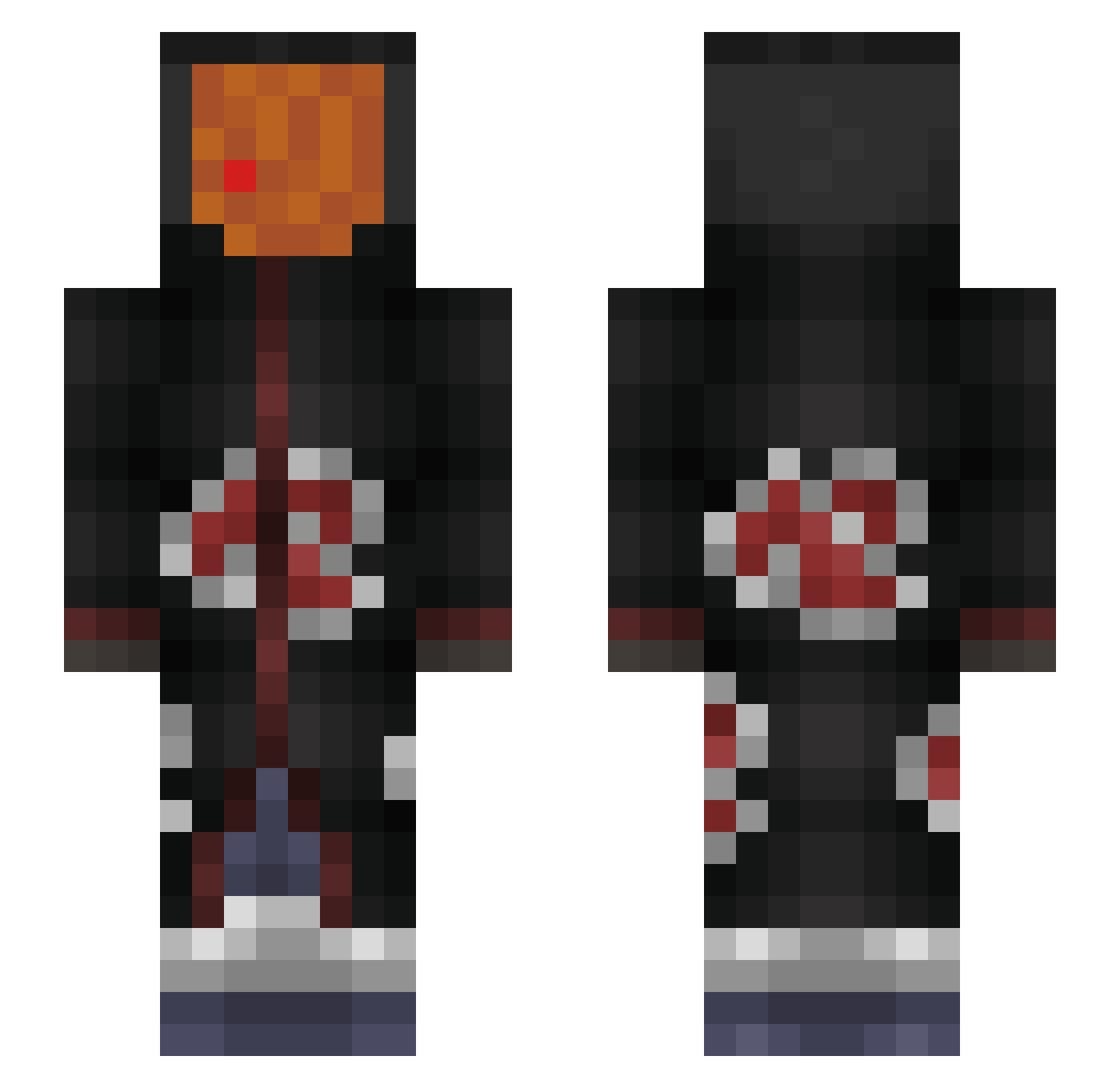
Current Minecraft skin of the player 33obito, loaded from the official Mojang API. Rotate the 3D model with your mouse or finger, then download the skin as a PNG file and use it in Minecraft: Bedrock Edition or Java Edition for free. When 33obito changes their skin, this page updates automatically and the old skin stays in the history below.
Other players with this skin (290)
33obito was the 237th player we have seen with this skin, first spotted on 01.11.2026. The same skin was seen on these players. Open a nickname to see their current skin and skin history.
 LDS_EXTER Snico55 LosaGaara telefubby glutchking adam2022java Predateur1j Vill4bl4nk Biscoitin VietoSan Corty_04 Roxan1hor3 flobzthestvejobz Monas_Star Fimakken Kamuyomi DUKITA AkatGui ParadisSse YEK_61 TTV_BATE WillsonSlr AzizLoco67 C_Ch1a AloneForzaTR hyclos Kronodyn Car0nte OBLOCKELLIAS Cenectric Charli_go Zaorix El_stefan545 YungDeezy Bxn1012 Abysss0 211Leaf OhhMySpets d10ucat Mamacox_ negaesser frrlovesyou EndlessDevotion HUNTERZG11 Kote2Porc DoritoPitserola Chachua Hubes3066 pvpnoob7376 Jakubcommin4u RealJeremy pashok_epta Nanasakiii krzybat007 oHidd3N SkyRen_ EthoChappy Fxnn413 chingaling1973 HeyronS
More Obito Uchiha Minecraft skins
See all 193 Obito Uchiha skins
How to install the 33obito skin
- Press the Download button above to save the skin as a PNG file.
- Minecraft: Bedrock Edition (PE): open the Dressing Room from the main menu (or tap your character → Edit Character), go to Classic Skins → Owned, press the + (new skin) button, choose the downloaded PNG and pick the Slim (Alex) model. Works on PC and mobile; consoles cannot import custom skins.
- Minecraft: Java Edition: open the Minecraft Launcher, go to the Skins tab, click New Skin, load the PNG, pick the Slim (Alex) model and press Save & Use. You can also upload it at minecraft.net → Profile → Change Skin.
The skin does not show up after import - what should I do?
Restart Minecraft and open the Dressing Room again - imported skins sometimes appear only after a restart. Also make sure you selected the imported skin and picked the Slim (Alex) model.
Which model should I choose, Classic or Slim?
This skin is designed for the Slim (Alex) model. If you pick the wrong model, the arms of the skin will look stretched or squeezed.
Is the skin of 33obito free to download?
Yes. Press Download, save the PNG file and use it in Minecraft: Bedrock Edition or Java Edition - no payment or registration needed. The skin also works on multiplayer servers and Realms.
More skins
Looking for more? Go back to all Minecraft skins and check the top skins of the week, month and all time, or find any player's skin by nickname.