
2_c0lby - Minecraft Skins & Skin History
Current Minecraft skin of the player 2_c0lby, loaded from the official Mojang API. Rotate the 3D model with your mouse or finger, then download the skin as a PNG file and use it in Minecraft: Bedrock Edition or Java Edition for free. When 2_c0lby changes their skin, this page updates automatically and the old skin stays in the history below.
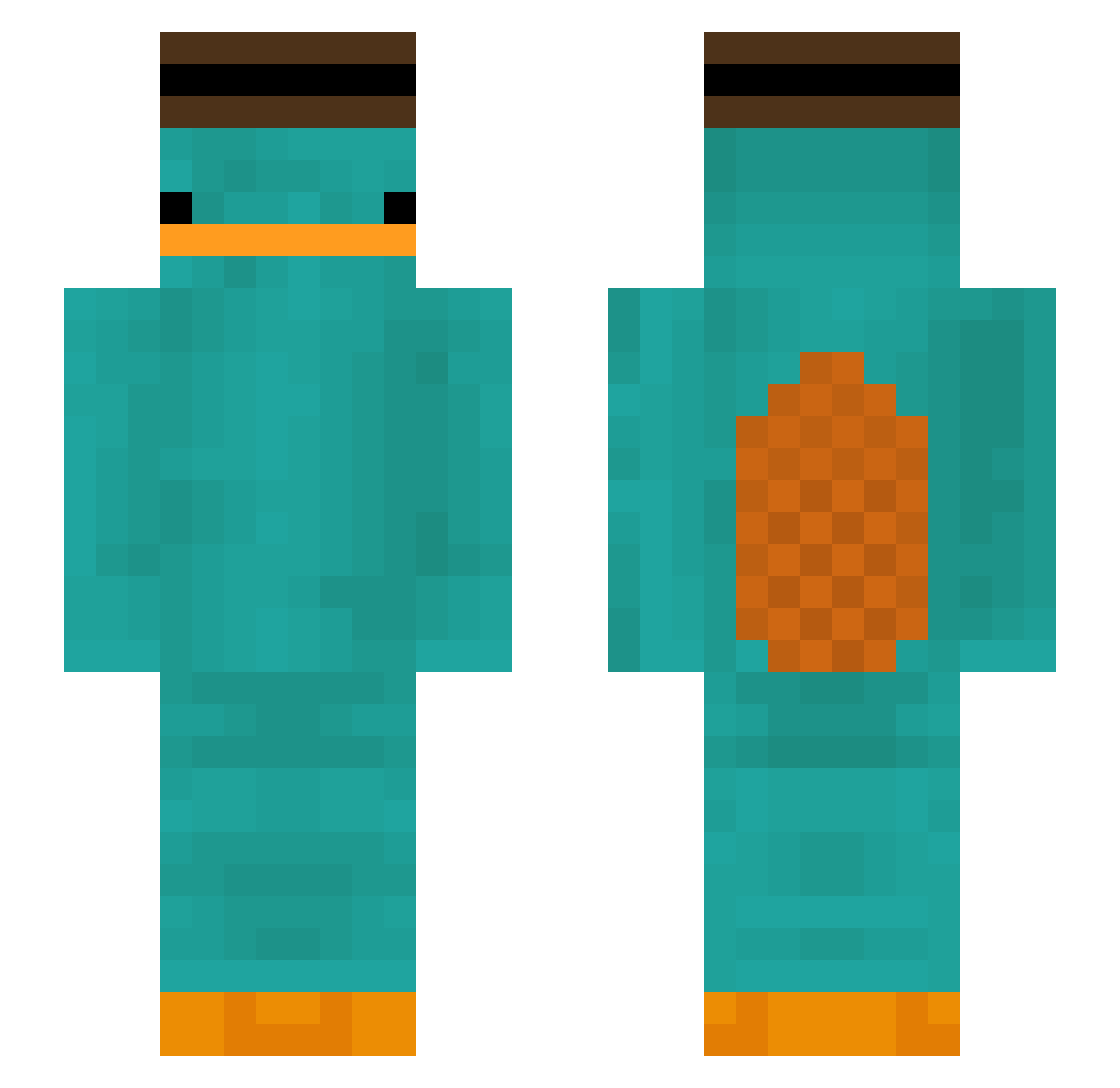
Other players with this skin (299)
2_c0lby was the 272nd player we have seen with this skin, first spotted on 17.10.2026. The same skin was seen on these players. Open a nickname to see their current skin and skin history.
 serginhomalandro IIIXXII silverkey XPDU33 Peterzao HenWhen2017 yHenriquePvP StottiMitOhring Juaaanps Annab001 Pipomatje BerkanSagdic_09 Min_S_714 Hugozebi BiuuProPlayer L06pz Maedre2 jocaras123 Spudski LEEYONG__ L0wy_ Madhawkoo Dam_deng bangz0709 doritochompers enrtp Aungpao006 Quack_son TehMonkeyMan7 Salee17 Polar474 guttaso_26 Thunder_Star_sky donut68 UnMecTropSympa shermangamer HangryFN orffyog Rolling_Blunt yomama4125 BornRecord2421 Golden78_ whereisdav1d xQuezy Eduarwar En3rgi TaAlicja DSGamingGoneDope TAEBONG00 DoctorOfTardis99 sjy3282 chicken6135 Tahim_ jnahc WlanPasswortW welnisia AllTheseFunds Goldust29 doblez_886 22uhr09
More Platypus Minecraft skins
How to install the 2_c0lby skin
- Press the Download button above to save the skin as a PNG file.
- Minecraft: Bedrock Edition (PE): open the Dressing Room from the main menu (or tap your character → Edit Character), go to Classic Skins → Owned, press the + (new skin) button, choose the downloaded PNG and pick the Slim (Alex) model. Works on PC and mobile; consoles cannot import custom skins.
- Minecraft: Java Edition: open the Minecraft Launcher, go to the Skins tab, click New Skin, load the PNG, pick the Slim (Alex) model and press Save & Use. You can also upload it at minecraft.net → Profile → Change Skin.
The skin does not show up after import - what should I do?
Restart Minecraft and open the Dressing Room again - imported skins sometimes appear only after a restart. Also make sure you selected the imported skin and picked the Slim (Alex) model.
Which model should I choose, Classic or Slim?
This skin is designed for the Slim (Alex) model. If you pick the wrong model, the arms of the skin will look stretched or squeezed.
Is the skin of 2_c0lby free to download?
Yes. Press Download, save the PNG file and use it in Minecraft: Bedrock Edition or Java Edition - no payment or registration needed. The skin also works on multiplayer servers and Realms.
More skins
Looking for more? Go back to all Minecraft skins and check the top skins of the week, month and all time, or find any player's skin by nickname.