
1skymaster - Minecraft Skins & Skin History
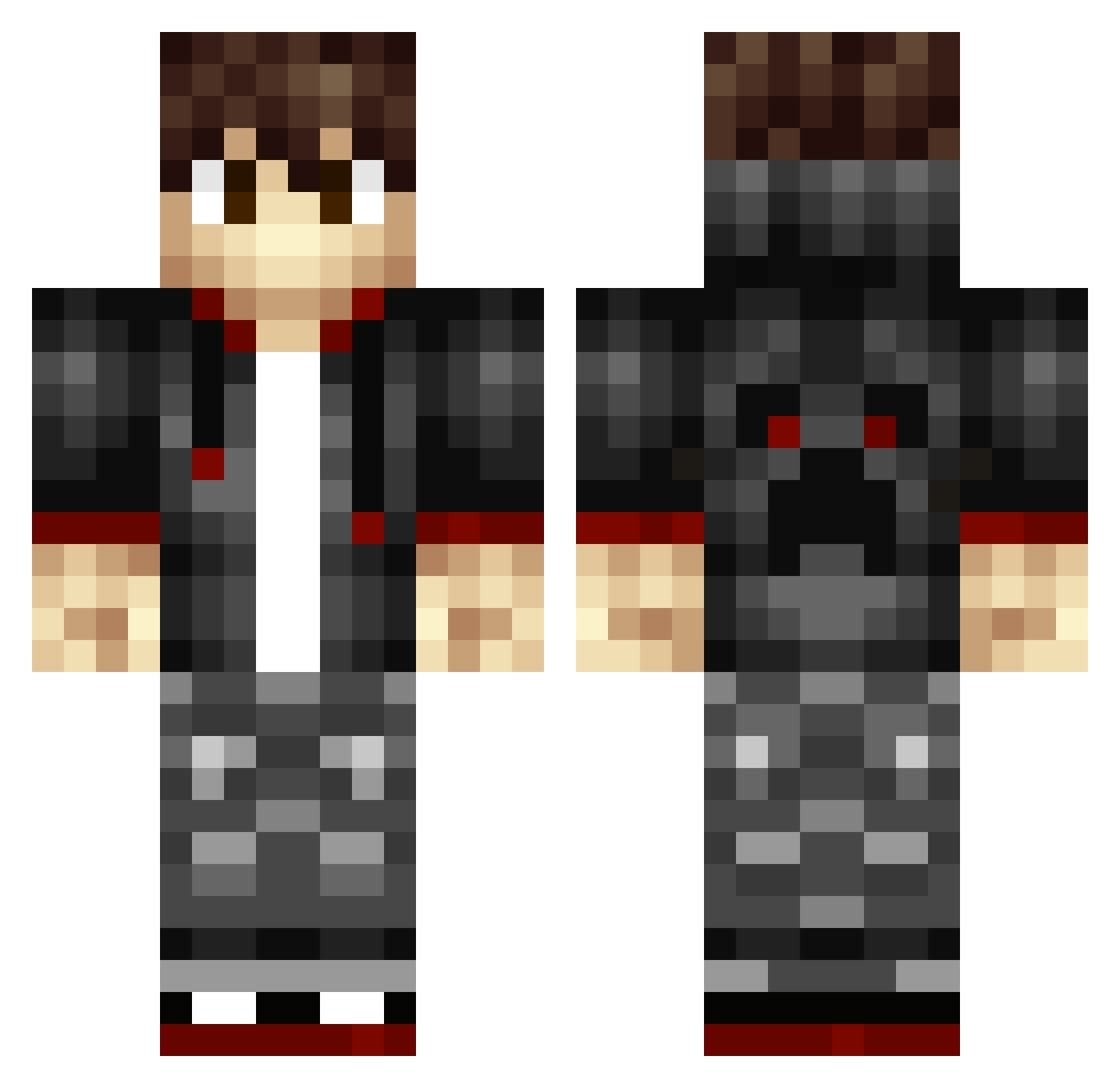
Current Minecraft skin of the player 1skymaster, loaded from the official Mojang API. Rotate the 3D model with your mouse or finger, then download the skin as a PNG file and use it in Minecraft: Bedrock Edition or Java Edition for free. When 1skymaster changes their skin, this page updates automatically and the old skin stays in the history below.
Other players with this skin (343)
1skymaster was the 221st player we have seen with this skin, first spotted on 07.10.2026. The same skin was seen on these players. Open a nickname to see their current skin and skin history.
 DonkHoggler SheldonNotNelson Merabus Redassassin3u68 Zachez Chrisgamerplayer homiepower606 MrBurrito sig1010 ImMB Mindedwolf Blockbird1 Maxy_Max_Max ASH_Prime Jtrain3 WildCard912 Me3kal Multyply1 Njstars makinghard Rushlon C_Gull_66 angrysponge2002 Minecrafter7Aid luc27 Rohun_ xSchlumpi 415DAMIT Fizarr _Evans_ ZoVonk Evilnutter22 Redinha Retrored11 Bankish Maltasard wick3dsick extreme_dragon21 Julesgamer21 Hypodermic Stusyx Kallio82 nostril1 ICED_freEZe danebod tobba21 Raeden2203 aaron_0416 JPDGamer daiking331 beardie220 Party__Guy1234 RoyBoyPrime coolkid6758 GameLord92 MrCazum Raiderz_Snipper KGBlastalive SirAustralia Roti_China
How to install the 1skymaster skin
- Press the Download button above to save the skin as a PNG file.
- Minecraft: Bedrock Edition (PE): open the Dressing Room from the main menu (or tap your character → Edit Character), go to Classic Skins → Owned, press the + (new skin) button, choose the downloaded PNG and pick the Classic (Steve) model. Works on PC and mobile; consoles cannot import custom skins.
- Minecraft: Java Edition: open the Minecraft Launcher, go to the Skins tab, click New Skin, load the PNG, pick the Classic (Steve) model and press Save & Use. You can also upload it at minecraft.net → Profile → Change Skin.
The skin does not show up after import - what should I do?
Restart Minecraft and open the Dressing Room again - imported skins sometimes appear only after a restart. Also make sure you selected the imported skin and picked the Classic (Steve) model.
Which model should I choose, Classic or Slim?
This skin is designed for the Classic (Steve) model. If you pick the wrong model, the arms of the skin will look stretched or squeezed.
Is the skin of 1skymaster free to download?
Yes. Press Download, save the PNG file and use it in Minecraft: Bedrock Edition or Java Edition - no payment or registration needed. The skin also works on multiplayer servers and Realms.
More skins
Looking for more? Go back to all Minecraft skins and check the top skins of the week, month and all time, or find any player's skin by nickname.