
1konstantyklocek - Minecraft Skins & Skin History
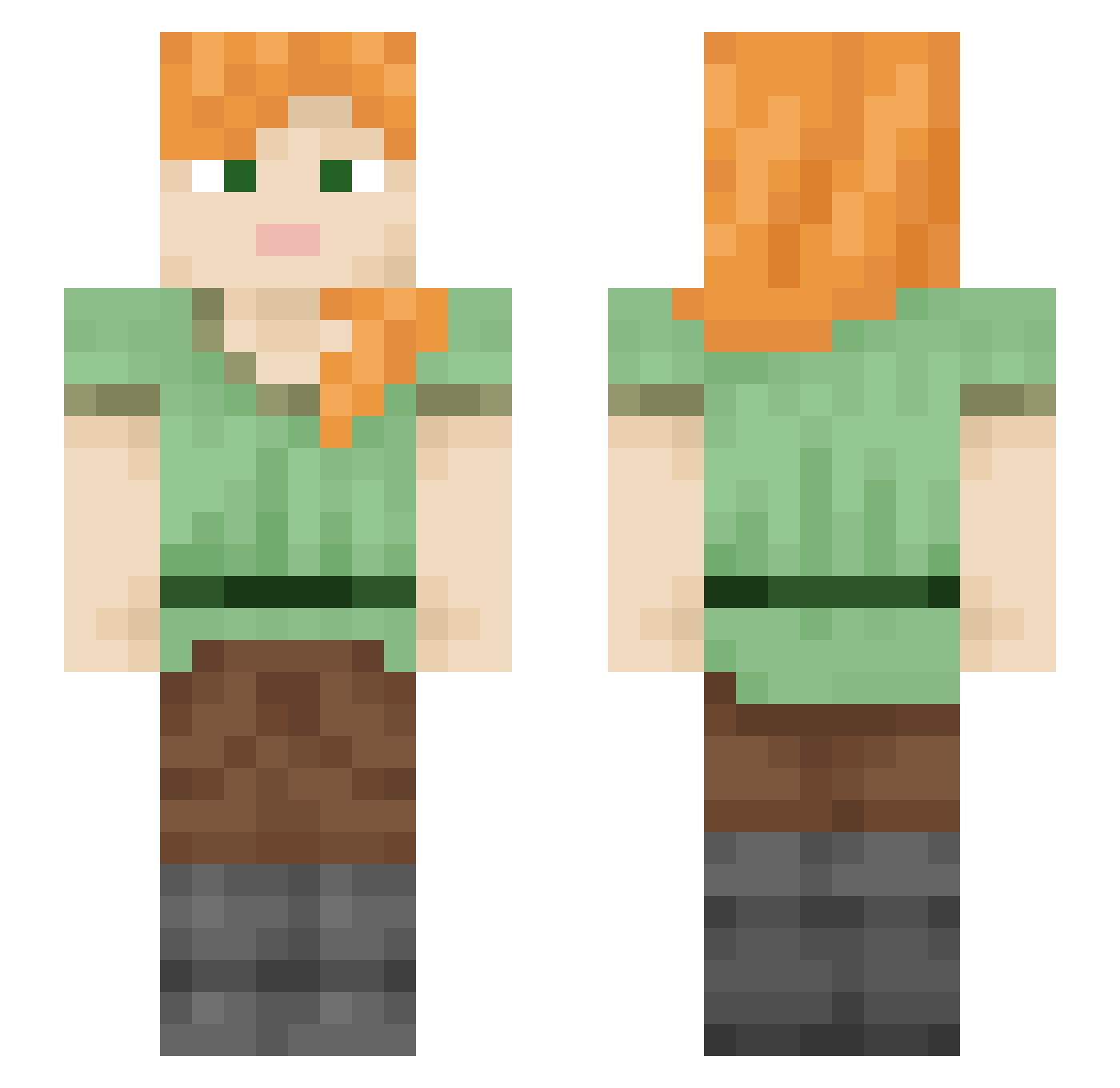
Current Minecraft skin of the player 1konstantyklocek, loaded from the official Mojang API. Rotate the 3D model with your mouse or finger, then download the skin as a PNG file and use it in Minecraft: Bedrock Edition or Java Edition for free. When 1konstantyklocek changes their skin, this page updates automatically and the old skin stays in the history below.
Other players with this skin (2109)
1konstantyklocek was the 1526th player we have seen with this skin, first spotted on 09.10.2026. The same skin was seen on these players. Open a nickname to see their current skin and skin history.
 Dowve fusils Aps_x picturesquely MisaMiauMiau junyeong0717 Stampeded Bryan_Crane Kelly Scanner Frazzle85 hwang2022 Jasetom76 Allzreb texaggie12 Zlepy_ Snfwsylv Junioooo1 kapas Gabagool7 Pure_Schedelpan Badrans Takash Miak weusedtobelover dominika12 Novasunlite bussyd3stroyer lapzi dragonsoon erazor94 eduardoLMAO Seccc Humennn leukocidin Star_000 spinoff sungjun3 LsW2 Flykii matiasFer noallra Navricko Leelane QueenAutumnwy zxxt P4RK_ Zymologist capreolus stexy231 Covid_Verygood boltlike Bear_Line Air_hero agorae PaRon7 Buyodicto Indefensible Pama50 ZENHEN69
How to install the 1konstantyklocek skin
- Press the Download button above to save the skin as a PNG file.
- Minecraft: Bedrock Edition (PE): open the Dressing Room from the main menu (or tap your character → Edit Character), go to Classic Skins → Owned, press the + (new skin) button, choose the downloaded PNG and pick the Slim (Alex) model. Works on PC and mobile; consoles cannot import custom skins.
- Minecraft: Java Edition: open the Minecraft Launcher, go to the Skins tab, click New Skin, load the PNG, pick the Slim (Alex) model and press Save & Use. You can also upload it at minecraft.net → Profile → Change Skin.
The skin does not show up after import - what should I do?
Restart Minecraft and open the Dressing Room again - imported skins sometimes appear only after a restart. Also make sure you selected the imported skin and picked the Slim (Alex) model.
Which model should I choose, Classic or Slim?
This skin is designed for the Slim (Alex) model. If you pick the wrong model, the arms of the skin will look stretched or squeezed.
Is the skin of 1konstantyklocek free to download?
Yes. Press Download, save the PNG file and use it in Minecraft: Bedrock Edition or Java Edition - no payment or registration needed. The skin also works on multiplayer servers and Realms.
More skins
Looking for more? Go back to all Minecraft skins and check the top skins of the week, month and all time, or find any player's skin by nickname.