
1AC1 - Minecraft Skins & Skin History
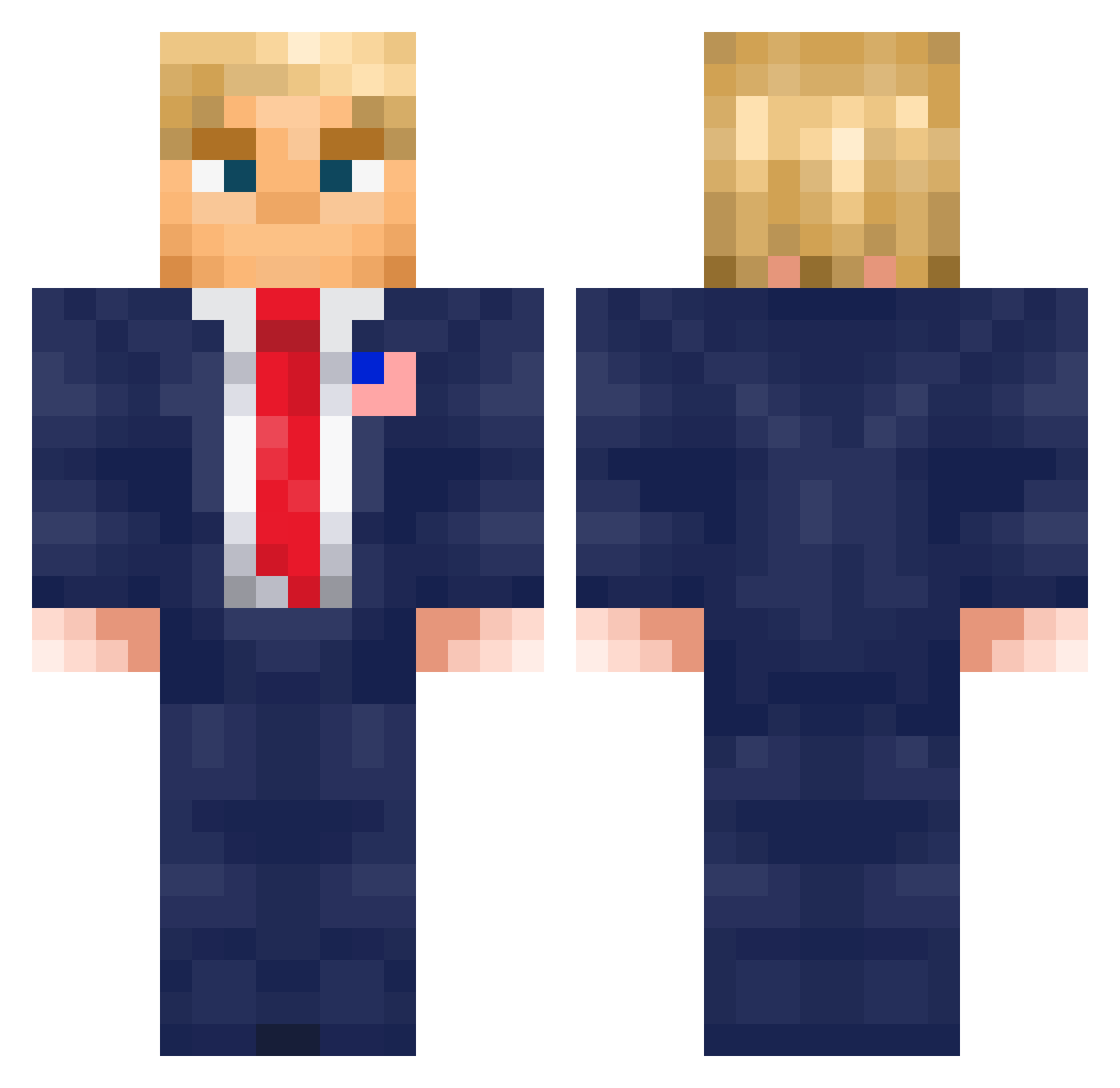
Current Minecraft skin of the player 1AC1, loaded from the official Mojang API. Rotate the 3D model with your mouse or finger, then download the skin as a PNG file and use it in Minecraft: Bedrock Edition or Java Edition for free. When 1AC1 changes their skin, this page updates automatically and the old skin stays in the history below.
Other players with this skin (576)
1AC1 was the 104th player we have seen with this skin, first spotted on 14.08.2026. The same skin was seen on these players. Open a nickname to see their current skin and skin history.
 Daaveeee Roryb187 OtisWG DerBowtruckle
 bobbyzzzo 7xqb ErTatito brucealex123 giiiro Emenjay MEE8_ DeadlyProphecy SunnyRoo Mont_Blanc119 Mxlbec Dirty_Ferdinand K1ll4win deeznilbud00 Maqu_1922 nickname003 oopseroni Memento_Mordecai Yongu123 Marvehn superbanana192 IronLordNail WakiDon7 Rabuto93 IRDKWIHRN Brbq7 JohnHere7 WhiteWolf692
 Snikersz Cokenn25 duels_ Lightforget _LouisR_ Bole80 King88k ChupaZorra3000 benno_18 lance_H2O makf12 jotek_58 MatteoNK1 TyraeIsAshy Maxime211107 kevinmaty150 daferisa28 kiiltokassi22 MrNextgen BillRiggers TraashPanda9449 Kampftom GibbyGibsonN Zreaoz MACzime24 Gabrielthemenac Benchouffard ThickRock420
More Donald Trump Minecraft skins
See all 325 Donald Trump skins
How to install the 1AC1 skin
- Press the Download button above to save the skin as a PNG file.
- Minecraft: Bedrock Edition (PE): open the Dressing Room from the main menu (or tap your character → Edit Character), go to Classic Skins → Owned, press the + (new skin) button, choose the downloaded PNG and pick the Classic (Steve) model. Works on PC and mobile; consoles cannot import custom skins.
- Minecraft: Java Edition: open the Minecraft Launcher, go to the Skins tab, click New Skin, load the PNG, pick the Classic (Steve) model and press Save & Use. You can also upload it at minecraft.net → Profile → Change Skin.
The skin does not show up after import - what should I do?
Restart Minecraft and open the Dressing Room again - imported skins sometimes appear only after a restart. Also make sure you selected the imported skin and picked the Classic (Steve) model.
Which model should I choose, Classic or Slim?
This skin is designed for the Classic (Steve) model. If you pick the wrong model, the arms of the skin will look stretched or squeezed.
Is the skin of 1AC1 free to download?
Yes. Press Download, save the PNG file and use it in Minecraft: Bedrock Edition or Java Edition - no payment or registration needed. The skin also works on multiplayer servers and Realms.
More skins
Looking for more? Go back to all Minecraft skins and check the top skins of the week, month and all time, or find any player's skin by nickname.