
141helper - Minecraft Skins & Skin History
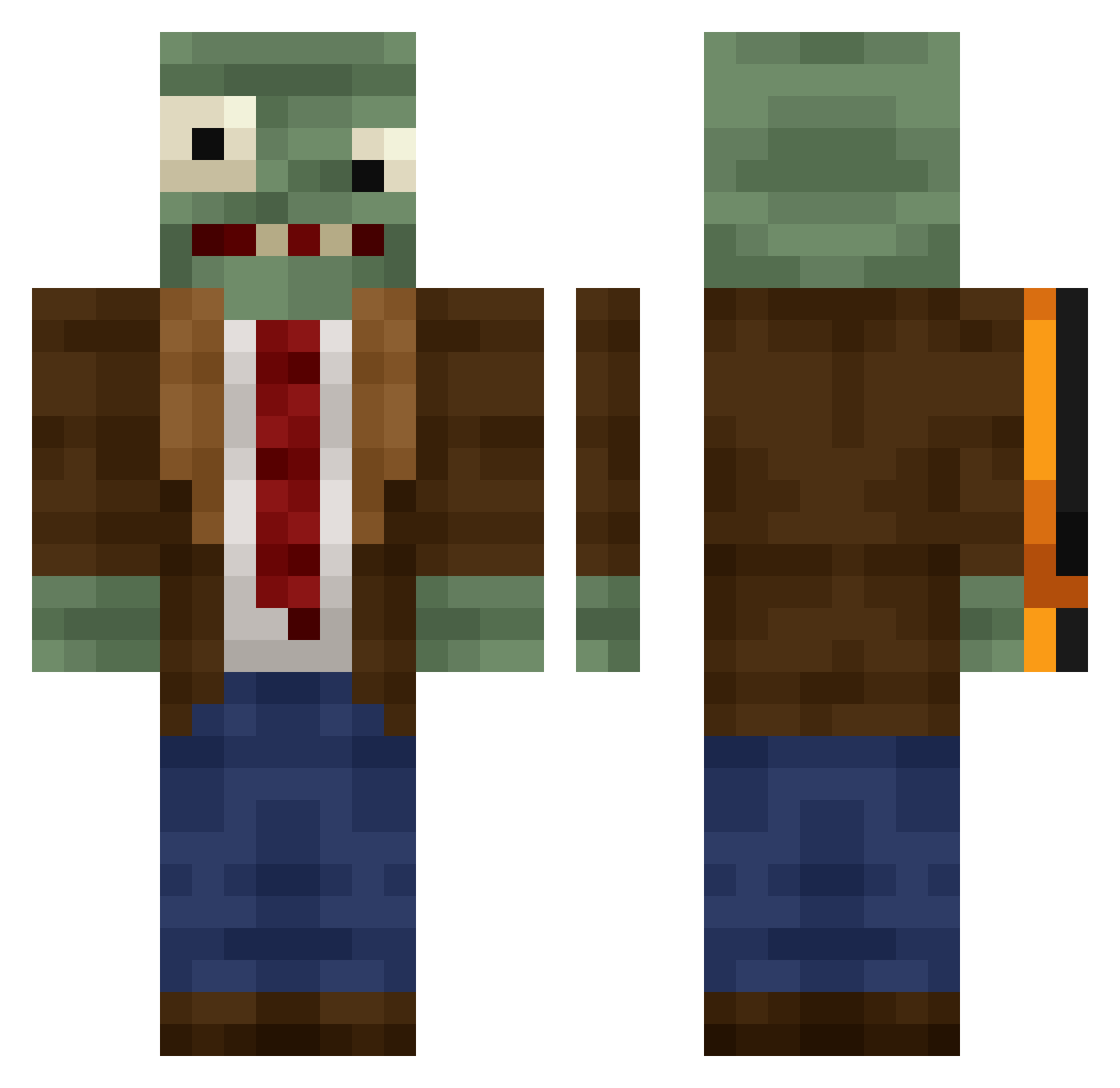
Current Minecraft skin of the player 141helper, loaded from the official Mojang API. Rotate the 3D model with your mouse or finger, then download the skin as a PNG file and use it in Minecraft: Bedrock Edition or Java Edition for free. When 141helper changes their skin, this page updates automatically and the old skin stays in the history below.
Other players with this skin (505)
141helper was the 456th player we have seen with this skin, first spotted on 08.11.2026. The same skin was seen on these players. Open a nickname to see their current skin and skin history.
 Nx_CL sp00kman0 umidori123 Glaerdr Huo2002 QUANTANA Lukee407 pierdlem quintin0 Grayson131 saltyZZZ kashslott iJolt associacao wqw124 freak_812 g0te sonny666 huhhing Samueliyoelpillo fhrnb666 eve1311 OneManShootr babaorhumvdv Mars1822 UnNero4 FLADISLAV spinynuggie Hidetoito NeroT2 Bradynator222 Eugene44 fakerofmc Gh0Styy_1 abab269 diego2019es Camarooon Goonsamason Heng0211 lhx123456789 Siamoneoooo Antelyt OFWEL Nikonoro 69CU69 DIdIredv Bacuuuun ZapDragon02 nato_zzz Yamku NORAAAAAA Taiyo0112 GladiatorDiego CrabBoi69 Lord_noman SuperbGold77079 sinceohsix LAOYUVN FishingJoyH ultracain
More Plants Vs Zombies Minecraft skins
See all 65 Plants Vs Zombies skins
How to install the 141helper skin
- Press the Download button above to save the skin as a PNG file.
- Minecraft: Bedrock Edition (PE): open the Dressing Room from the main menu (or tap your character → Edit Character), go to Classic Skins → Owned, press the + (new skin) button, choose the downloaded PNG and pick the Classic (Steve) model. Works on PC and mobile; consoles cannot import custom skins.
- Minecraft: Java Edition: open the Minecraft Launcher, go to the Skins tab, click New Skin, load the PNG, pick the Classic (Steve) model and press Save & Use. You can also upload it at minecraft.net → Profile → Change Skin.
The skin does not show up after import - what should I do?
Restart Minecraft and open the Dressing Room again - imported skins sometimes appear only after a restart. Also make sure you selected the imported skin and picked the Classic (Steve) model.
Which model should I choose, Classic or Slim?
This skin is designed for the Classic (Steve) model. If you pick the wrong model, the arms of the skin will look stretched or squeezed.
Is the skin of 141helper free to download?
Yes. Press Download, save the PNG file and use it in Minecraft: Bedrock Edition or Java Edition - no payment or registration needed. The skin also works on multiplayer servers and Realms.
More skins
Looking for more? Go back to all Minecraft skins and check the top skins of the week, month and all time, or find any player's skin by nickname.