
12345qwerty - Minecraft Skins & Skin History
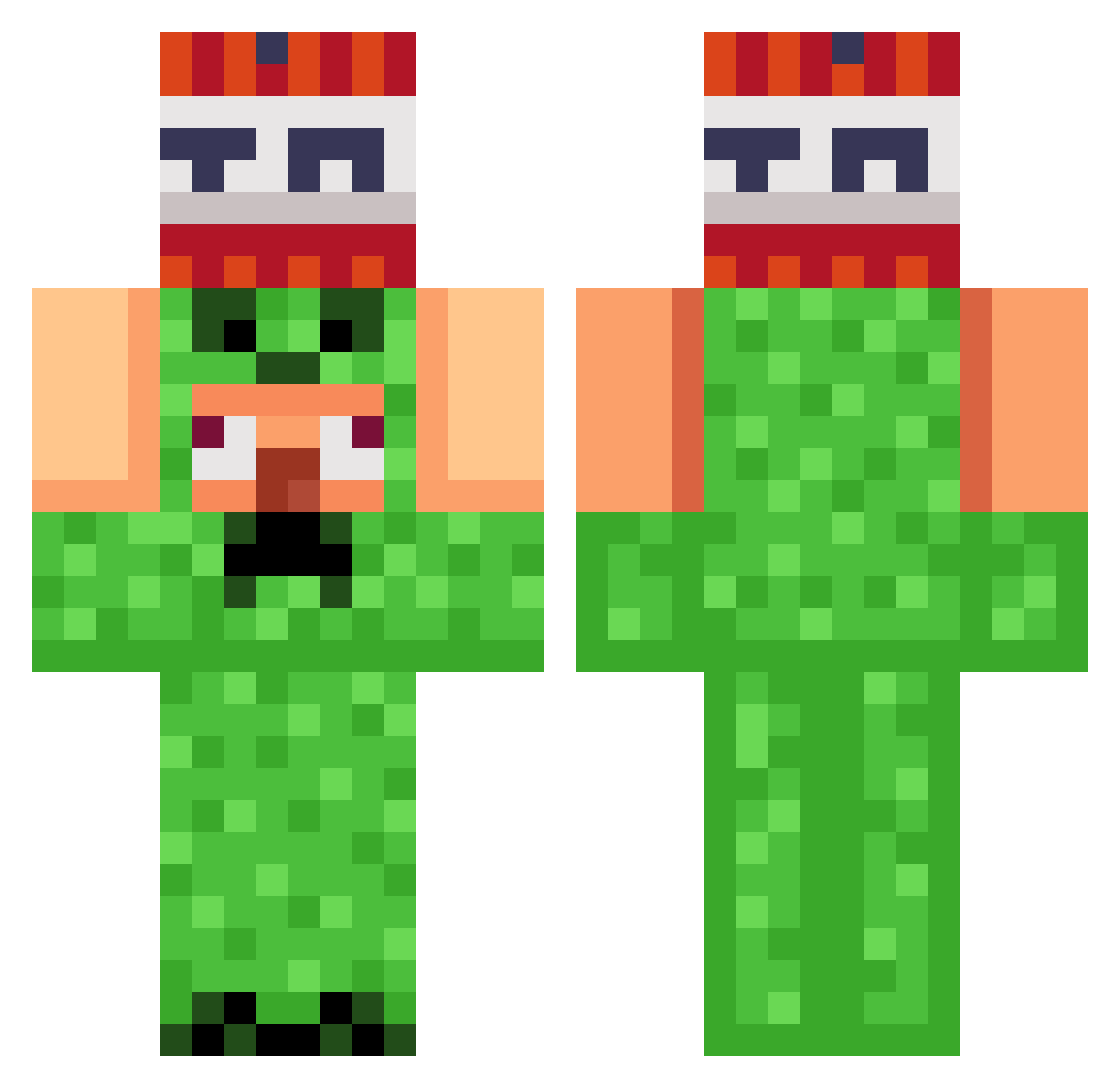
Current Minecraft skin of the player 12345qwerty, loaded from the official Mojang API. Rotate the 3D model with your mouse or finger, then download the skin as a PNG file and use it in Minecraft: Bedrock Edition or Java Edition for free. When 12345qwerty changes their skin, this page updates automatically and the old skin stays in the history below.
Other players with this skin (876)
12345qwerty was the 622nd player we have seen with this skin, first spotted on 01.10.2026. The same skin was seen on these players. Open a nickname to see their current skin and skin history.
 f1wx Olocin420 TheBrunoCA zxcshavel Kruk1133 DuyKhac jajaprime rAzA80_ MyNameIsNotMNINM __XnoX__ nicknagt Lusseball Peragraph Freezy0304 haydeniscoolando Proendetmanx rosejustdied DeviousGhost Roan9876 SkySamuraln VoidCataclysm Agrerrabwyn fffggg4444 Double_Streak GAHAP4IK Zylon_99 MrTechMine hashrr ZombieTP Oreosmulan wjdtjdql1 JakoLexX stormyas Rizzl3r3n SinfulMegami MarlonZ MrMan123212 lucnoxxity rudals9999 CHESALOX TheColombus Sparleo jihoo511 KR2bin KidsChapter1 masny_domis ULTIimate71 Niconii24 HumptyDumpty09 Nckz_ Shironuts DerWolf14 dyddyh blebabushkai2010 DDT2027 stapicizausi SA_NDER lkiju86 DaBigJ77 qLarper
More TNT Minecraft skins
How to install the 12345qwerty skin
- Press the Download button above to save the skin as a PNG file.
- Minecraft: Bedrock Edition (PE): open the Dressing Room from the main menu (or tap your character → Edit Character), go to Classic Skins → Owned, press the + (new skin) button, choose the downloaded PNG and pick the Classic (Steve) model. Works on PC and mobile; consoles cannot import custom skins.
- Minecraft: Java Edition: open the Minecraft Launcher, go to the Skins tab, click New Skin, load the PNG, pick the Classic (Steve) model and press Save & Use. You can also upload it at minecraft.net → Profile → Change Skin.
The skin does not show up after import - what should I do?
Restart Minecraft and open the Dressing Room again - imported skins sometimes appear only after a restart. Also make sure you selected the imported skin and picked the Classic (Steve) model.
Which model should I choose, Classic or Slim?
This skin is designed for the Classic (Steve) model. If you pick the wrong model, the arms of the skin will look stretched or squeezed.
Is the skin of 12345qwerty free to download?
Yes. Press Download, save the PNG file and use it in Minecraft: Bedrock Edition or Java Edition - no payment or registration needed. The skin also works on multiplayer servers and Realms.
More skins
Looking for more? Go back to all Minecraft skins and check the top skins of the week, month and all time, or find any player's skin by nickname.