
10Minecraft01 - Minecraft Skins & Skin History
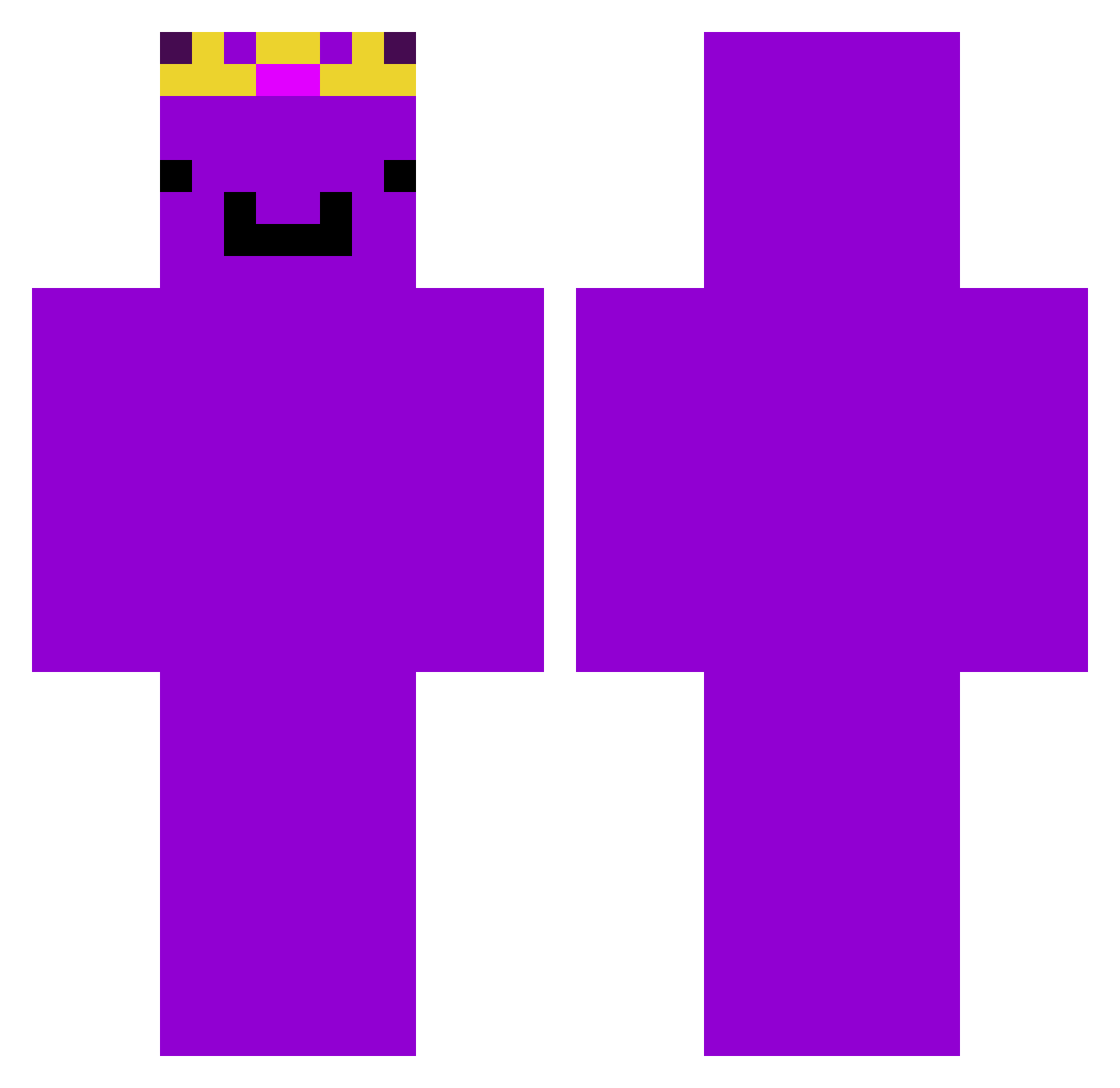
Current Minecraft skin of the player 10Minecraft01, loaded from the official Mojang API. Rotate the 3D model with your mouse or finger, then download the skin as a PNG file and use it in Minecraft: Bedrock Edition or Java Edition for free. When 10Minecraft01 changes their skin, this page updates automatically and the old skin stays in the history below.
Other players with this skin (73)
10Minecraft01 was the 2nd player we have seen with this skin, first spotted on 22.07.2026. The same skin was seen on these players. Open a nickname to see their current skin and skin history.
 ZAZANN
 rlaqjawns0121
 FibsFabsOg_11 zJoseDoe_ SamwiseJamwise Leon_Mines
 maxito1490
 AkelaMC VR213
 the_melech
 Expertgaming097 Herobrime2002 Neddya gold3n708
 gurbytwin yobroyoursocool Aaikehagelslag _Anarion_ EsportGas2 Sw0rdNiels
 Inyvy Zombiak2000 kayizto
 David_gamer2022 Owczaj2k IAMAPEXLOL SILLYMONKEY6969 H4NNOO _xSamikx_ Kang2010123 IngoFrags Emir_Poyraz
 TranquillNoob Wemmbeg KKK01295 affenbraten4321 joriukzaz oskalek_21 bogy1 ZaniexIsHere Andyyyxy zfrnono25 not_td_void8 DiaboliqueLord oryliusz skibidi_dud WHOISKASSIE bboy37 Hydrasin c9_Mxntal Andy_kim_32 XayyLuvsIzzy RONALDO931 Champion_R karjoka PON7777 imnotcheating42 Jack_230 FlightX bielzin3445
More Crown Minecraft skins
How to install the 10Minecraft01 skin
- Press the Download button above to save the skin as a PNG file.
- Minecraft: Bedrock Edition (PE): open the Dressing Room from the main menu (or tap your character → Edit Character), go to Classic Skins → Owned, press the + (new skin) button, choose the downloaded PNG and pick the Classic (Steve) model. Works on PC and mobile; consoles cannot import custom skins.
- Minecraft: Java Edition: open the Minecraft Launcher, go to the Skins tab, click New Skin, load the PNG, pick the Classic (Steve) model and press Save & Use. You can also upload it at minecraft.net → Profile → Change Skin.
The skin does not show up after import - what should I do?
Restart Minecraft and open the Dressing Room again - imported skins sometimes appear only after a restart. Also make sure you selected the imported skin and picked the Classic (Steve) model.
Which model should I choose, Classic or Slim?
This skin is designed for the Classic (Steve) model. If you pick the wrong model, the arms of the skin will look stretched or squeezed.
Is the skin of 10Minecraft01 free to download?
Yes. Press Download, save the PNG file and use it in Minecraft: Bedrock Edition or Java Edition - no payment or registration needed. The skin also works on multiplayer servers and Realms.
More skins
Looking for more? Go back to all Minecraft skins and check the top skins of the week, month and all time, or find any player's skin by nickname.