
0kitsunetanuki0 - Minecraft Skins & Skin History
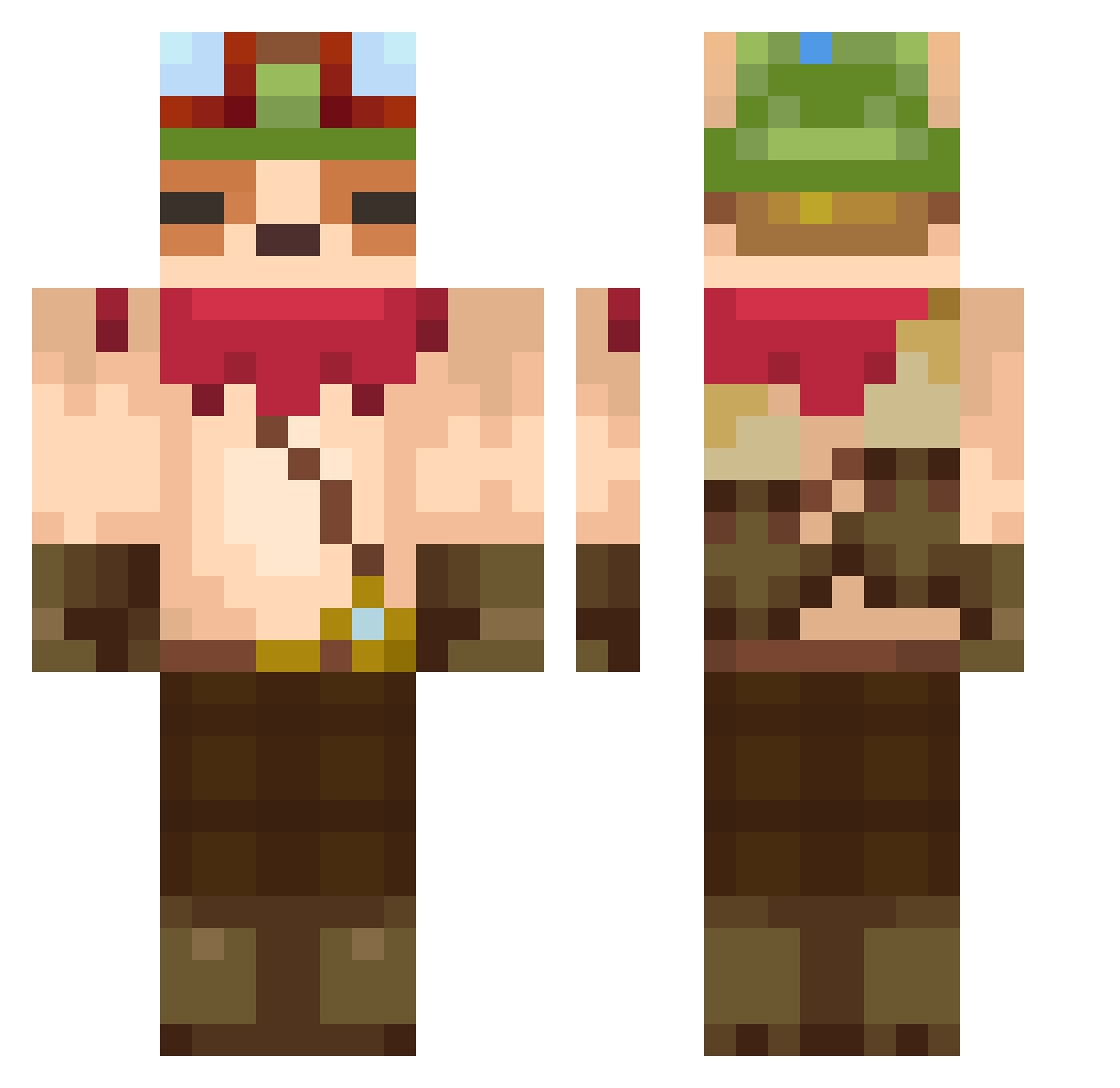
Current Minecraft skin of the player 0kitsunetanuki0, loaded from the official Mojang API. Rotate the 3D model with your mouse or finger, then download the skin as a PNG file and use it in Minecraft: Bedrock Edition or Java Edition for free. When 0kitsunetanuki0 changes their skin, this page updates automatically and the old skin stays in the history below.
Other players with this skin (113)
0kitsunetanuki0 was the 82nd player we have seen with this skin, first spotted on 12.10.2026. The same skin was seen on these players. Open a nickname to see their current skin and skin history.
 Juul_Love ShadowMan69 Okamixd666 Tjeeeeerd LadiesManTim29 ItsChawTime doodle_08 CastorHunter DjBommby Mbapierre larania Ausnox AlvinJC Gabsx0 CptFeedmo keny_GOD Grebosorg Fighter_Poke DerDuracellHase DenzelWach117 Bobbles69 ARTURMAX_X lilchivito EllTeka GodsAMeme Blooderyp HazmatNinja12 Lemonowski G3NIO IDKDY lowyo AnChOaX rSomi DavidHeo C4QU1T4S ElRastrero KiyoX3 MATAGAY123 xPrenspal Earthspam Cheddar_Rufflez FRIIIJOOOLEEES sonichedgehog46 cacaconc123 Skooti_ DiegoS2004 iLoboMc thimooooo Endorsiyy Faustodemambo1 jmjm0421 Divinnation spinke_R tudbuejet Razoor42 Furyxxxxx Kariimel TheBubble98 FrankOceania GregusPL
More Aviator Hat Minecraft skins
How to install the 0kitsunetanuki0 skin
- Press the Download button above to save the skin as a PNG file.
- Minecraft: Bedrock Edition (PE): open the Dressing Room from the main menu (or tap your character → Edit Character), go to Classic Skins → Owned, press the + (new skin) button, choose the downloaded PNG and pick the Classic (Steve) model. Works on PC and mobile; consoles cannot import custom skins.
- Minecraft: Java Edition: open the Minecraft Launcher, go to the Skins tab, click New Skin, load the PNG, pick the Classic (Steve) model and press Save & Use. You can also upload it at minecraft.net → Profile → Change Skin.
The skin does not show up after import - what should I do?
Restart Minecraft and open the Dressing Room again - imported skins sometimes appear only after a restart. Also make sure you selected the imported skin and picked the Classic (Steve) model.
Which model should I choose, Classic or Slim?
This skin is designed for the Classic (Steve) model. If you pick the wrong model, the arms of the skin will look stretched or squeezed.
Is the skin of 0kitsunetanuki0 free to download?
Yes. Press Download, save the PNG file and use it in Minecraft: Bedrock Edition or Java Edition - no payment or registration needed. The skin also works on multiplayer servers and Realms.
More skins
Looking for more? Go back to all Minecraft skins and check the top skins of the week, month and all time, or find any player's skin by nickname.