
040209 - Minecraft Skins & Skin History
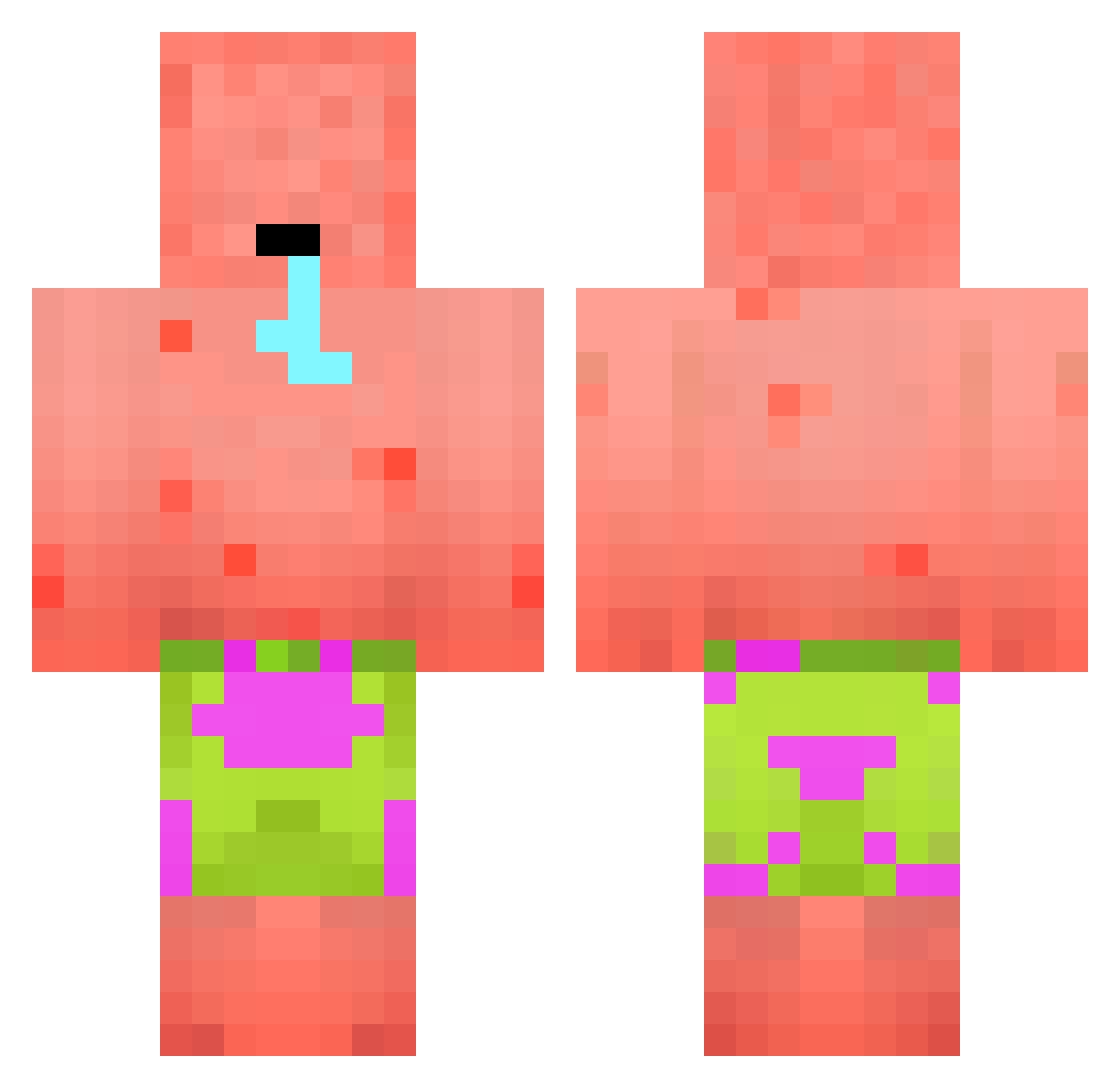
Current Minecraft skin of the player 040209, loaded from the official Mojang API. Rotate the 3D model with your mouse or finger, then download the skin as a PNG file and use it in Minecraft: Bedrock Edition or Java Edition for free. When 040209 changes their skin, this page updates automatically and the old skin stays in the history below.
Other players with this skin (394)
040209 was the 74th player we have seen with this skin, first spotted on 16.08.2026. The same skin was seen on these players. Open a nickname to see their current skin and skin history.
 KalegaHyega HankYoung Riggsyyy
 DoenerDennis2009 AffeWaffeleis EASONSHEN L30_ Orcus_808 S4kuLa S3nsenmann Hercules520069 LucasWork KnightWandering santxx11 BigLaLaMan Breezemonkey XxBierMasterxX 712213 hvexzx ThinkzElitez jehun0718 RobkoW leggaUrpils yi7zle PrinzAnwalt mohawldi Beanosaur_69 Coconutpowder3_ BucasBendez69 t3nsen ImBackWithMilk P4tr1cko GuntersBackstube ItzMrJuanes ExoLynx rayuha228 Austinmax12 manggong vojtechsvandik elementoloko Ember111 MeMeMyu TDS_Cornflakes KTLouisXsss BambangSutejo HongSBoOO Imbruh1 6br Mr_Lucas321 Big_Chungus_79 KowashiKatagami Haxygame Sun2546 Bliss1006 SQUIRTDEPARTMENT Evil_King55 _Felle_ yogi143 Ich_Nicht_Dumm tammo4382
More Patrick Star Minecraft skins
See all 611 Patrick Star skins
How to install the 040209 skin
- Press the Download button above to save the skin as a PNG file.
- Minecraft: Bedrock Edition (PE): open the Dressing Room from the main menu (or tap your character → Edit Character), go to Classic Skins → Owned, press the + (new skin) button, choose the downloaded PNG and pick the Classic (Steve) model. Works on PC and mobile; consoles cannot import custom skins.
- Minecraft: Java Edition: open the Minecraft Launcher, go to the Skins tab, click New Skin, load the PNG, pick the Classic (Steve) model and press Save & Use. You can also upload it at minecraft.net → Profile → Change Skin.
The skin does not show up after import - what should I do?
Restart Minecraft and open the Dressing Room again - imported skins sometimes appear only after a restart. Also make sure you selected the imported skin and picked the Classic (Steve) model.
Which model should I choose, Classic or Slim?
This skin is designed for the Classic (Steve) model. If you pick the wrong model, the arms of the skin will look stretched or squeezed.
Is the skin of 040209 free to download?
Yes. Press Download, save the PNG file and use it in Minecraft: Bedrock Edition or Java Edition - no payment or registration needed. The skin also works on multiplayer servers and Realms.
More skins
Looking for more? Go back to all Minecraft skins and check the top skins of the week, month and all time, or find any player's skin by nickname.