
00xr8 - Minecraft Skins & Skin History
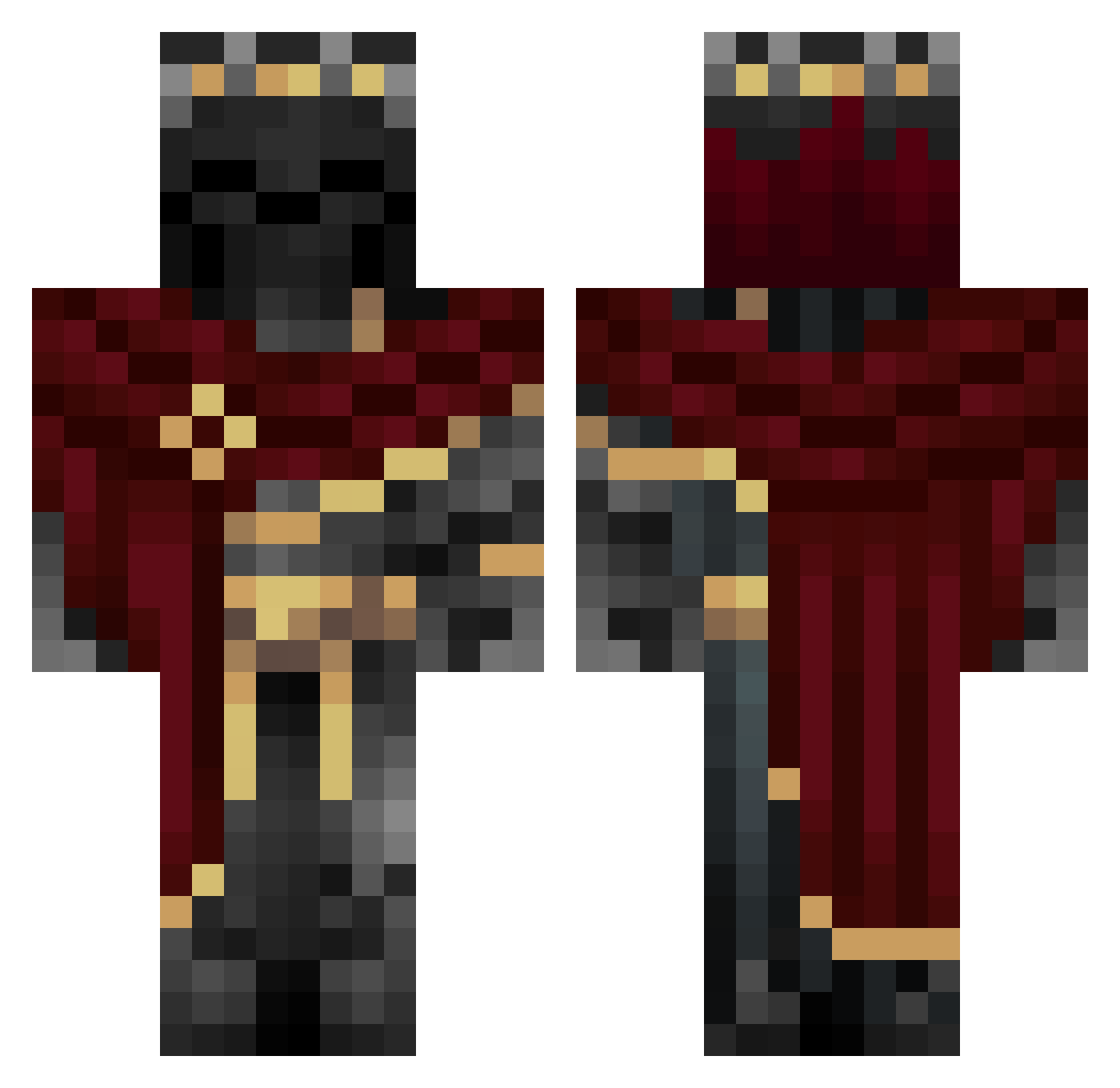
Current Minecraft skin of the player 00xr8, loaded from the official Mojang API. Rotate the 3D model with your mouse or finger, then download the skin as a PNG file and use it in Minecraft: Bedrock Edition or Java Edition for free. When 00xr8 changes their skin, this page updates automatically and the old skin stays in the history below.
Other players with this skin (1117)
00xr8 was the 1046th player we have seen with this skin, first spotted on 04.11.2026. The same skin was seen on these players. Open a nickname to see their current skin and skin history.
 TRACKYYYY BigmanZane Smooth__Scripter Ale_Inno09 fwijiwata Jouls _ZUTU TheToastyKingg Necoleo9 Fragles_69 12334574 psychoknautics Wolfdude99 just_gud XxEdgar2811 DarkSuperman04 Nikitapolik antoineche1234 Sartax_7 Thunder_Ghost LegendTFLX Igneon_ TheChinitoGG March1n0 HeroicTribe BlueEyedMushy RocXR noirelab epicfoOT3 Pyr0Man1acz Rakku_chan ChaoticWaffle18 Inaja001 ColdRip Schecky3 lixxxsys User_Namer Lavl22 ItzIvory LuisBeto23 xdboiyi Hackerman3132341 LiuBBolo Gingerfella7 Mswish09 Zikadas Redox231 ___ARTE___ PrOfSeS TwoSpies Silvicek jaiminr09 QISSOMANO _Dardendrian_ DEV421 Balexfv Frixel_ ROSHAN_KR lossofcolors Vilhan
More King Minecraft skins
How to install the 00xr8 skin
- Press the Download button above to save the skin as a PNG file.
- Minecraft: Bedrock Edition (PE): open the Dressing Room from the main menu (or tap your character → Edit Character), go to Classic Skins → Owned, press the + (new skin) button, choose the downloaded PNG and pick the Classic (Steve) model. Works on PC and mobile; consoles cannot import custom skins.
- Minecraft: Java Edition: open the Minecraft Launcher, go to the Skins tab, click New Skin, load the PNG, pick the Classic (Steve) model and press Save & Use. You can also upload it at minecraft.net → Profile → Change Skin.
The skin does not show up after import - what should I do?
Restart Minecraft and open the Dressing Room again - imported skins sometimes appear only after a restart. Also make sure you selected the imported skin and picked the Classic (Steve) model.
Which model should I choose, Classic or Slim?
This skin is designed for the Classic (Steve) model. If you pick the wrong model, the arms of the skin will look stretched or squeezed.
Is the skin of 00xr8 free to download?
Yes. Press Download, save the PNG file and use it in Minecraft: Bedrock Edition or Java Edition - no payment or registration needed. The skin also works on multiplayer servers and Realms.
More skins
Looking for more? Go back to all Minecraft skins and check the top skins of the week, month and all time, or find any player's skin by nickname.