
zzvri - Minecraft Skins & Skin History
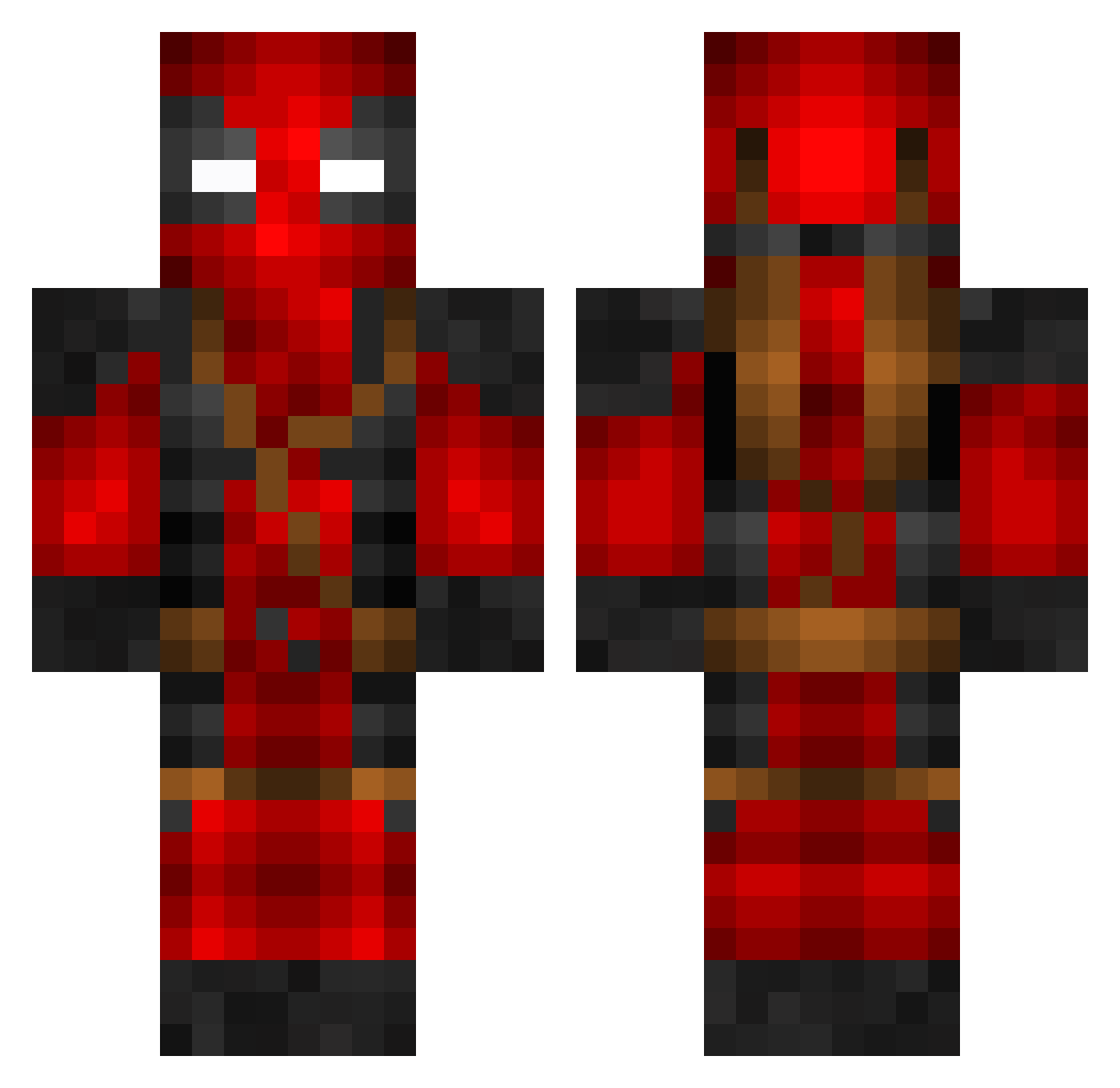
Current Minecraft skin of the player zzvri, loaded from the official Mojang API. Rotate the 3D model with your mouse or finger, then download the skin as a PNG file and use it in Minecraft: Bedrock Edition or Java Edition for free. When zzvri changes their skin, this page updates automatically and the old skin stays in the history below.
Other players with this skin (859)
zzvri was the 848th player we have seen with this skin, first spotted on 10.11.2026. The same skin was seen on these players. Open a nickname to see their current skin and skin history.
 Km_jae Evanjg123 Der_Skaty shtevie85 FaraweY Nickdawg24680 Jojo18756 BartFart68 itzHYDRA AyZox_6 TorpedoOnion Fox210 LOUP09 BoviWan JuanGamer3 Zeko322 tameemsa PittsburghAmity EruParek crazzydaddy ATranAdventures TheMarasPL SashBashManash Jamie113 bwoofer Ismador Easty1413 Kill3rtaco1998 MBradleyH i_am_mikey 1yrus mazhiro am_jaq AHThoric RosinenbomberYT Glitchop6767 TopCloud7 Willik91 Foilesss MrHighRezz ADMC0122 FruityPiranha miqellol teodor5241645 BlueKangaroo202 Dioguiingo BlazedNConfused3 TRH2712 tomascrash123 cashdrop29 Daredevl22 UKTrexz rageingdemons04 EnderSlayer3000 Thecreeperguy170 Classicfr3ddy Natty2822 Juninh0k DJ_Pancake_Mix Shadowhunter509
More Deadpool Minecraft skins
How to install the zzvri skin
- Press the Download button above to save the skin as a PNG file.
- Minecraft: Bedrock Edition (PE): open the Dressing Room from the main menu (or tap your character → Edit Character), go to Classic Skins → Owned, press the + (new skin) button, choose the downloaded PNG and pick the Classic (Steve) model. Works on PC and mobile; consoles cannot import custom skins.
- Minecraft: Java Edition: open the Minecraft Launcher, go to the Skins tab, click New Skin, load the PNG, pick the Classic (Steve) model and press Save & Use. You can also upload it at minecraft.net → Profile → Change Skin.
The skin does not show up after import - what should I do?
Restart Minecraft and open the Dressing Room again - imported skins sometimes appear only after a restart. Also make sure you selected the imported skin and picked the Classic (Steve) model.
Which model should I choose, Classic or Slim?
This skin is designed for the Classic (Steve) model. If you pick the wrong model, the arms of the skin will look stretched or squeezed.
Is the skin of zzvri free to download?
Yes. Press Download, save the PNG file and use it in Minecraft: Bedrock Edition or Java Edition - no payment or registration needed. The skin also works on multiplayer servers and Realms.
More skins
Looking for more? Go back to all Minecraft skins and check the top skins of the week, month and all time, or find any player's skin by nickname.