
zyrxlol - Minecraft Skins & Skin History
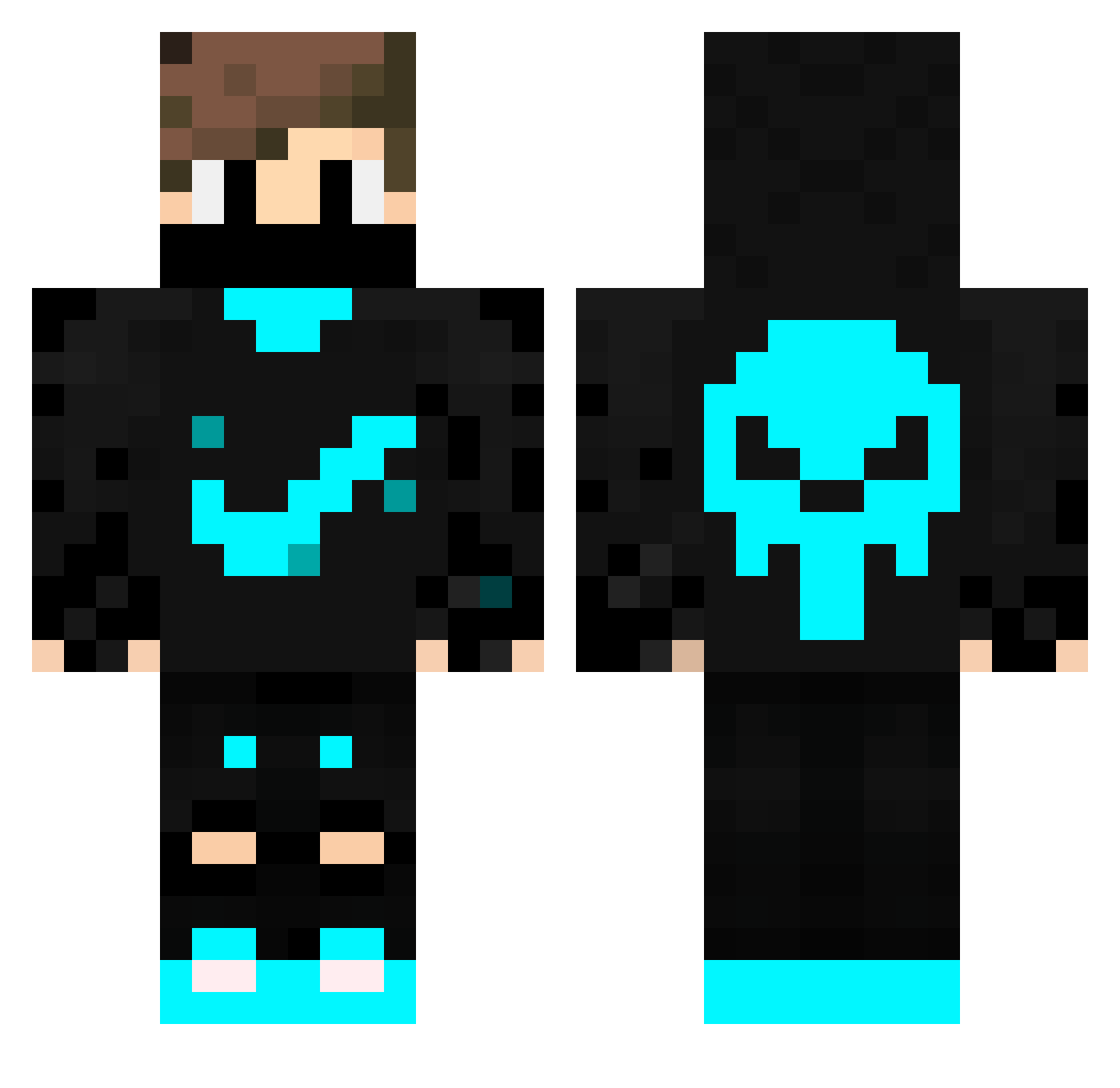
Current Minecraft skin of the player zyrxlol, loaded from the official Mojang API. Rotate the 3D model with your mouse or finger, then download the skin as a PNG file and use it in Minecraft: Bedrock Edition or Java Edition for free. When zyrxlol changes their skin, this page updates automatically and the old skin stays in the history below.
Other players with this skin (310)
zyrxlol was the 235th player we have seen with this skin, first spotted on 24.10.2026. The same skin was seen on these players. Open a nickname to see their current skin and skin history.
 DRAGO0 GeceKatiliAdaX41 Dantesco408 Ontoilet darvill3361 GaLaXyZeRA 19891211 werkoYT Brian0619 SamKing001 Cinderella88 COMBAX6134 Sasuke1906 Wever93 J4C3 Juantxete27 Clark_Mk1 Belalprime aska0307 Bladeshaper jurismar GramatoNx Wazaoskyyy ZiyaUNL LLaizFR pinardistein Urihhhhhhhhh Hardiboy Talha8791 steelersben07 Lordjam431 King_galaxy XeonqUp DeFect1337 bigezzie20 Fireplayz2ZO clayrock35 Spero_F Cassiboy22 IceFoxGM sigmaboy332 selectify leonsharkk ORBIM Sashsash L3_M4SQU3R NySage Armadds Martin_Jou riyenin SixthCourier Jte_punis lucinhofofis Staike_ bjp4507 julian0306 zINFANTEz Probst03 dillpickle4000 American_spy
More Skull Minecraft skins
How to install the zyrxlol skin
- Press the Download button above to save the skin as a PNG file.
- Minecraft: Bedrock Edition (PE): open the Dressing Room from the main menu (or tap your character → Edit Character), go to Classic Skins → Owned, press the + (new skin) button, choose the downloaded PNG and pick the Classic (Steve) model. Works on PC and mobile; consoles cannot import custom skins.
- Minecraft: Java Edition: open the Minecraft Launcher, go to the Skins tab, click New Skin, load the PNG, pick the Classic (Steve) model and press Save & Use. You can also upload it at minecraft.net → Profile → Change Skin.
The skin does not show up after import - what should I do?
Restart Minecraft and open the Dressing Room again - imported skins sometimes appear only after a restart. Also make sure you selected the imported skin and picked the Classic (Steve) model.
Which model should I choose, Classic or Slim?
This skin is designed for the Classic (Steve) model. If you pick the wrong model, the arms of the skin will look stretched or squeezed.
Is the skin of zyrxlol free to download?
Yes. Press Download, save the PNG file and use it in Minecraft: Bedrock Edition or Java Edition - no payment or registration needed. The skin also works on multiplayer servers and Realms.
More skins
Looking for more? Go back to all Minecraft skins and check the top skins of the week, month and all time, or find any player's skin by nickname.