
zy0n1 - Minecraft Skins & Skin History
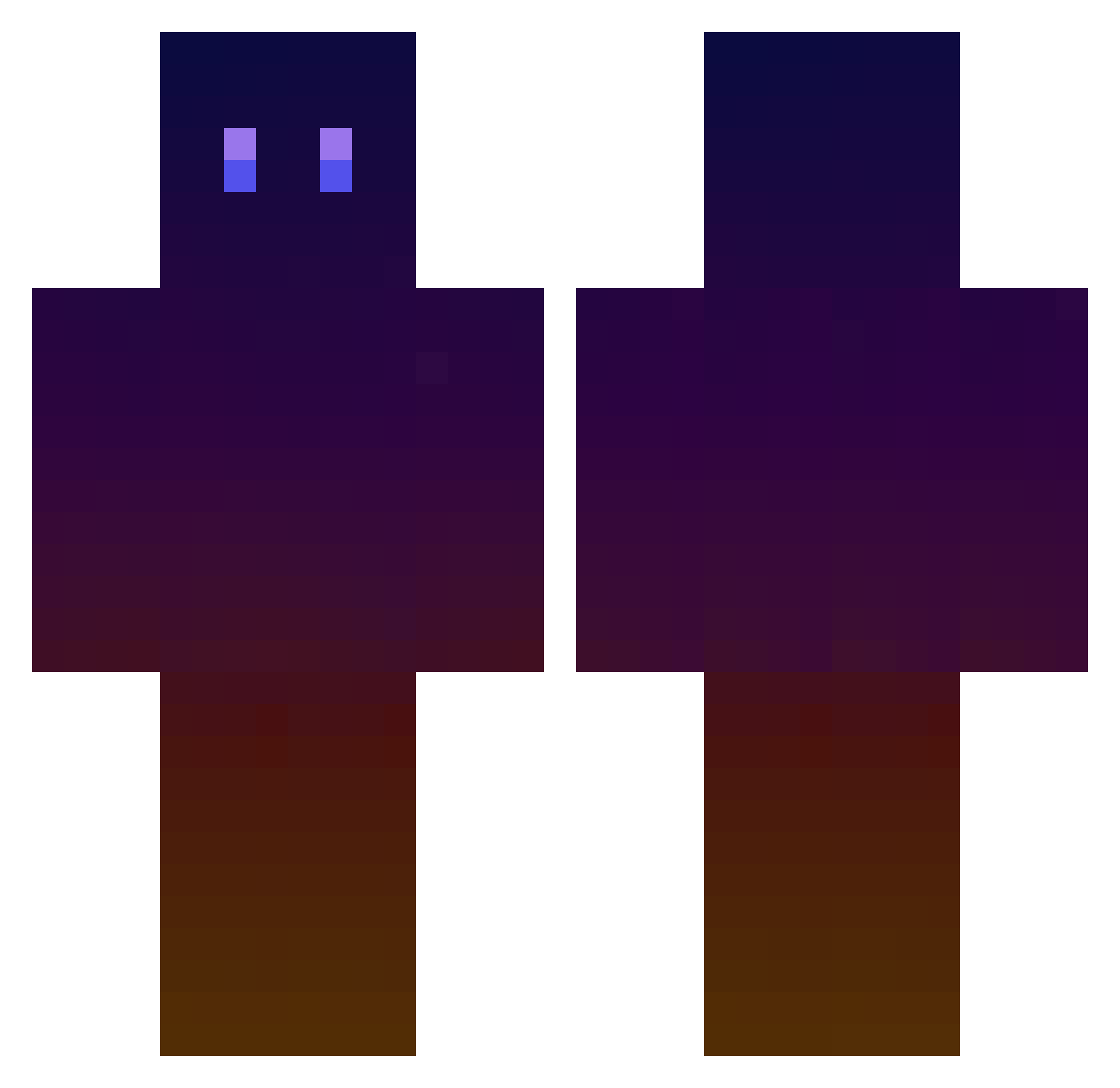
Current Minecraft skin of the player zy0n1, loaded from the official Mojang API. Rotate the 3D model with your mouse or finger, then download the skin as a PNG file and use it in Minecraft: Bedrock Edition or Java Edition for free. When zy0n1 changes their skin, this page updates automatically and the old skin stays in the history below.
Other players with this skin (756)
zy0n1 was the 602nd player we have seen with this skin, first spotted on 21.10.2026. The same skin was seen on these players. Open a nickname to see their current skin and skin history.
 ayaogu Bbassu RenardBrutal AndrewWalcot RikuroOjiSan yerang107 minjae0925 AT_Asfoe skiim7 AstralxEm snail_____ VinPlat kds_0113 zombie575646 Luzrod21 hikyogre Gunterones ChillOutPlease 7lws7 Tom_rht57 Parque543 KingCrimson5325 Desmond_Wong pmtg0007 BlueBird77 Sia__a HoNangXi SeoJun2836 JSH7143 Ejinseo yunseop6309 Protoath SKREEEEEEEEEEEE almwilko Kejiiii FireBlackduQC kawwwaaala JustHollow luckyblocky MakaOh alewuilfo Voidec FALSEGOD_04 ReeceBSimpin ofuton_28 MiksL moelyl Aralolz TheAkuryou NADOHANA Chuan_Luo kyh88k 2clipse Cell15893 Yzkaa Brian58487 Xtreme2479 Godsu_6455 Mentoscracker GtrzAx
How to install the zy0n1 skin
- Press the Download button above to save the skin as a PNG file.
- Minecraft: Bedrock Edition (PE): open the Dressing Room from the main menu (or tap your character → Edit Character), go to Classic Skins → Owned, press the + (new skin) button, choose the downloaded PNG and pick the Classic (Steve) model. Works on PC and mobile; consoles cannot import custom skins.
- Minecraft: Java Edition: open the Minecraft Launcher, go to the Skins tab, click New Skin, load the PNG, pick the Classic (Steve) model and press Save & Use. You can also upload it at minecraft.net → Profile → Change Skin.
The skin does not show up after import - what should I do?
Restart Minecraft and open the Dressing Room again - imported skins sometimes appear only after a restart. Also make sure you selected the imported skin and picked the Classic (Steve) model.
Which model should I choose, Classic or Slim?
This skin is designed for the Classic (Steve) model. If you pick the wrong model, the arms of the skin will look stretched or squeezed.
Is the skin of zy0n1 free to download?
Yes. Press Download, save the PNG file and use it in Minecraft: Bedrock Edition or Java Edition - no payment or registration needed. The skin also works on multiplayer servers and Realms.
More skins
Looking for more? Go back to all Minecraft skins and check the top skins of the week, month and all time, or find any player's skin by nickname.