
zx0Last0xz - Minecraft Skins & Skin History
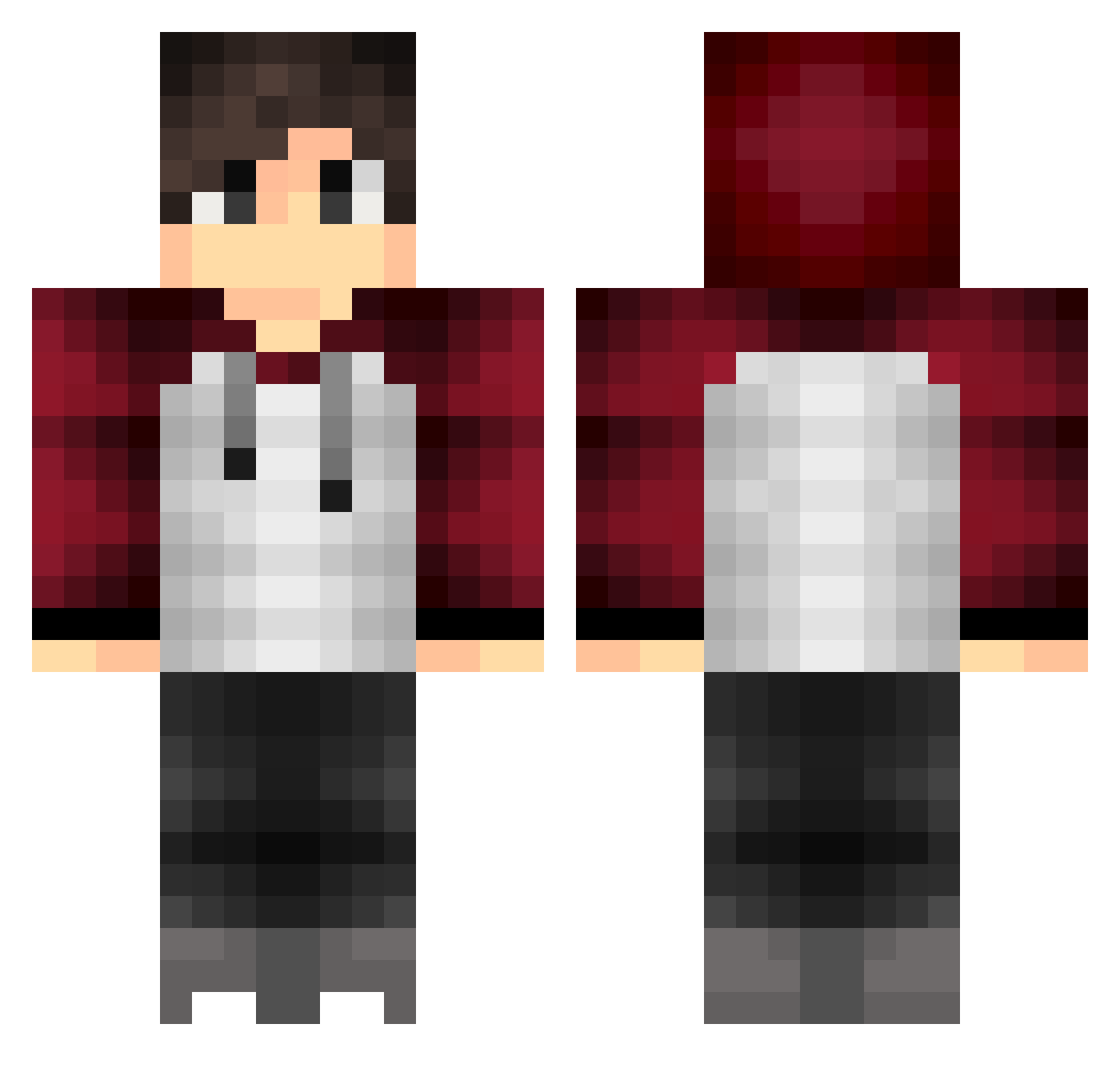
Current Minecraft skin of the player zx0Last0xz, loaded from the official Mojang API. Rotate the 3D model with your mouse or finger, then download the skin as a PNG file and use it in Minecraft: Bedrock Edition or Java Edition for free. When zx0Last0xz changes their skin, this page updates automatically and the old skin stays in the history below.
Other players with this skin (318)
zx0Last0xz was the 124th player we have seen with this skin, first spotted on 27.08.2026. The same skin was seen on these players. Open a nickname to see their current skin and skin history.
 Dovakiin32 BardasDiciple ConfusedGamer18 KJK_13 Rocksboy Its_me_sander poep_konijn lfeey GiantPlaay Tone_Helerius NickCarter246 yousif_IRAQ_PRO ZujaLP little_Goon Phagocyt0sis Galact1c__ chrise1999 _Boeni_ Oddbod002 Ajassassin19 gv1351 CCtheBatman AstraaYT _Lyax_ ShaUzaR Arisenug Minimiquadrix Stenor Bassih Ladyofwind BAELFIRE_97 Skbbi33 DiggeWutz lilsouta KevinatorTrainer David_1412 Nick_47 Its_Rubiedubie Nolabrew krazytate Paddington5 OleNielsen12 KingKarp8 sirotaro46 NimaDenSeje xSayne Tim0013 SourDeisel MouchyMouchy Natehundred XThanhX123 Alvin_Gaming GunnestaD BloxLikeAFox VeNoMxXYT LaughingYew0 MattiM_12 Kagenox Bromberryy robi_power1
How to install the zx0Last0xz skin
- Press the Download button above to save the skin as a PNG file.
- Minecraft: Bedrock Edition (PE): open the Dressing Room from the main menu (or tap your character → Edit Character), go to Classic Skins → Owned, press the + (new skin) button, choose the downloaded PNG and pick the Classic (Steve) model. Works on PC and mobile; consoles cannot import custom skins.
- Minecraft: Java Edition: open the Minecraft Launcher, go to the Skins tab, click New Skin, load the PNG, pick the Classic (Steve) model and press Save & Use. You can also upload it at minecraft.net → Profile → Change Skin.
The skin does not show up after import - what should I do?
Restart Minecraft and open the Dressing Room again - imported skins sometimes appear only after a restart. Also make sure you selected the imported skin and picked the Classic (Steve) model.
Which model should I choose, Classic or Slim?
This skin is designed for the Classic (Steve) model. If you pick the wrong model, the arms of the skin will look stretched or squeezed.
Is the skin of zx0Last0xz free to download?
Yes. Press Download, save the PNG file and use it in Minecraft: Bedrock Edition or Java Edition - no payment or registration needed. The skin also works on multiplayer servers and Realms.
More skins
Looking for more? Go back to all Minecraft skins and check the top skins of the week, month and all time, or find any player's skin by nickname.