
zunnnii - Minecraft Skins & Skin History
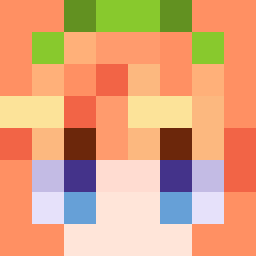
Current Minecraft skin of the player zunnnii, loaded from the official Mojang API. Rotate the 3D model with your mouse or finger, then download the skin as a PNG file and use it in Minecraft: Bedrock Edition or Java Edition for free. When zunnnii changes their skin, this page updates automatically and the old skin stays in the history below.
Other players with this skin (48)
zunnnii was the 42nd player we have seen with this skin, first spotted on 10.11.2026. The same skin was seen on these players. Open a nickname to see their current skin and skin history.
 PeHeng Ketchup_11 vrox1y bobowitaa Zhnggu EpicThunder18 noaboa7 Seungbingongbuha Herobrick ItzZAUS red2__ August4571 L1nd0_ P0lamik Flip36 Xvinty2 iefh Specter_Stuffs BeannieBB MaxNoLyfe 21BJ Mr_froggo_ 4snef4g3n Vendie2 swagkitty33 BlobbyGod NornTo PoopScout29 DaedalWolf55744 2fo9 Senkosen deez0209
 Bananito6666 Maffe_boii jqacocl
 snksnsjn
 Fares55543 DemonGaming2011 Giannouliss DogFeminist Bestiah _Lang_ FalperOvsky misterRIRI Anonimowy2234 Discolorations novice2340 Fuury_tv
How to install the zunnnii skin
- Press the Download button above to save the skin as a PNG file.
- Minecraft: Bedrock Edition (PE): open the Dressing Room from the main menu (or tap your character → Edit Character), go to Classic Skins → Owned, press the + (new skin) button, choose the downloaded PNG and pick the Classic (Steve) model. Works on PC and mobile; consoles cannot import custom skins.
- Minecraft: Java Edition: open the Minecraft Launcher, go to the Skins tab, click New Skin, load the PNG, pick the Classic (Steve) model and press Save & Use. You can also upload it at minecraft.net → Profile → Change Skin.
The skin does not show up after import - what should I do?
Restart Minecraft and open the Dressing Room again - imported skins sometimes appear only after a restart. Also make sure you selected the imported skin and picked the Classic (Steve) model.
Which model should I choose, Classic or Slim?
This skin is designed for the Classic (Steve) model. If you pick the wrong model, the arms of the skin will look stretched or squeezed.
Is the skin of zunnnii free to download?
Yes. Press Download, save the PNG file and use it in Minecraft: Bedrock Edition or Java Edition - no payment or registration needed. The skin also works on multiplayer servers and Realms.
More skins
Looking for more? Go back to all Minecraft skins and check the top skins of the week, month and all time, or find any player's skin by nickname.