
zqhs - Minecraft Skins & Skin History
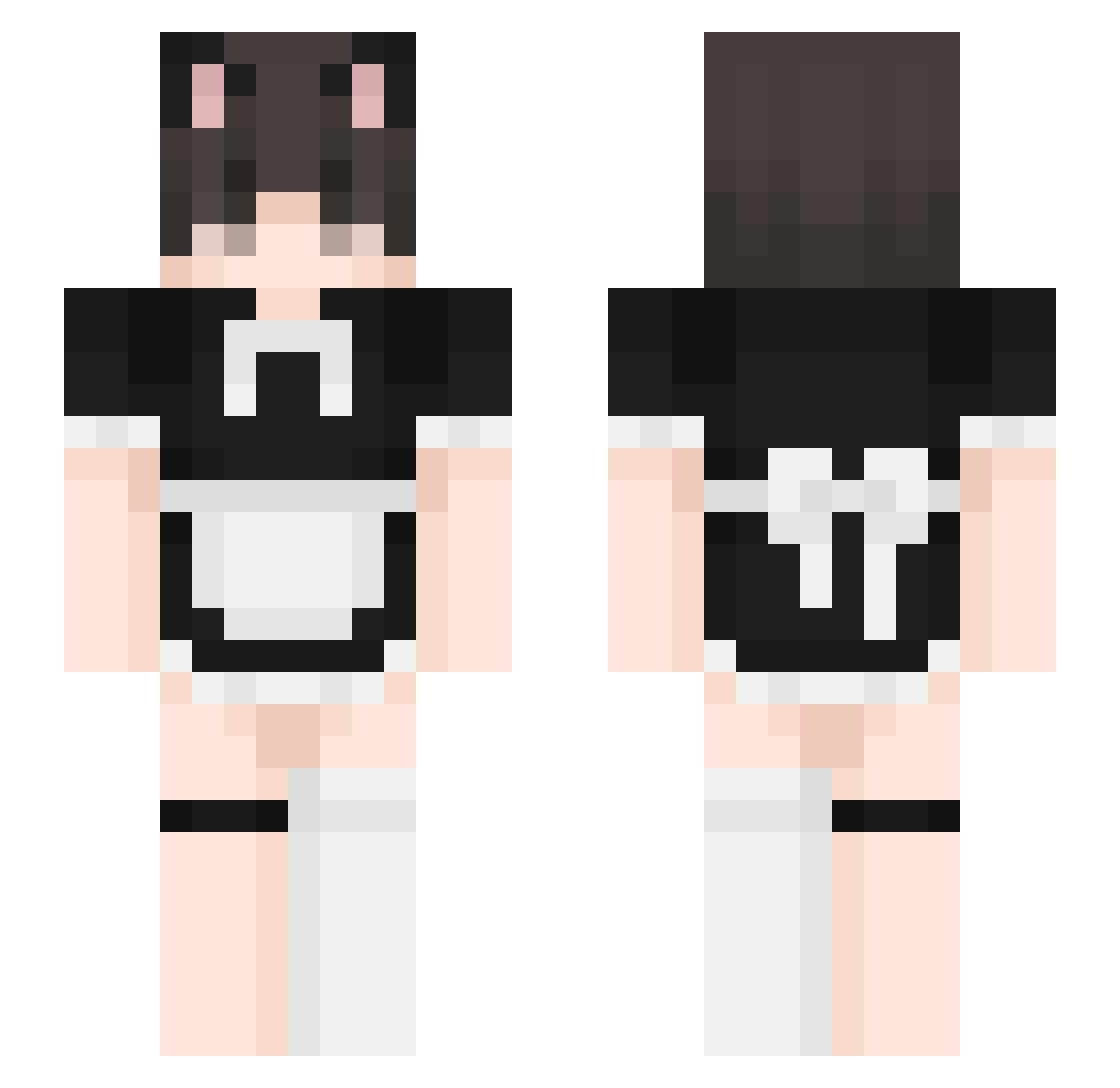
Current Minecraft skin of the player zqhs, loaded from the official Mojang API. Rotate the 3D model with your mouse or finger, then download the skin as a PNG file and use it in Minecraft: Bedrock Edition or Java Edition for free. When zqhs changes their skin, this page updates automatically and the old skin stays in the history below.
Other players with this skin (331)
zqhs was the 312th player we have seen with this skin, first spotted on 15.10.2026. The same skin was seen on these players. Open a nickname to see their current skin and skin history.
 vdmp 69ii Beano____ n1ckIaus fattypatty00 Ramomarr mckkoi Spotifay NewOrphan MissXXD Fogofire7 IlyBoba pxrpleee mcabral233 TheCrumbL Kuroboy LispSync 0yanami sober_3d 8moloch8 WontonBaby nemolikescocc walle23144 Nixylul Pirate_Trickey rwg456258 palafuz AzorixMC Aurelius3053 szybka__julcia yumiXD marciinopolis Kong04 aron10391890 Rexs0w0 Razzdwwa liedtoosnake Insultar wykopek vittinh00 superdee3 jj0k2day Alexiscool77 B34R0 ASMA_x7 nekorairai NewFudja chic_luke xAidanIsAwesomex armpl4yz hana_rashii Komichi_Akebi Samuxxzz SimplyIvan IkarusInk alexander0667 I_Love_Cox PanZiemniak2 DoshikDoshrak NightSkyMusic
More Maid Minecraft skins
How to install the zqhs skin
- Press the Download button above to save the skin as a PNG file.
- Minecraft: Bedrock Edition (PE): open the Dressing Room from the main menu (or tap your character → Edit Character), go to Classic Skins → Owned, press the + (new skin) button, choose the downloaded PNG and pick the Slim (Alex) model. Works on PC and mobile; consoles cannot import custom skins.
- Minecraft: Java Edition: open the Minecraft Launcher, go to the Skins tab, click New Skin, load the PNG, pick the Slim (Alex) model and press Save & Use. You can also upload it at minecraft.net → Profile → Change Skin.
The skin does not show up after import - what should I do?
Restart Minecraft and open the Dressing Room again - imported skins sometimes appear only after a restart. Also make sure you selected the imported skin and picked the Slim (Alex) model.
Which model should I choose, Classic or Slim?
This skin is designed for the Slim (Alex) model. If you pick the wrong model, the arms of the skin will look stretched or squeezed.
Is the skin of zqhs free to download?
Yes. Press Download, save the PNG file and use it in Minecraft: Bedrock Edition or Java Edition - no payment or registration needed. The skin also works on multiplayer servers and Realms.
More skins
Looking for more? Go back to all Minecraft skins and check the top skins of the week, month and all time, or find any player's skin by nickname.