
zowerz - Minecraft Skins & Skin History
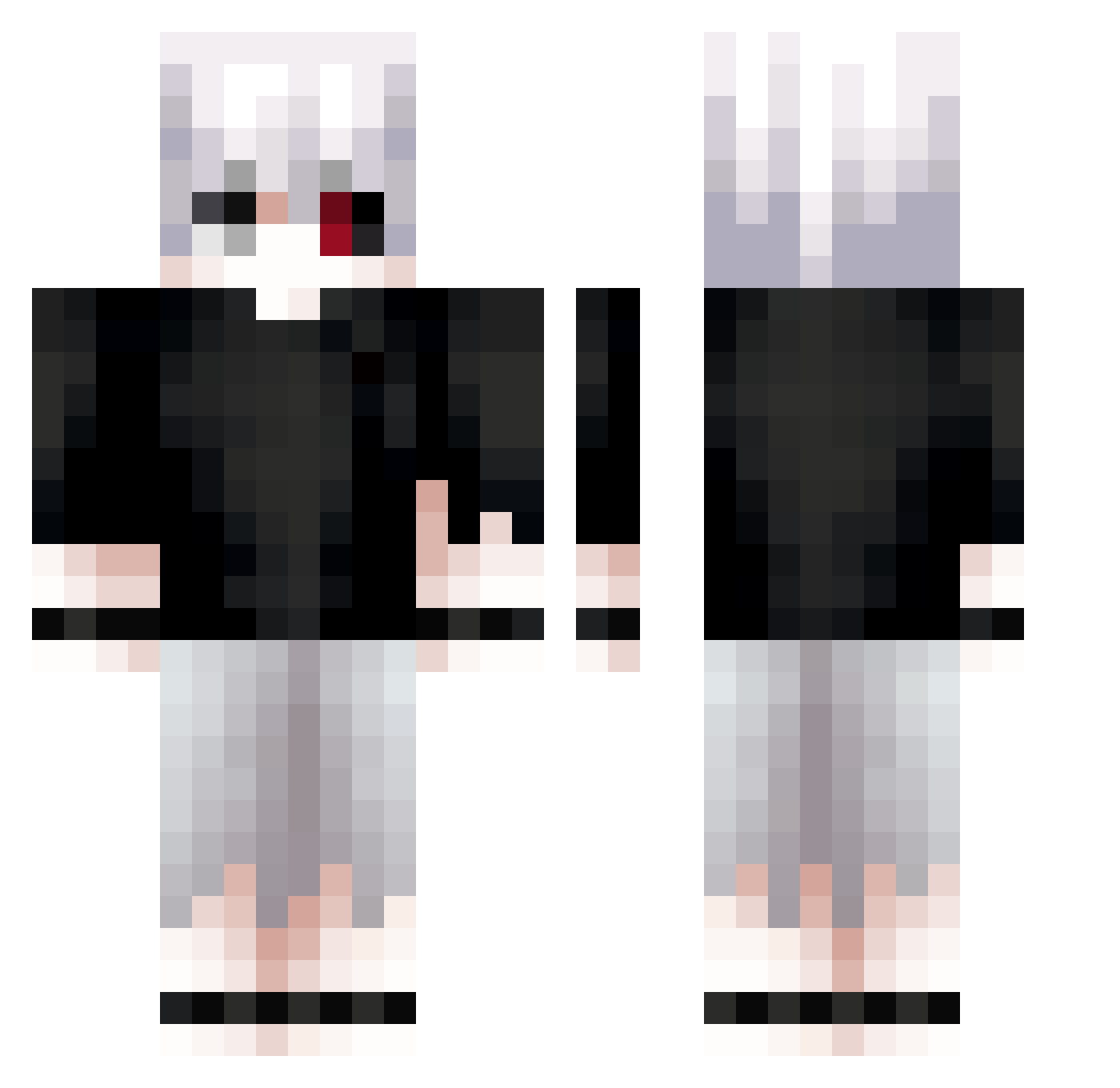
Current Minecraft skin of the player zowerz, loaded from the official Mojang API. Rotate the 3D model with your mouse or finger, then download the skin as a PNG file and use it in Minecraft: Bedrock Edition or Java Edition for free. When zowerz changes their skin, this page updates automatically and the old skin stays in the history below.
Other players with this skin (613)
zowerz was the 150th player we have seen with this skin, first spotted on 17.08.2026. The same skin was seen on these players. Open a nickname to see their current skin and skin history.
 Kyzahh_ thiag0nn MFDXXM Mxtrem XDemonsX10 WeirdBox2000 _RuneBorn_ Gweeny14 x20890 One_Eyed_King7 XuyenSoCute CodeAlex5 NWSkB valdemra santiros450 Fury1357 jugoh Nighthawk208 Kaitouwo JTICA19 Mythical_Omega mysteryman30
 Ckzu09aml GuEarthz Tesla1116 Misteurnounou SoullessNaga OwenJ50 Cartiboyxann vz1r0 Spuk1y DjPanda4745 IvanSx Ashido09
 Yun0st4 SerhatEminn Qwach10 TkGhouls RedEris777 Nicolas_163 Kalav22 Shironeki83 GHVA226 HenRdan west_rar R3dexz bannAht Kaneki_Ken7 Beavaaaa pelmeshek007 Follettortuga12 Obscurio_fr Yami251 konn1u
 SacredShad Schmeddy1 cherie1412 KevinDu93 jyc01 Millionaire2
More Kaneki Minecraft skins
How to install the zowerz skin
- Press the Download button above to save the skin as a PNG file.
- Minecraft: Bedrock Edition (PE): open the Dressing Room from the main menu (or tap your character → Edit Character), go to Classic Skins → Owned, press the + (new skin) button, choose the downloaded PNG and pick the Classic (Steve) model. Works on PC and mobile; consoles cannot import custom skins.
- Minecraft: Java Edition: open the Minecraft Launcher, go to the Skins tab, click New Skin, load the PNG, pick the Classic (Steve) model and press Save & Use. You can also upload it at minecraft.net → Profile → Change Skin.
The skin does not show up after import - what should I do?
Restart Minecraft and open the Dressing Room again - imported skins sometimes appear only after a restart. Also make sure you selected the imported skin and picked the Classic (Steve) model.
Which model should I choose, Classic or Slim?
This skin is designed for the Classic (Steve) model. If you pick the wrong model, the arms of the skin will look stretched or squeezed.
Is the skin of zowerz free to download?
Yes. Press Download, save the PNG file and use it in Minecraft: Bedrock Edition or Java Edition - no payment or registration needed. The skin also works on multiplayer servers and Realms.
More skins
Looking for more? Go back to all Minecraft skins and check the top skins of the week, month and all time, or find any player's skin by nickname.