
zombieman67 - Minecraft Skins & Skin History
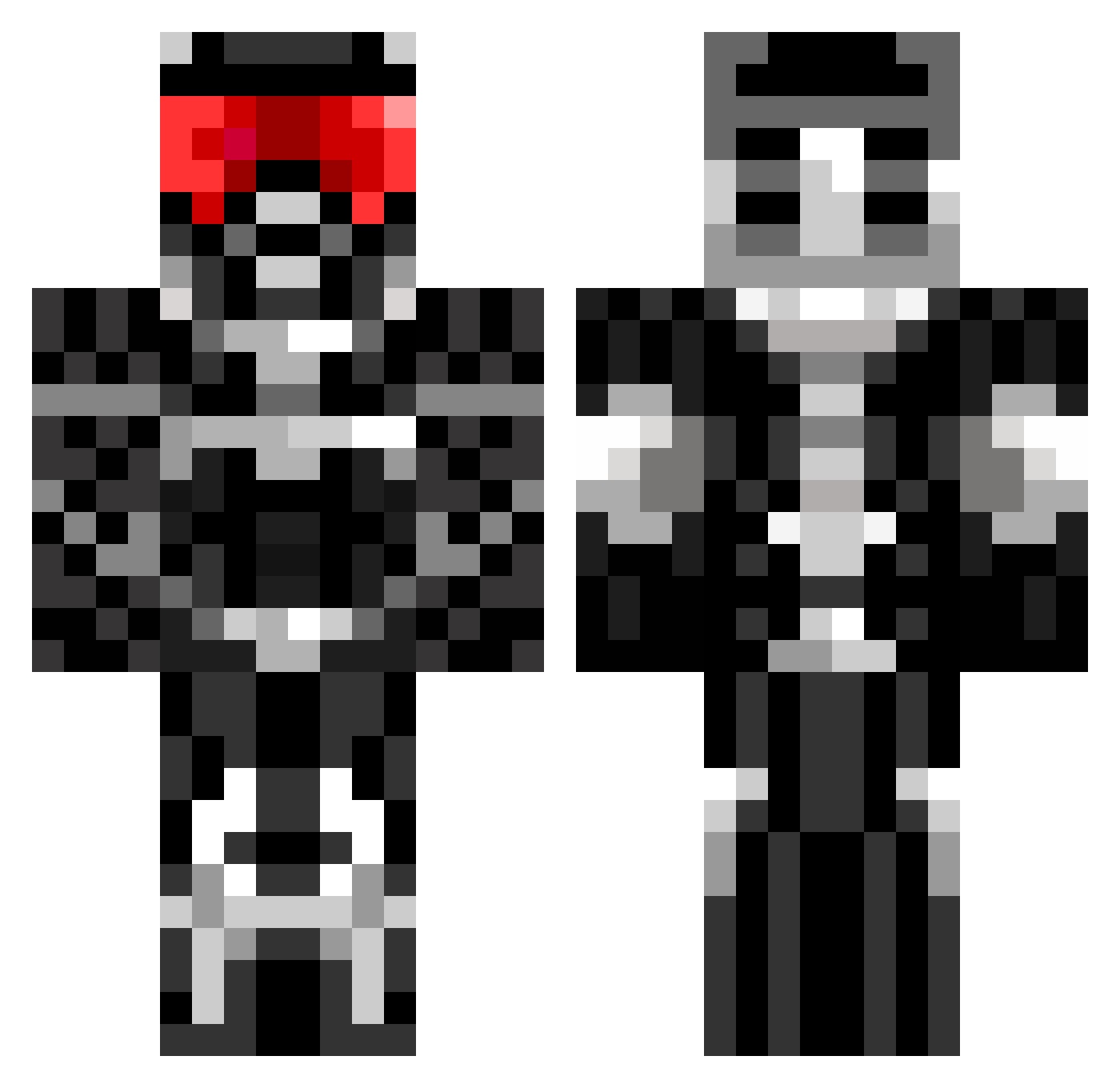
Current Minecraft skin of the player zombieman67, loaded from the official Mojang API. Rotate the 3D model with your mouse or finger, then download the skin as a PNG file and use it in Minecraft: Bedrock Edition or Java Edition for free. When zombieman67 changes their skin, this page updates automatically and the old skin stays in the history below.
Other players with this skin (675)
zombieman67 was the 644th player we have seen with this skin, first spotted on 28.10.2026. The same skin was seen on these players. Open a nickname to see their current skin and skin history.
 Kartingking5 aT0x1c RedBone57 ThePaddster Blunterstorm97 shadow_ninja427 arr_1234 Agandaur99 AFuuuu Flexe91 OXID8 Zandy_Pandy ChampionBud GR4V3R nutchyn connectrofl Thesserion djmaverick Timesurfer AndrewGRamsay JSyth123 furby_paT nsivan Digga34 ilovepie232323 Mandrewf EdiTzDoe Hans_Nagit w6rk Jeaa02 pokemonster69 JacksonH7 hunt731 Jack_Sparrow_69 _N00TN00T_ codyjrox nissefar10 mentalgamer11 Hisiz XxCujohjxX C2CHEE bluedevil99 JudgeBond RuiQ TheDonCorleone stofferp azalla hazzerwazere cwchase IceShadow1030 Vooxa trcjoe LuxeHD 10Brodster alessandroAB ChickenP0x RobertWebber36 erikthorge BanishedVortex Cade102203
More Sci Fi Armor Minecraft skins
How to install the zombieman67 skin
- Press the Download button above to save the skin as a PNG file.
- Minecraft: Bedrock Edition (PE): open the Dressing Room from the main menu (or tap your character → Edit Character), go to Classic Skins → Owned, press the + (new skin) button, choose the downloaded PNG and pick the Classic (Steve) model. Works on PC and mobile; consoles cannot import custom skins.
- Minecraft: Java Edition: open the Minecraft Launcher, go to the Skins tab, click New Skin, load the PNG, pick the Classic (Steve) model and press Save & Use. You can also upload it at minecraft.net → Profile → Change Skin.
The skin does not show up after import - what should I do?
Restart Minecraft and open the Dressing Room again - imported skins sometimes appear only after a restart. Also make sure you selected the imported skin and picked the Classic (Steve) model.
Which model should I choose, Classic or Slim?
This skin is designed for the Classic (Steve) model. If you pick the wrong model, the arms of the skin will look stretched or squeezed.
Is the skin of zombieman67 free to download?
Yes. Press Download, save the PNG file and use it in Minecraft: Bedrock Edition or Java Edition - no payment or registration needed. The skin also works on multiplayer servers and Realms.
More skins
Looking for more? Go back to all Minecraft skins and check the top skins of the week, month and all time, or find any player's skin by nickname.