
zograt2nd - Minecraft Skins & Skin History
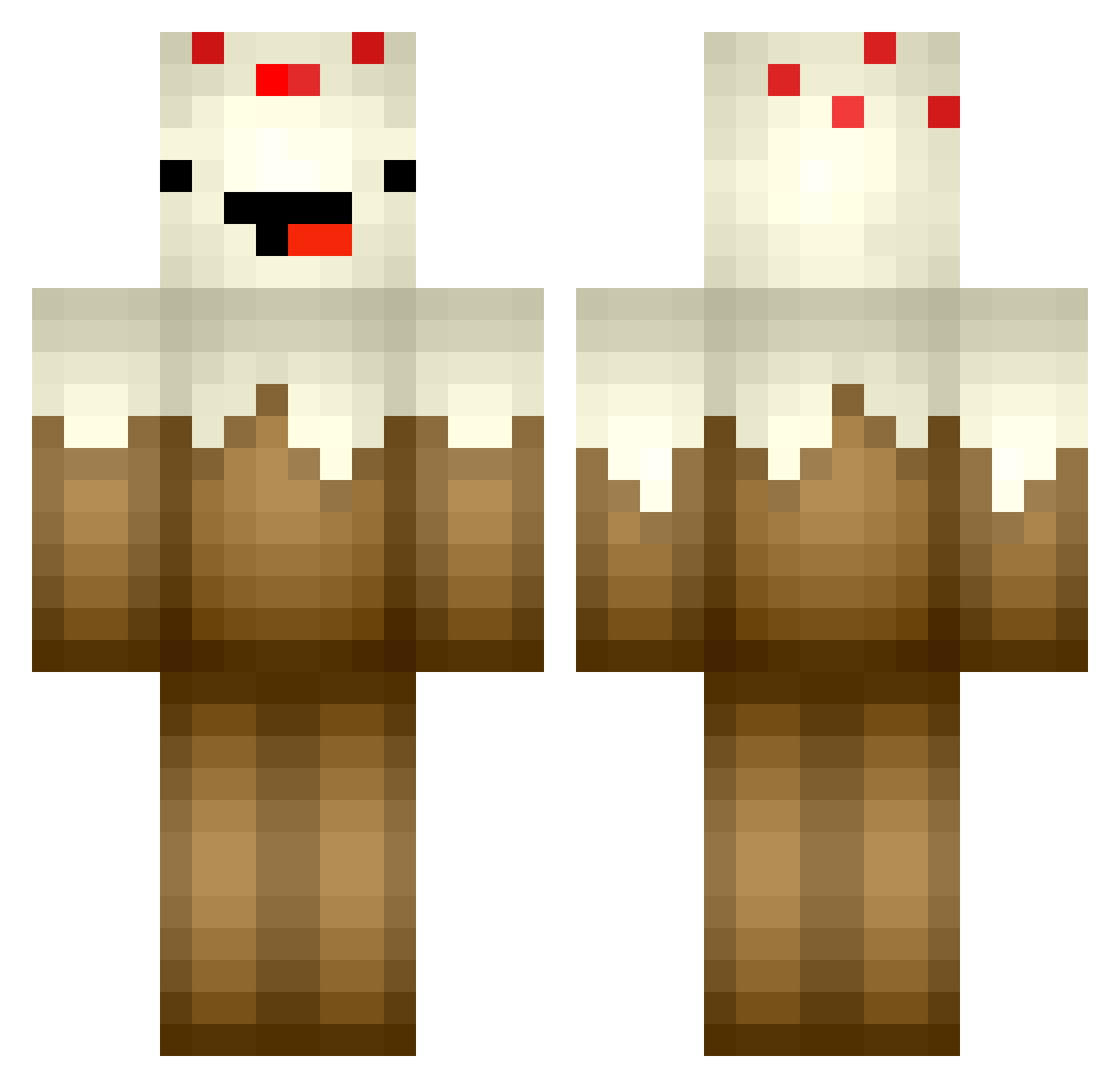
Current Minecraft skin of the player zograt2nd, loaded from the official Mojang API. Rotate the 3D model with your mouse or finger, then download the skin as a PNG file and use it in Minecraft: Bedrock Edition or Java Edition for free. When zograt2nd changes their skin, this page updates automatically and the old skin stays in the history below.
Other players with this skin (364)
zograt2nd was the 341st player we have seen with this skin, first spotted on 26.10.2026. The same skin was seen on these players. Open a nickname to see their current skin and skin history.
 DecentArby LlamaaFarmer DeziCakes joy14599 GDXHELL awesomegirl777 hennn jimbob_9245 zeldamo12345 DerpyMan2005 SskyLord HeatherJoanne21 Malimos XsunniegardnerX Kirkin Dannoh403 TristinRoss AJcakess cloverkid13 sniper1424 DCChicken Yummy_Mexxi nelisBr0 JohnDevlin ghastmaker1029 PippoCraft03_ SmailPowered h1103 pemaatta Exposuure N1cke88 ellienor Alekta Busterofsouls connhardman emilschwaerter ilovethishorse69 jkit11 MrHankala TheBlockyBlocker mrdc555 TheTimeG SebThorne chase357 GinaRinehart da_ye__ LILRUSSKE Itzz_Jack_x MadeOutOfCake mrkillapanda idabjorkman Anderson05032005 Kurkora camiemeowmeow zauki J_rod22 Tommy_Snowy ifounddiomonds smores1225 RedokPaw
More Cake Minecraft skins
How to install the zograt2nd skin
- Press the Download button above to save the skin as a PNG file.
- Minecraft: Bedrock Edition (PE): open the Dressing Room from the main menu (or tap your character → Edit Character), go to Classic Skins → Owned, press the + (new skin) button, choose the downloaded PNG and pick the Classic (Steve) model. Works on PC and mobile; consoles cannot import custom skins.
- Minecraft: Java Edition: open the Minecraft Launcher, go to the Skins tab, click New Skin, load the PNG, pick the Classic (Steve) model and press Save & Use. You can also upload it at minecraft.net → Profile → Change Skin.
The skin does not show up after import - what should I do?
Restart Minecraft and open the Dressing Room again - imported skins sometimes appear only after a restart. Also make sure you selected the imported skin and picked the Classic (Steve) model.
Which model should I choose, Classic or Slim?
This skin is designed for the Classic (Steve) model. If you pick the wrong model, the arms of the skin will look stretched or squeezed.
Is the skin of zograt2nd free to download?
Yes. Press Download, save the PNG file and use it in Minecraft: Bedrock Edition or Java Edition - no payment or registration needed. The skin also works on multiplayer servers and Realms.
More skins
Looking for more? Go back to all Minecraft skins and check the top skins of the week, month and all time, or find any player's skin by nickname.