
zigu07 - Minecraft Skins & Skin History
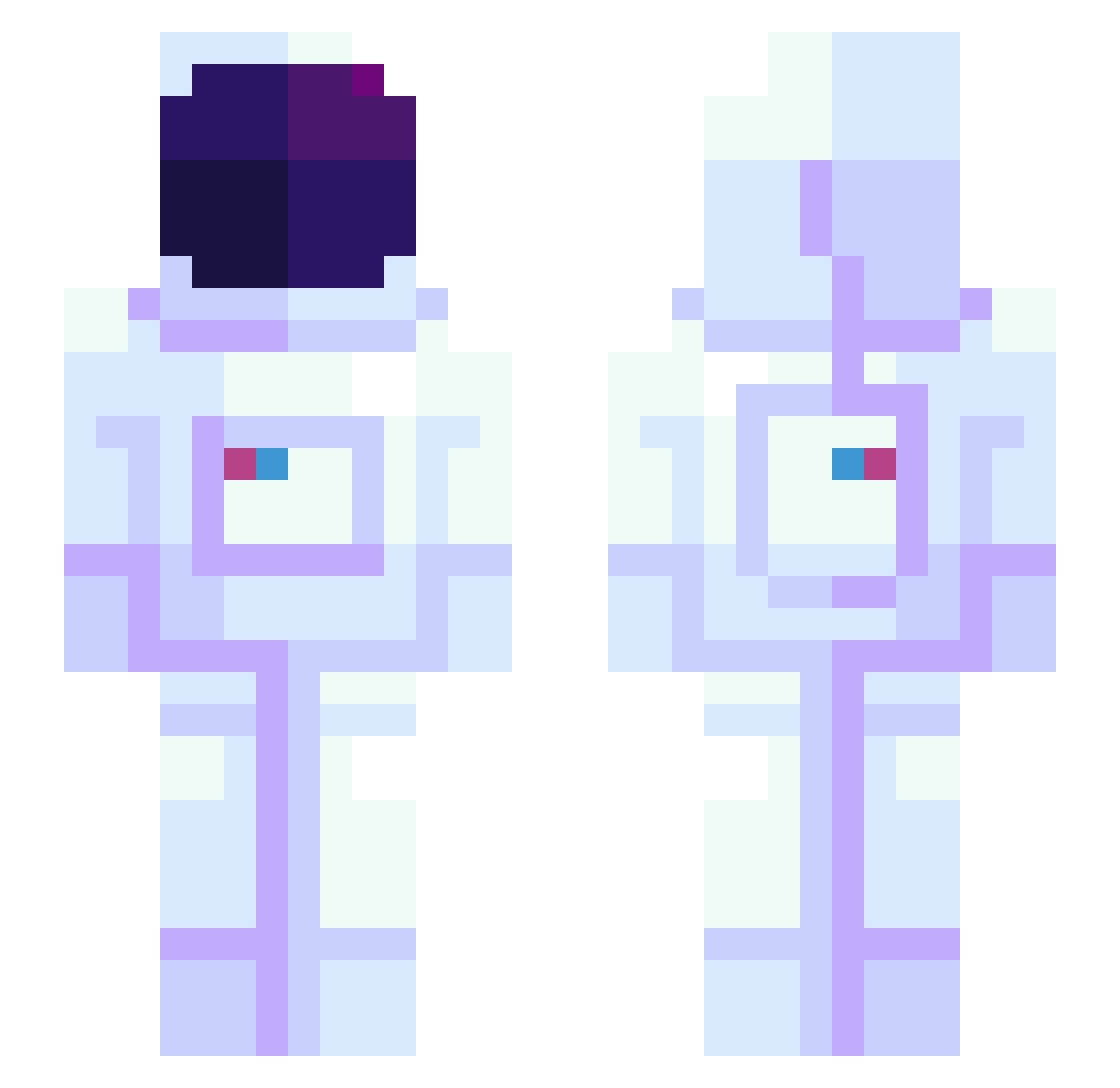
Current Minecraft skin of the player zigu07, loaded from the official Mojang API. Rotate the 3D model with your mouse or finger, then download the skin as a PNG file and use it in Minecraft: Bedrock Edition or Java Edition for free. When zigu07 changes their skin, this page updates automatically and the old skin stays in the history below.
Other players with this skin (944)
zigu07 was the 923rd player we have seen with this skin, first spotted on 29.10.2026. The same skin was seen on these players. Open a nickname to see their current skin and skin history.
 flapjack21 gankutsuo Kylworz Magical6969 JayColl TomWen miitan_ thdwnsdn Pejteck plumwaver Kimnodong x_LibbyIsabel_x XELPHYTO Kramzee aim33iscrazy finatron5000 FunLinG_00 boowerk eundong_2 Wiley6969 orajantie Haxxa JOJOBEX bro_enjoyer Jc560 SpaceWalkerO_O DIRECTMAN97 Meba320 KaronXIV JazzyJey BoggedTomb723 Camel_Skunk LapTheLegend TerriblePuns Sy2kThis oACTo Daaaailan 3mofidg3tspinn3r Walgreens_ twelvetone diimplY Sparg_1 GetNooone VoidEater64 Openayr konyacke jonttup Flinstoned Bacsil Yanoouuu martian_kay chava73 friedel_crafts iatesoup nzp heinging eiglss AiOutcast Yoya255 YEEYEONJIN
More Astronaut Minecraft skins
How to install the zigu07 skin
- Press the Download button above to save the skin as a PNG file.
- Minecraft: Bedrock Edition (PE): open the Dressing Room from the main menu (or tap your character → Edit Character), go to Classic Skins → Owned, press the + (new skin) button, choose the downloaded PNG and pick the Slim (Alex) model. Works on PC and mobile; consoles cannot import custom skins.
- Minecraft: Java Edition: open the Minecraft Launcher, go to the Skins tab, click New Skin, load the PNG, pick the Slim (Alex) model and press Save & Use. You can also upload it at minecraft.net → Profile → Change Skin.
The skin does not show up after import - what should I do?
Restart Minecraft and open the Dressing Room again - imported skins sometimes appear only after a restart. Also make sure you selected the imported skin and picked the Slim (Alex) model.
Which model should I choose, Classic or Slim?
This skin is designed for the Slim (Alex) model. If you pick the wrong model, the arms of the skin will look stretched or squeezed.
Is the skin of zigu07 free to download?
Yes. Press Download, save the PNG file and use it in Minecraft: Bedrock Edition or Java Edition - no payment or registration needed. The skin also works on multiplayer servers and Realms.
More skins
Looking for more? Go back to all Minecraft skins and check the top skins of the week, month and all time, or find any player's skin by nickname.