
zico_302 - Minecraft Skins & Skin History
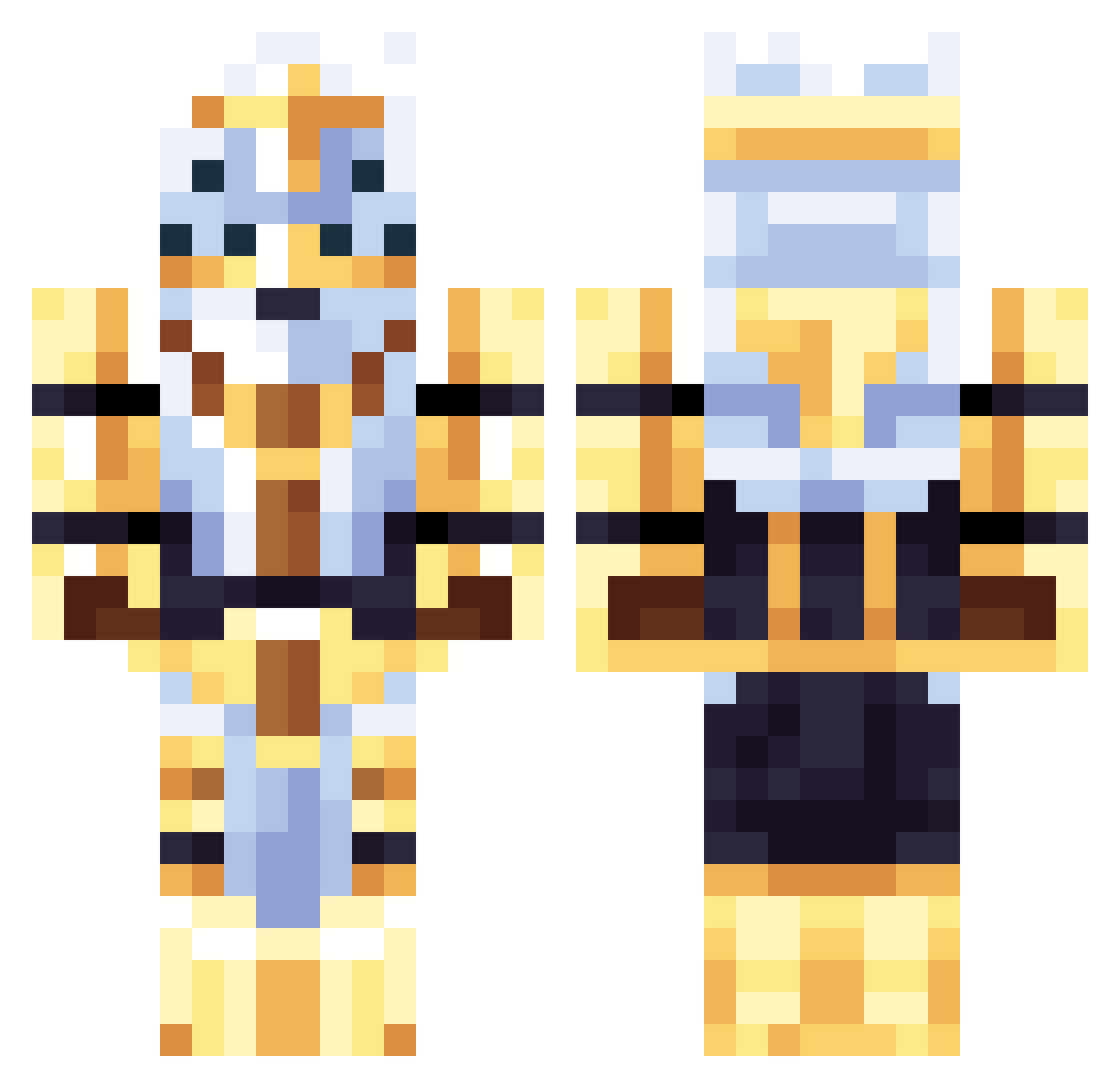
Current Minecraft skin of the player zico_302, loaded from the official Mojang API. Rotate the 3D model with your mouse or finger, then download the skin as a PNG file and use it in Minecraft: Bedrock Edition or Java Edition for free. When zico_302 changes their skin, this page updates automatically and the old skin stays in the history below.
Other players with this skin (107)
zico_302 was the 22nd player we have seen with this skin, first spotted on 15.08.2026. The same skin was seen on these players. Open a nickname to see their current skin and skin history.
 TendingChief stupidvirus Jackintof sTarxP00n TheTacocat44 RedTriggerHappy ItsMozziAgain aychar_ Pyro007
 spartan99957 williamroy7062 the_quiche Zhenderr Nobody1034 nuggetspls emiliacraft2014 RealDrJacko ItsLiam21 driversour atropostr RadianceEternal Redoun kitkatboy0404 MP_PocketNinja GrandPillager Whispered_One M0NSTERDREAMZ
 GalaxyDDino StereoGhost1 Masakk1
 ImpNiji Sansgranie3 FueledByBlood jestuno NotSh4d0w LeviGaxx TheGhastMask Pac1f1c1561 adrian28cm
 Prime_v4
 Xato81 Pino069 johncenamemes1 taxevader132 Misiak69 DE4I BigCheeksMcGee2 Nomanssky_101 siurekogurek SoundMask XLEBOPAXA indominus262 SeraphRaven MGR32 NoOne366768 VerbotenSleet36 MrNiceGuy_I SavageInferno96 Lolik_11 henettio
More The Lich King Minecraft skins
See all 17 The Lich King skins
How to install the zico_302 skin
- Press the Download button above to save the skin as a PNG file.
- Minecraft: Bedrock Edition (PE): open the Dressing Room from the main menu (or tap your character → Edit Character), go to Classic Skins → Owned, press the + (new skin) button, choose the downloaded PNG and pick the Classic (Steve) model. Works on PC and mobile; consoles cannot import custom skins.
- Minecraft: Java Edition: open the Minecraft Launcher, go to the Skins tab, click New Skin, load the PNG, pick the Classic (Steve) model and press Save & Use. You can also upload it at minecraft.net → Profile → Change Skin.
The skin does not show up after import - what should I do?
Restart Minecraft and open the Dressing Room again - imported skins sometimes appear only after a restart. Also make sure you selected the imported skin and picked the Classic (Steve) model.
Which model should I choose, Classic or Slim?
This skin is designed for the Classic (Steve) model. If you pick the wrong model, the arms of the skin will look stretched or squeezed.
Is the skin of zico_302 free to download?
Yes. Press Download, save the PNG file and use it in Minecraft: Bedrock Edition or Java Edition - no payment or registration needed. The skin also works on multiplayer servers and Realms.
More skins
Looking for more? Go back to all Minecraft skins and check the top skins of the week, month and all time, or find any player's skin by nickname.