
zhmxx - Minecraft Skins & Skin History
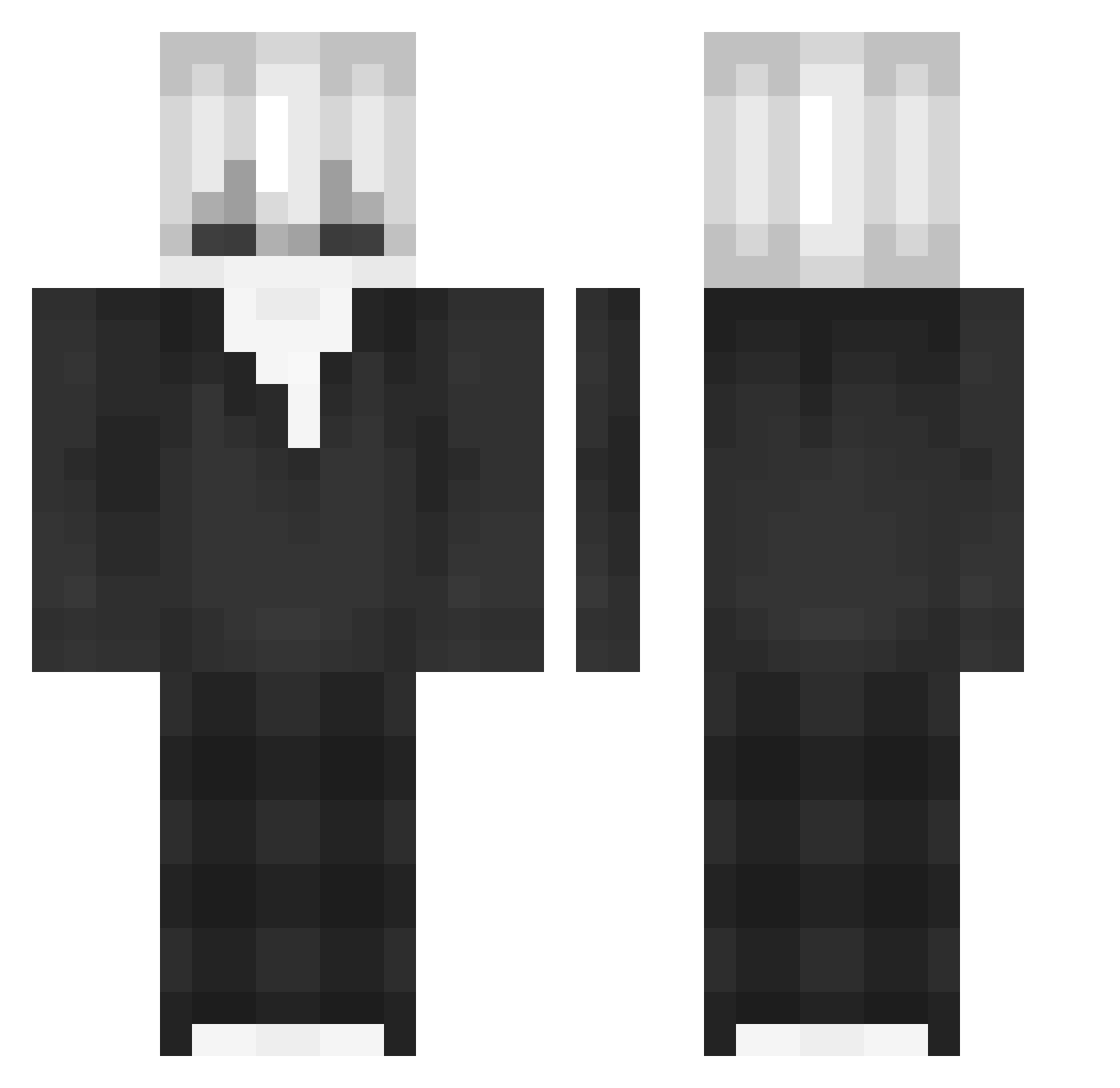
Current Minecraft skin of the player zhmxx, loaded from the official Mojang API. Rotate the 3D model with your mouse or finger, then download the skin as a PNG file and use it in Minecraft: Bedrock Edition or Java Edition for free. When zhmxx changes their skin, this page updates automatically and the old skin stays in the history below.
Other players with this skin (92)
zhmxx was the 54th player we have seen with this skin, first spotted on 22.09.2026. The same skin was seen on these players. Open a nickname to see their current skin and skin history.
 CurseWatcher Mhung09 wi3i henrivr M8Coy EwigeTomate yura54542 namdzgiotai Ffranci_ ItzNovaick sardelka Aliinho JOY_1018 Strings05 AdmiralPo Fanstyo terry0709 pro_DH Im_Shahab chyxd cocolegg ItzRealJulian XenoHunterz BigArme1234 yLuminity Tien_Bip011 Sweat_combo Echooo_0 ClayCrafted RenyuuX Diamond1890 47MocarnaHalina zCiru Rew404 Marilutk rowel0 FaizanXD_ adra12345 JusticeHaze VanNghiaFPS GrowAPair Fanton1 Tom_Ace11 Subaru_XD MazenCcz jie6667 SowingKhan_84033 RockZoo12 saltzzzzz Dexunio ByClixer DSY_yulbin Ragulka waysete lexicon2857 Ayaan45123 _xZqrui KlimkeusZ SaYoNaRaT0T elajz_a
More Slenderman Minecraft skins
How to install the zhmxx skin
- Press the Download button above to save the skin as a PNG file.
- Minecraft: Bedrock Edition (PE): open the Dressing Room from the main menu (or tap your character → Edit Character), go to Classic Skins → Owned, press the + (new skin) button, choose the downloaded PNG and pick the Classic (Steve) model. Works on PC and mobile; consoles cannot import custom skins.
- Minecraft: Java Edition: open the Minecraft Launcher, go to the Skins tab, click New Skin, load the PNG, pick the Classic (Steve) model and press Save & Use. You can also upload it at minecraft.net → Profile → Change Skin.
The skin does not show up after import - what should I do?
Restart Minecraft and open the Dressing Room again - imported skins sometimes appear only after a restart. Also make sure you selected the imported skin and picked the Classic (Steve) model.
Which model should I choose, Classic or Slim?
This skin is designed for the Classic (Steve) model. If you pick the wrong model, the arms of the skin will look stretched or squeezed.
Is the skin of zhmxx free to download?
Yes. Press Download, save the PNG file and use it in Minecraft: Bedrock Edition or Java Edition - no payment or registration needed. The skin also works on multiplayer servers and Realms.
More skins
Looking for more? Go back to all Minecraft skins and check the top skins of the week, month and all time, or find any player's skin by nickname.