
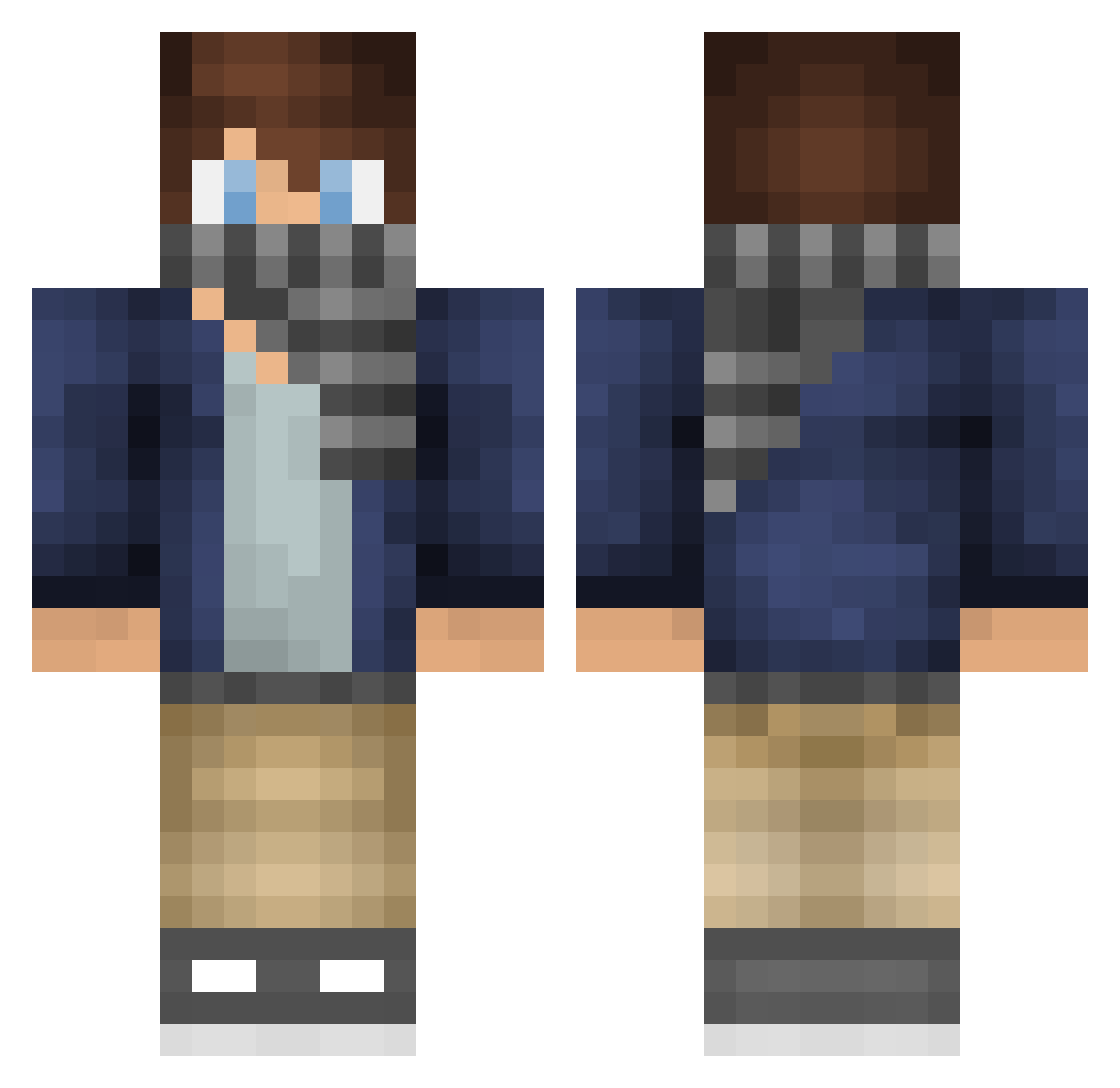
Current Minecraft skin of the player zhao218, loaded from the official Mojang API. Rotate the 3D model with your mouse or finger, then download the skin as a PNG file and use it in Minecraft: Bedrock Edition or Java Edition for free. When zhao218 changes their skin, this page updates automatically and the old skin stays in the history below.
Other players with this skin (84)
zhao218 was the 42nd player we have seen with this skin, first spotted on 12.09.2026. The same skin was seen on these players. Open a nickname to see their current skin and skin history.
 FilipIskra smile_bud Levi_Aeckman CheeseR2077 FranklinGames_YT Hydr0pic XBL4CKB1RDX Leukocyte03 Bebeeto woowu wskwskwsk Taminak Daisynye SilverBullet_121 ButterToastet amadeus3271 JohnWei Augustgrad Arberware dreamtoffee ADerpyPenguin BlueFoxYT1 luqiqi677 iponice_ qingyun000 Lhfmoon BarryYin MrMikeCZECH IceFoxSF eednammandee AlfieVent AVT3 GTatto TianKaiC ranoutofmilk Jack_Warfield kangjiahao12174 shenshidx MonsieurTed Darkwolf9678 March7th2773 hicogames Bellunksy shrine50 zzbob123 Starlord1604 suimengw SickGenji Grinfxx Kanife TheComingRain EmpressUKKE ZacktheCool EINSTEIN_LI haimianbobo alchemy910 nickxd2001 NoobCN Captp_ Jouk_siow
How to install the zhao218 skin
- Press the Download button above to save the skin as a PNG file.
- Minecraft: Bedrock Edition (PE): open the Dressing Room from the main menu (or tap your character → Edit Character), go to Classic Skins → Owned, press the + (new skin) button, choose the downloaded PNG and pick the Classic (Steve) model. Works on PC and mobile; consoles cannot import custom skins.
- Minecraft: Java Edition: open the Minecraft Launcher, go to the Skins tab, click New Skin, load the PNG, pick the Classic (Steve) model and press Save & Use. You can also upload it at minecraft.net → Profile → Change Skin.
The skin does not show up after import - what should I do?
Restart Minecraft and open the Dressing Room again - imported skins sometimes appear only after a restart. Also make sure you selected the imported skin and picked the Classic (Steve) model.
Which model should I choose, Classic or Slim?
This skin is designed for the Classic (Steve) model. If you pick the wrong model, the arms of the skin will look stretched or squeezed.
Is the skin of zhao218 free to download?
Yes. Press Download, save the PNG file and use it in Minecraft: Bedrock Edition or Java Edition - no payment or registration needed. The skin also works on multiplayer servers and Realms.
More skins
Looking for more? Go back to all Minecraft skins and check the top skins of the week, month and all time, or find any player's skin by nickname.