
zerasxd - Minecraft Skins & Skin History
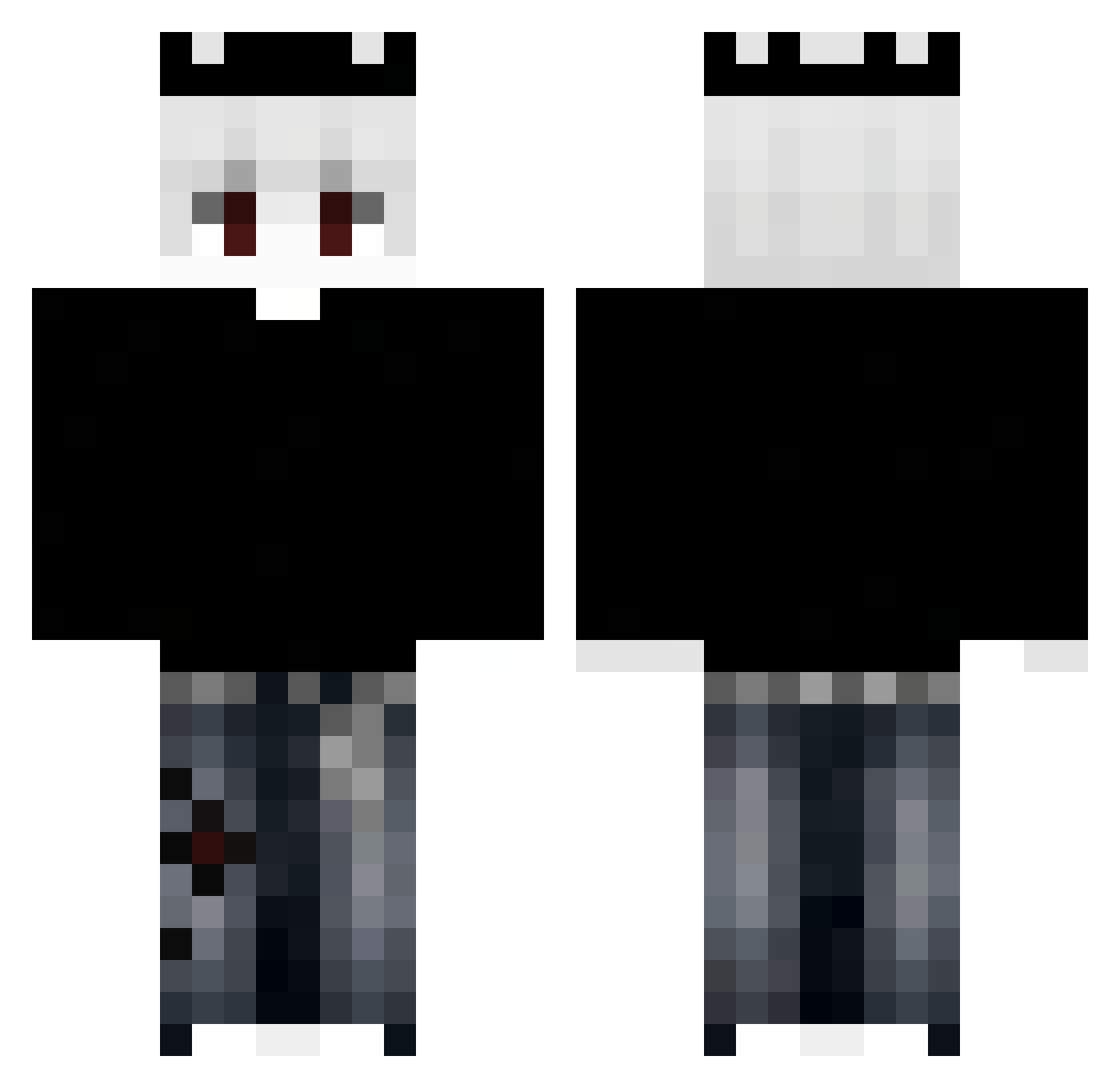
Current Minecraft skin of the player zerasxd, loaded from the official Mojang API. Rotate the 3D model with your mouse or finger, then download the skin as a PNG file and use it in Minecraft: Bedrock Edition or Java Edition for free. When zerasxd changes their skin, this page updates automatically and the old skin stays in the history below.
Other players with this skin (392)
zerasxd was the 359th player we have seen with this skin, first spotted on 04.11.2026. The same skin was seen on these players. Open a nickname to see their current skin and skin history.
 aliihsanaka V1RUSik MARKITOSH__ Audi_7666 Yzhael ShiroIsTrying QJ9VR Hazzylx Mxrkkk Predator1260 JocKey17 WukkoPrimer67 Blaze1102 Noy_____________ Enn_Tii_Diii sepaycez RASH_WC LinhBearswoUwU Smallpig0121 C4PRi0 uiqh RavenCL _Nutzz_ duciiixdd PEDRO123KATO SpiderMan_PvP cactinie zHakis M3sKa__ xzxlove cvild Jotinha_00 Peti7474 Lorinka77 tanasuki_ Berkegkc xxTuT Mikasa_T_T templariorey Mr_kocisko99_ sara_is_her _doniss Kokkok_PhuuuSayy threetrees3 DoggAwesome DenizKingee Solstixe VBitencourt Pera_Cliv WALKINGITEM call_mecriss yourdaddy690 Cygannn ariHILI Meawew Whiskyzinho Zylorath Yonik29 WIEWIUR172 Tantris_YT
More Grunge Minecraft skins
How to install the zerasxd skin
- Press the Download button above to save the skin as a PNG file.
- Minecraft: Bedrock Edition (PE): open the Dressing Room from the main menu (or tap your character → Edit Character), go to Classic Skins → Owned, press the + (new skin) button, choose the downloaded PNG and pick the Classic (Steve) model. Works on PC and mobile; consoles cannot import custom skins.
- Minecraft: Java Edition: open the Minecraft Launcher, go to the Skins tab, click New Skin, load the PNG, pick the Classic (Steve) model and press Save & Use. You can also upload it at minecraft.net → Profile → Change Skin.
The skin does not show up after import - what should I do?
Restart Minecraft and open the Dressing Room again - imported skins sometimes appear only after a restart. Also make sure you selected the imported skin and picked the Classic (Steve) model.
Which model should I choose, Classic or Slim?
This skin is designed for the Classic (Steve) model. If you pick the wrong model, the arms of the skin will look stretched or squeezed.
Is the skin of zerasxd free to download?
Yes. Press Download, save the PNG file and use it in Minecraft: Bedrock Edition or Java Edition - no payment or registration needed. The skin also works on multiplayer servers and Realms.
More skins
Looking for more? Go back to all Minecraft skins and check the top skins of the week, month and all time, or find any player's skin by nickname.