
zengzejun - Minecraft Skins & Skin History
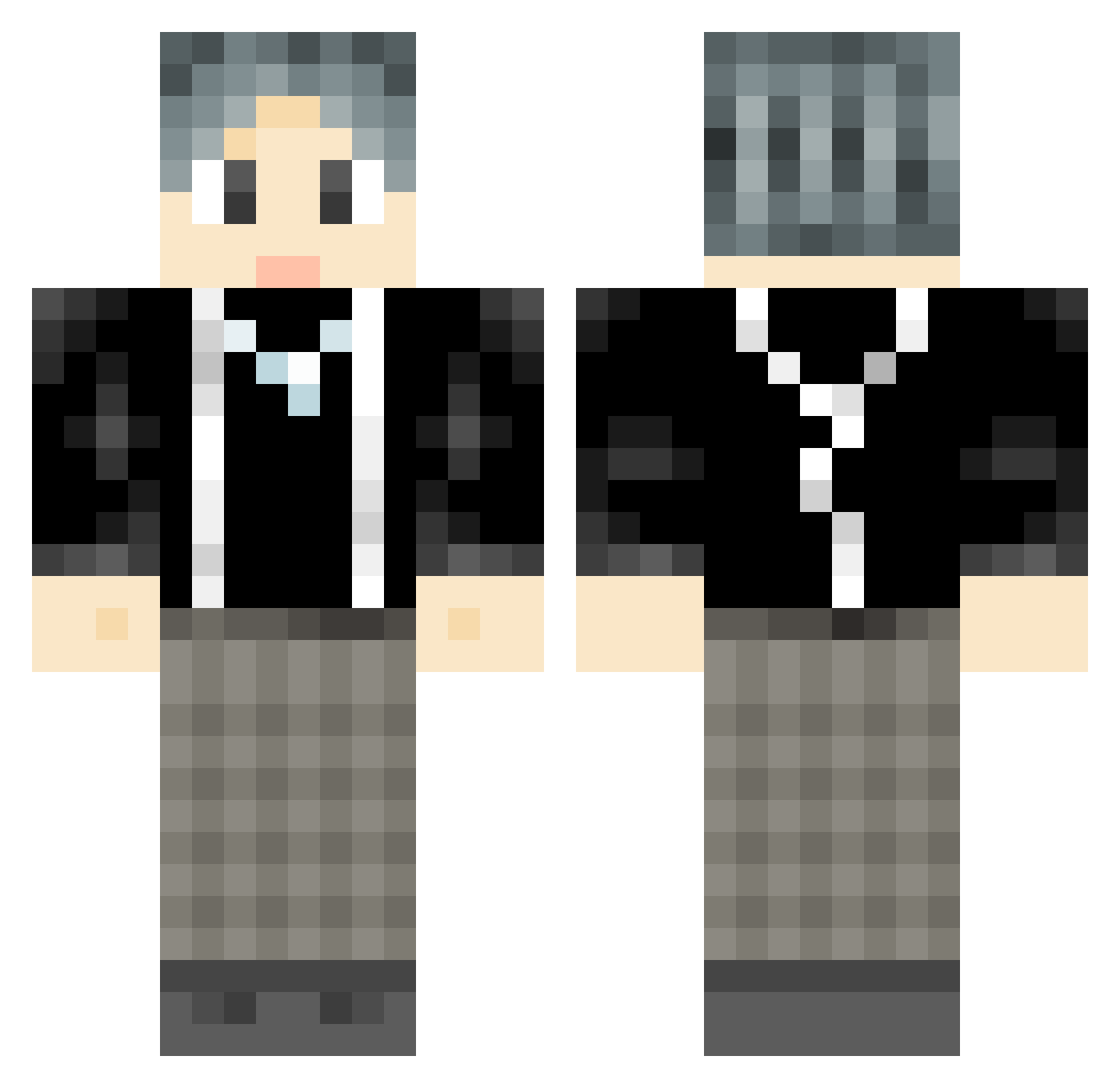
Current Minecraft skin of the player zengzejun, loaded from the official Mojang API. Rotate the 3D model with your mouse or finger, then download the skin as a PNG file and use it in Minecraft: Bedrock Edition or Java Edition for free. When zengzejun changes their skin, this page updates automatically and the old skin stays in the history below.
Other players with this skin (968)
zengzejun was the 900th player we have seen with this skin, first spotted on 03.11.2026. The same skin was seen on these players. Open a nickname to see their current skin and skin history.
 FlameTech6 xen0n1979 TopTrue Lm_Bobby 410323 cloudup233 lyusera coldmood233 nizai Ryohez xve_wu Rockcor yamahhh qiyue_7_1 ikun_______ Reverdent Likecici ILOVEJIAJIA wkwg LaoChen6547 QZDaShuaiGe He__Ao XDragonD HIxizai Detenele whpf Makanxi kangffff Silver0738 ppcAD LaoMaoBoss Dalaoye YunXiaoJun DengYao ZealotMan imaoe Run_Ray jisooooa mc_xingzhang_ su__dada message4 x1aobo Yezh223 qianxi821 storgPVP xzlgrgd xasfhliu2008 mancornuto hanxs Elegantpipi HuaJicow_vR1OwVF BBC2051 kongxin_SKYU dansniao KingHamster COSDP shenglongquan Reynanaa Conceptualarty zsybaba
How to install the zengzejun skin
- Press the Download button above to save the skin as a PNG file.
- Minecraft: Bedrock Edition (PE): open the Dressing Room from the main menu (or tap your character → Edit Character), go to Classic Skins → Owned, press the + (new skin) button, choose the downloaded PNG and pick the Classic (Steve) model. Works on PC and mobile; consoles cannot import custom skins.
- Minecraft: Java Edition: open the Minecraft Launcher, go to the Skins tab, click New Skin, load the PNG, pick the Classic (Steve) model and press Save & Use. You can also upload it at minecraft.net → Profile → Change Skin.
The skin does not show up after import - what should I do?
Restart Minecraft and open the Dressing Room again - imported skins sometimes appear only after a restart. Also make sure you selected the imported skin and picked the Classic (Steve) model.
Which model should I choose, Classic or Slim?
This skin is designed for the Classic (Steve) model. If you pick the wrong model, the arms of the skin will look stretched or squeezed.
Is the skin of zengzejun free to download?
Yes. Press Download, save the PNG file and use it in Minecraft: Bedrock Edition or Java Edition - no payment or registration needed. The skin also works on multiplayer servers and Realms.
More skins
Looking for more? Go back to all Minecraft skins and check the top skins of the week, month and all time, or find any player's skin by nickname.