
zectixHud1S22 - Minecraft Skins & Skin History
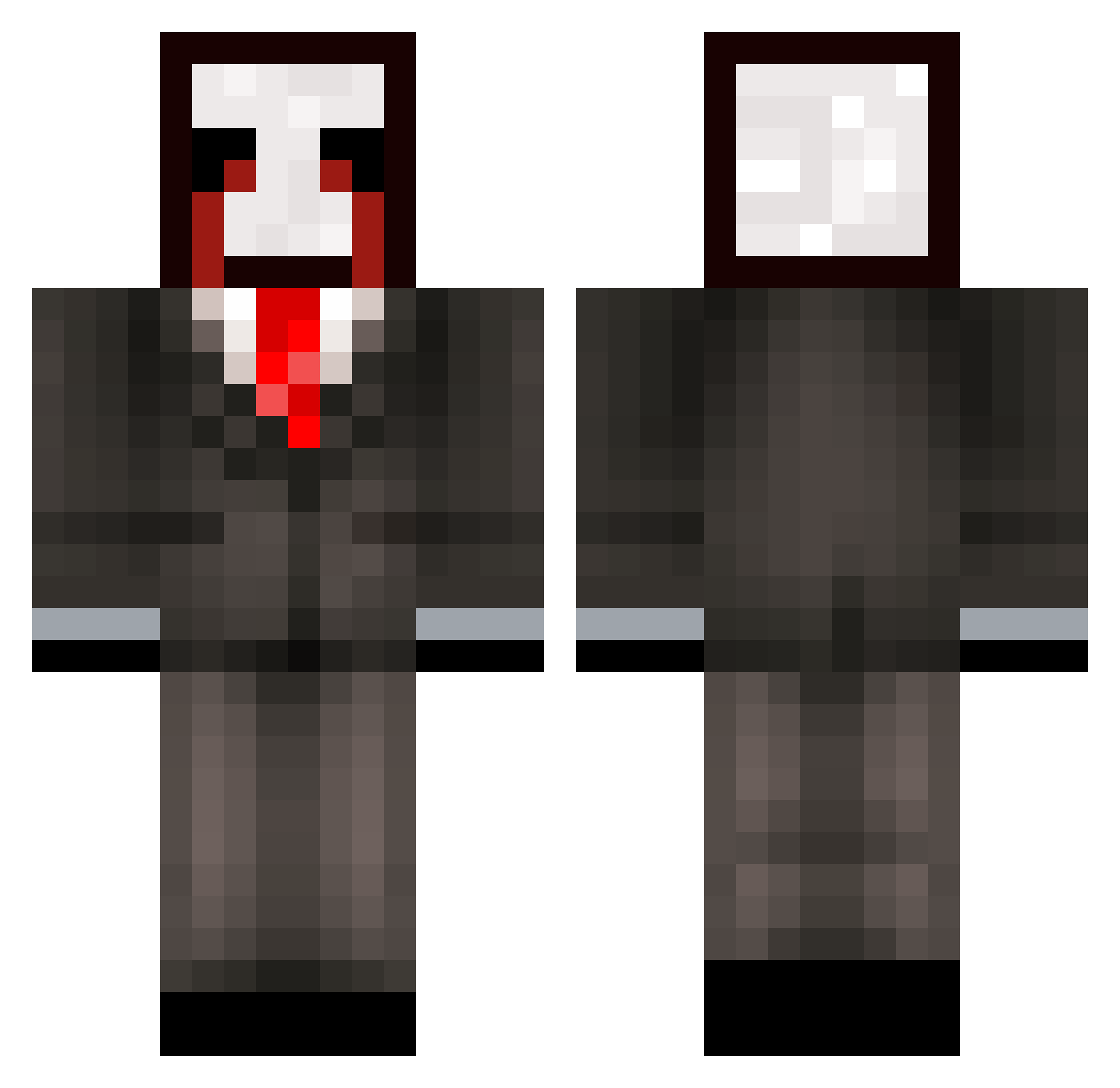
Current Minecraft skin of the player zectixHud1S22, loaded from the official Mojang API. Rotate the 3D model with your mouse or finger, then download the skin as a PNG file and use it in Minecraft: Bedrock Edition or Java Edition for free. When zectixHud1S22 changes their skin, this page updates automatically and the old skin stays in the history below.
Other players with this skin (324)
zectixHud1S22 was the 322nd player we have seen with this skin, first spotted on 26.10.2026. The same skin was seen on these players. Open a nickname to see their current skin and skin history.
 zz_rHtyM_01_08 ljw_msmc_jrd solaralts_NkIemv 4q1_msmc_wot nicealtsnKpPe Zarmloww_XD LabubuTeam_vlg5 Zynviox Atenciothorough6 a3d_msmc_v7m ehus_crushing089 Sv26isHm9n1JSSv2 axeisoverrated cat_OdmlP_10_05 NoxSky_hku ns8_msmc_bcu bz_Qb37z_11_13 tzi_D5hZJ_10_21 taller83grimy345 Ranya_horrible85 LinhKJwoa0117 BladySR Entitilo_TCSva g0ld_q1xyP_01_07 Wandling_subtle0 LinhYWggN0302 LabubuTeam_lgkq bz_zFcOf_11_10 Sv2mfi4IouW00Sv2 f55_Abdou_xu8 bym_DE34G_10_04 Mist_C4yXYwp Funnyy_Valentine m0rfim213 7kk_msmc_ye4 uka_msmc_bbh NoiceBigBoss1 slich_melodic891 g8u_Abdou_5q9 PASIRy82qq2g3k3m gtd_msmc_cxa tzi_Amp9b_02_02 457_Houzz_6us BLUDOSISBEST evm_msmc_tu3 az_9OC0Z_10_04 g2t_msmc_eu1 LinhEdgeorpUwU Goral_shallow629 meow_zeUFB_20 Sv2zazM4eiYMbSv2 JACKULA_PLAYZ Entitilo_pbUSb codet_i_6 az_SBja5_09_13 r7y_msmc_blt talles0talarmed spp_msmc_0ll 3le_msmc_3j4 4ic_King_cuw
More Slenderman Minecraft skins
How to install the zectixHud1S22 skin
- Press the Download button above to save the skin as a PNG file.
- Minecraft: Bedrock Edition (PE): open the Dressing Room from the main menu (or tap your character → Edit Character), go to Classic Skins → Owned, press the + (new skin) button, choose the downloaded PNG and pick the Classic (Steve) model. Works on PC and mobile; consoles cannot import custom skins.
- Minecraft: Java Edition: open the Minecraft Launcher, go to the Skins tab, click New Skin, load the PNG, pick the Classic (Steve) model and press Save & Use. You can also upload it at minecraft.net → Profile → Change Skin.
The skin does not show up after import - what should I do?
Restart Minecraft and open the Dressing Room again - imported skins sometimes appear only after a restart. Also make sure you selected the imported skin and picked the Classic (Steve) model.
Which model should I choose, Classic or Slim?
This skin is designed for the Classic (Steve) model. If you pick the wrong model, the arms of the skin will look stretched or squeezed.
Is the skin of zectixHud1S22 free to download?
Yes. Press Download, save the PNG file and use it in Minecraft: Bedrock Edition or Java Edition - no payment or registration needed. The skin also works on multiplayer servers and Realms.
More skins
Looking for more? Go back to all Minecraft skins and check the top skins of the week, month and all time, or find any player's skin by nickname.