
zTouka - Minecraft Skins & Skin History
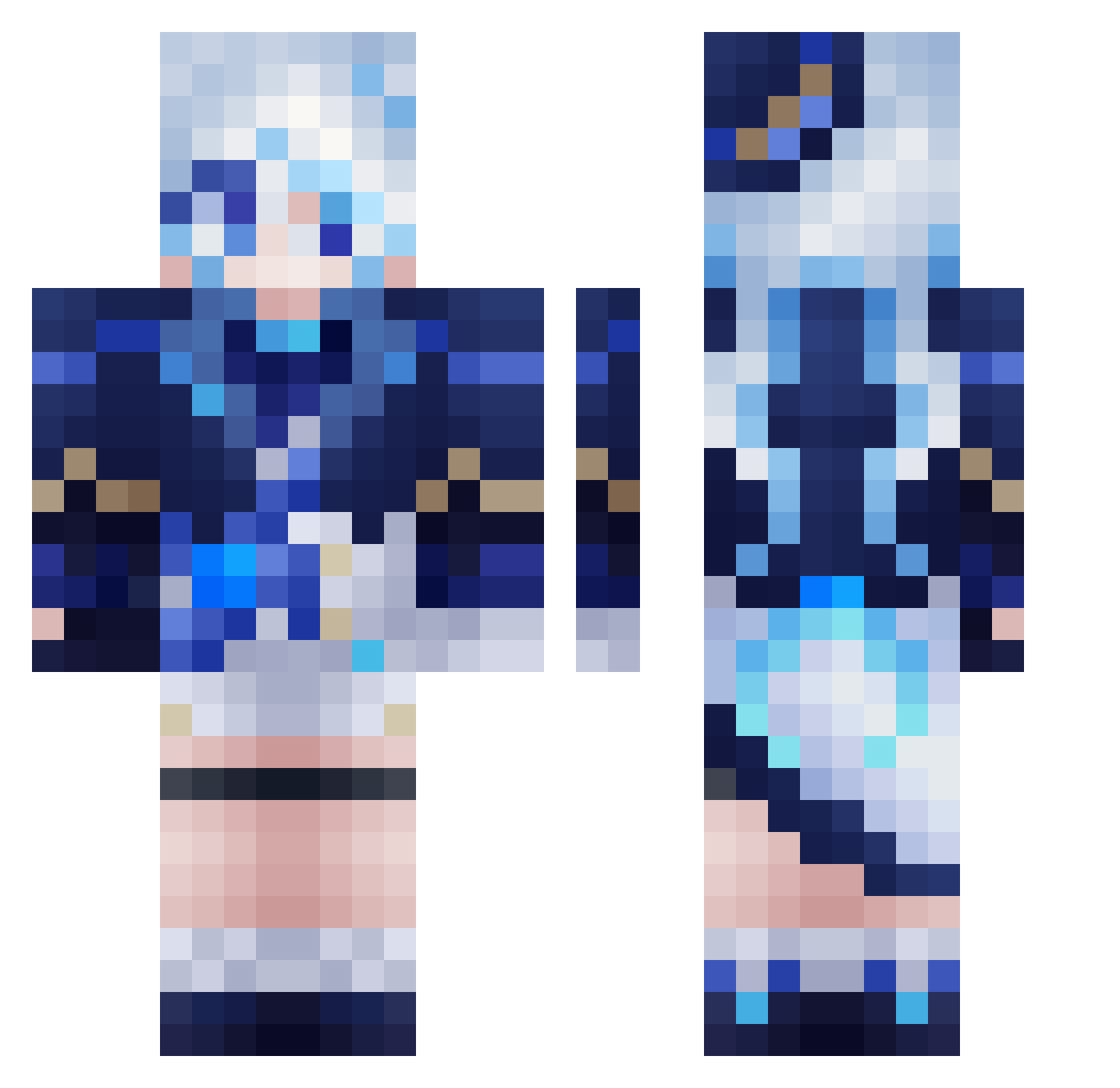
Current Minecraft skin of the player zTouka, loaded from the official Mojang API. Rotate the 3D model with your mouse or finger, then download the skin as a PNG file and use it in Minecraft: Bedrock Edition or Java Edition for free. When zTouka changes their skin, this page updates automatically and the old skin stays in the history below.
Other players with this skin (560)
zTouka was the 344th player we have seen with this skin, first spotted on 29.09.2026. The same skin was seen on these players. Open a nickname to see their current skin and skin history.
 cutewhitecatqwq RonaldWong EGGN0G Disgustly Lulexe_Ming Kyotosy treegrinder Max_D_T_Jason Tiger5102 etenl GGAkally GreenHanClub 87541 Rutooox xiveys sm715 ybyq233 _Pollon_ asdas_TR RotkutMorningsta Avokadoux OSonger Night_Raid_4 mupd ElephantTeacher Scropios azfggrft Xu_qin eunsiho KGChino Leona1314 ysanniao li_V_il f00ka_Jakub tea_time24 WhoMons estrellalol581 Deeexy Cielyx Tem_kaa fa_haina maedasumio AmNum5224 Rance170 BUHYEON Furinaaaaaaaaaa FurinaDFontaine Natuneko8824 i11y Kadawii gumi03290 CharNla praynext WishboW IceIcebbg Rirka ItsKamii_06 RealCongtou ZMZS666 MaiZhang
More Furina Minecraft skins
How to install the zTouka skin
- Press the Download button above to save the skin as a PNG file.
- Minecraft: Bedrock Edition (PE): open the Dressing Room from the main menu (or tap your character → Edit Character), go to Classic Skins → Owned, press the + (new skin) button, choose the downloaded PNG and pick the Classic (Steve) model. Works on PC and mobile; consoles cannot import custom skins.
- Minecraft: Java Edition: open the Minecraft Launcher, go to the Skins tab, click New Skin, load the PNG, pick the Classic (Steve) model and press Save & Use. You can also upload it at minecraft.net → Profile → Change Skin.
The skin does not show up after import - what should I do?
Restart Minecraft and open the Dressing Room again - imported skins sometimes appear only after a restart. Also make sure you selected the imported skin and picked the Classic (Steve) model.
Which model should I choose, Classic or Slim?
This skin is designed for the Classic (Steve) model. If you pick the wrong model, the arms of the skin will look stretched or squeezed.
Is the skin of zTouka free to download?
Yes. Press Download, save the PNG file and use it in Minecraft: Bedrock Edition or Java Edition - no payment or registration needed. The skin also works on multiplayer servers and Realms.
More skins
Looking for more? Go back to all Minecraft skins and check the top skins of the week, month and all time, or find any player's skin by nickname.