
yupii24 - Minecraft Skins & Skin History
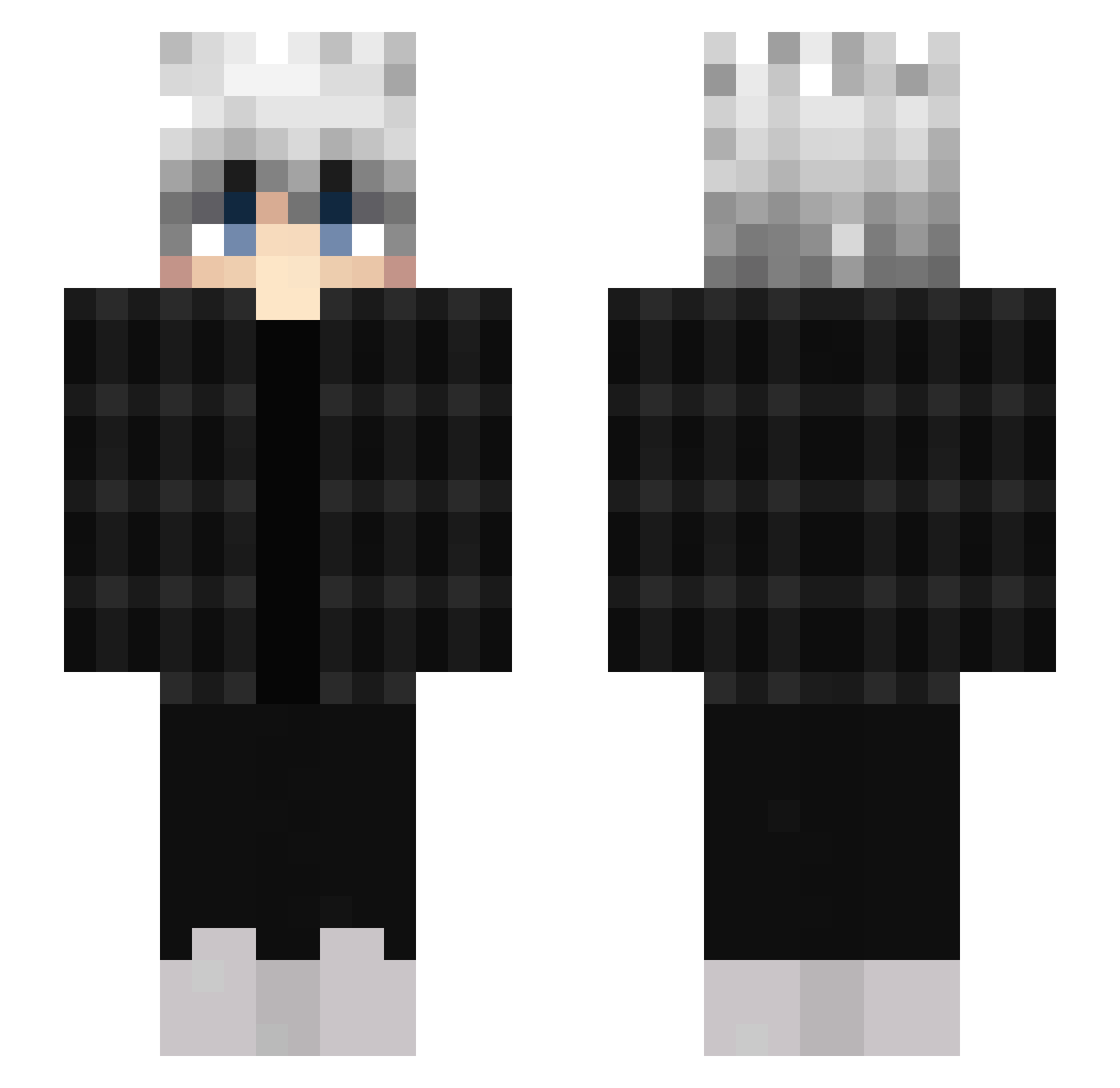
Current Minecraft skin of the player yupii24, loaded from the official Mojang API. Rotate the 3D model with your mouse or finger, then download the skin as a PNG file and use it in Minecraft: Bedrock Edition or Java Edition for free. When yupii24 changes their skin, this page updates automatically and the old skin stays in the history below.
Other players with this skin (453)
yupii24 was the 330th player we have seen with this skin, first spotted on 06.10.2026. The same skin was seen on these players. Open a nickname to see their current skin and skin history.
 IP0rterl 3DnQ3 Karonek Sleepy1x Sewekk__ Lan_Black 1YUOTO DragonKingYt Meister241 NoahWebb onelan ChrispyFriess TrueAriWasTaken DzayDe Nariamo OL_EK Kov_normaly_zig Cishen XxAsmodeusxX KINGONG7 BennyNater kupanda _Vlbes_ leng_shan Sebbie0 LLaymon nate468 AWESOME3DDJ JWSchmidt ChimkeeTendies aight34 Mr_Laiker1 heiwaxo TravisBarker1998 DaimonHell sundowners_ Helena_Mine Ravenscroft75 1amyourSenpai XxmThatOhneGuyxX burakhull12 _Ndox_ JamCheck ProPortal Dornt Ujohux yuntaishuai ValRhalla LulliBiggir Dynamic_Clapz Exousia_JL Wixrek_456 TheBielX_ Raf209 Sk0rlypka Julian193 awk_gg yngnag115 Joker_4zz SFV5286
How to install the yupii24 skin
- Press the Download button above to save the skin as a PNG file.
- Minecraft: Bedrock Edition (PE): open the Dressing Room from the main menu (or tap your character → Edit Character), go to Classic Skins → Owned, press the + (new skin) button, choose the downloaded PNG and pick the Slim (Alex) model. Works on PC and mobile; consoles cannot import custom skins.
- Minecraft: Java Edition: open the Minecraft Launcher, go to the Skins tab, click New Skin, load the PNG, pick the Slim (Alex) model and press Save & Use. You can also upload it at minecraft.net → Profile → Change Skin.
The skin does not show up after import - what should I do?
Restart Minecraft and open the Dressing Room again - imported skins sometimes appear only after a restart. Also make sure you selected the imported skin and picked the Slim (Alex) model.
Which model should I choose, Classic or Slim?
This skin is designed for the Slim (Alex) model. If you pick the wrong model, the arms of the skin will look stretched or squeezed.
Is the skin of yupii24 free to download?
Yes. Press Download, save the PNG file and use it in Minecraft: Bedrock Edition or Java Edition - no payment or registration needed. The skin also works on multiplayer servers and Realms.
More skins
Looking for more? Go back to all Minecraft skins and check the top skins of the week, month and all time, or find any player's skin by nickname.