
yunqianying - Minecraft Skins & Skin History
Current Minecraft skin of the player yunqianying, loaded from the official Mojang API. Rotate the 3D model with your mouse or finger, then download the skin as a PNG file and use it in Minecraft: Bedrock Edition or Java Edition for free. When yunqianying changes their skin, this page updates automatically and the old skin stays in the history below.
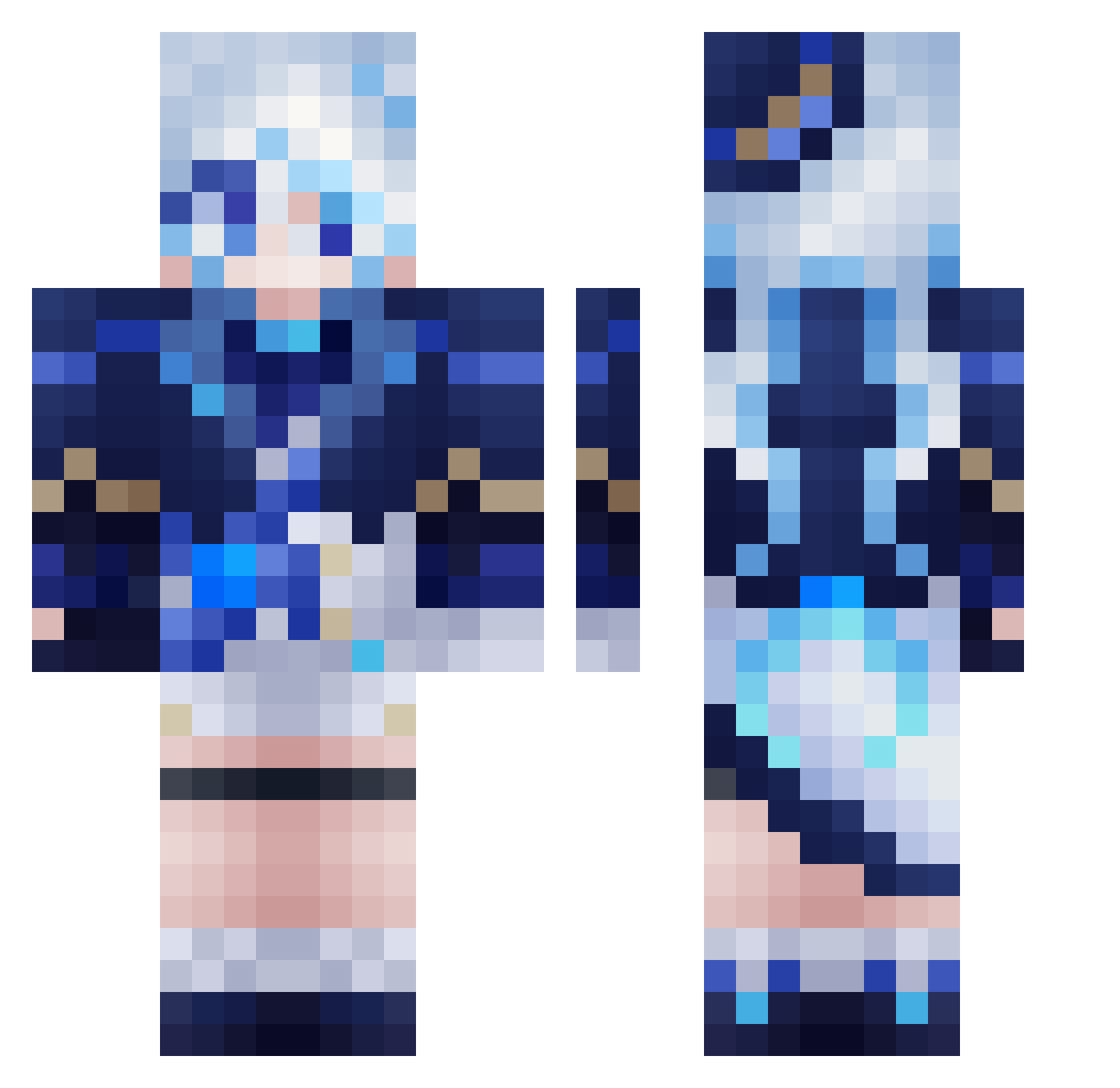
Other players with this skin (559)
yunqianying was the 121st player we have seen with this skin, first spotted on 16.08.2026. The same skin was seen on these players. Open a nickname to see their current skin and skin history.
 FrilledDragon000 AetherL0705 Keiron_Kfk_Frn Furiuna NotABranch STTHOLE nm_jj Cool_GK kuimofeng FurinaBestGirl GomenAmanai vip2009 C4R1A
 Alucard322 kx90 Cape__jasmine RelicFank woaixier bochhi_33 remokichi JustinY0909 Hieron_ Galf04 taideng1 julia_8_10 Tonboon SadIBalloon ian1225
 haru_4510 uwufurina shuimo3989 BisCuti kyarute_sas enthdog IMo_Ran CrAzYJoKe_ ahklpofn Extantmana W4nnn hitoirogt Tangerine092 Ariesleo cjwf ch41_l4tt3
 mosnom Synria_ Pint4r RhythmicBasil52 BGtrinh chachamaru19 Mika_Fs AcintyaMu Kisz1opy kydex06 leococo0522 Joar_PJ Sigewine wunai123 oMaithy Marswichtel
More Furina Minecraft skins
How to install the yunqianying skin
- Press the Download button above to save the skin as a PNG file.
- Minecraft: Bedrock Edition (PE): open the Dressing Room from the main menu (or tap your character → Edit Character), go to Classic Skins → Owned, press the + (new skin) button, choose the downloaded PNG and pick the Classic (Steve) model. Works on PC and mobile; consoles cannot import custom skins.
- Minecraft: Java Edition: open the Minecraft Launcher, go to the Skins tab, click New Skin, load the PNG, pick the Classic (Steve) model and press Save & Use. You can also upload it at minecraft.net → Profile → Change Skin.
The skin does not show up after import - what should I do?
Restart Minecraft and open the Dressing Room again - imported skins sometimes appear only after a restart. Also make sure you selected the imported skin and picked the Classic (Steve) model.
Which model should I choose, Classic or Slim?
This skin is designed for the Classic (Steve) model. If you pick the wrong model, the arms of the skin will look stretched or squeezed.
Is the skin of yunqianying free to download?
Yes. Press Download, save the PNG file and use it in Minecraft: Bedrock Edition or Java Edition - no payment or registration needed. The skin also works on multiplayer servers and Realms.
More skins
Looking for more? Go back to all Minecraft skins and check the top skins of the week, month and all time, or find any player's skin by nickname.