
ysw20055 - Minecraft Skins & Skin History
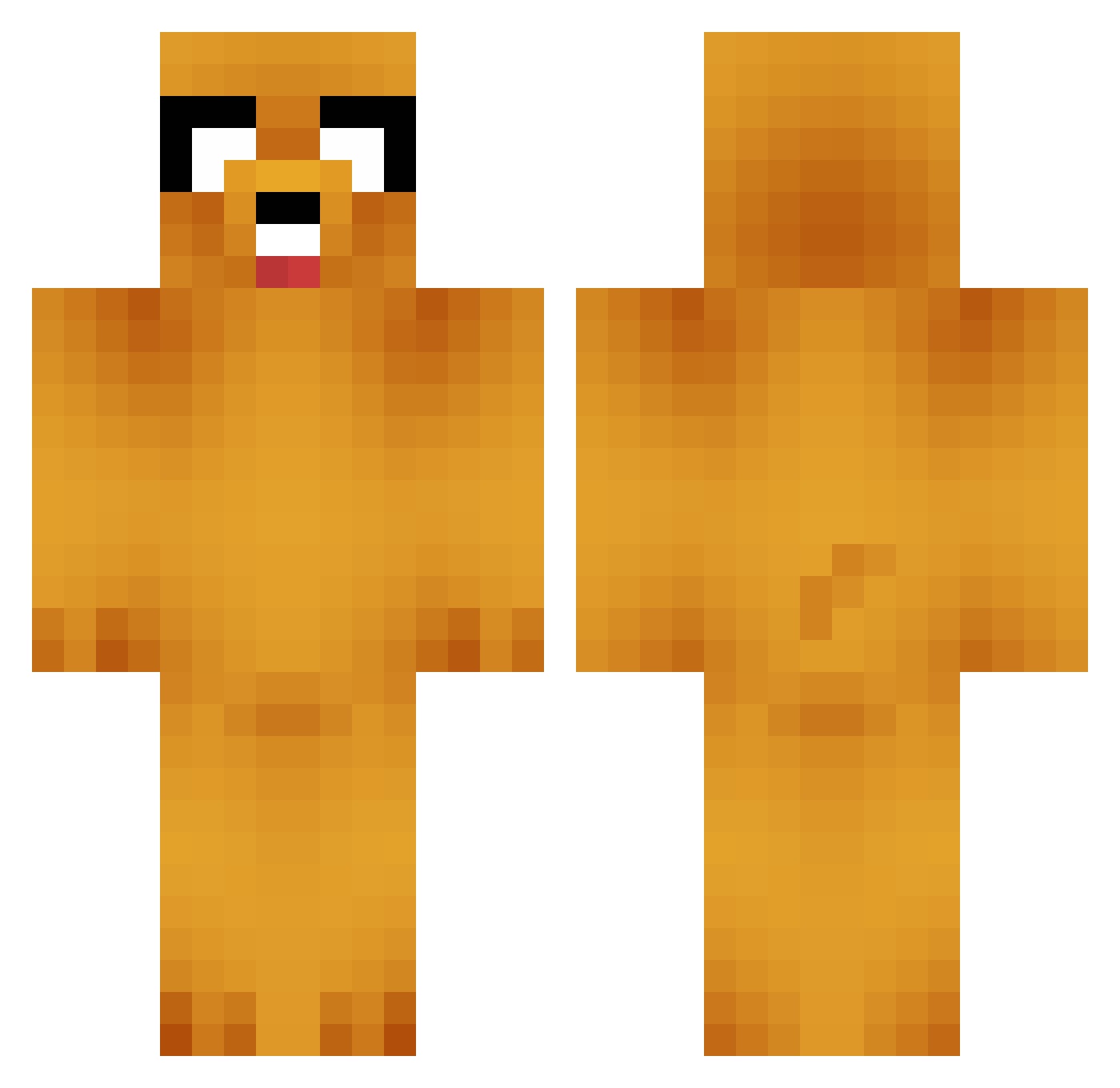
Current Minecraft skin of the player ysw20055, loaded from the official Mojang API. Rotate the 3D model with your mouse or finger, then download the skin as a PNG file and use it in Minecraft: Bedrock Edition or Java Edition for free. When ysw20055 changes their skin, this page updates automatically and the old skin stays in the history below.
Other players with this skin (664)
ysw20055 was the 20th player we have seen with this skin, first spotted on 26.07.2026. The same skin was seen on these players. Open a nickname to see their current skin and skin history.
 spirea_80 fabian864_ BurtsB33s
 ILMAOI
 Khonz DonTaka Kitastrophe123 Watched DogBug69 Menarello flewhome Max789854 PotatoMan0306 OhBoyle juicec666 Gl1chy_err0z jaspermerle Zim0nXD FatCat5305 CasoPers03 SvenVonHinten Andyuc finnyboyde2de Unjammed Rex_Slamson N7INQUISITOR Liamm_ Steezior lamlig SneerfulDog1 Shellion1210 Carpacciao Bectup EarlGrey16 rotorl Taikh I_Like_To_Slide NORTHFASTs PAPA_Silence SungHH00 Senseipablo datboisrael Guid04 Jacob_Zhuang xcamcor Christina0407 Diego97f LostWay bacon2354 gunhee8902 MineKev13 HakkaBro sorrymygood sokita16 Gomnasha Nikko_bellic madziaa121 jongha511 _Underdoge Jartone
More Jake Minecraft skins
How to install the ysw20055 skin
- Press the Download button above to save the skin as a PNG file.
- Minecraft: Bedrock Edition (PE): open the Dressing Room from the main menu (or tap your character → Edit Character), go to Classic Skins → Owned, press the + (new skin) button, choose the downloaded PNG and pick the Classic (Steve) model. Works on PC and mobile; consoles cannot import custom skins.
- Minecraft: Java Edition: open the Minecraft Launcher, go to the Skins tab, click New Skin, load the PNG, pick the Classic (Steve) model and press Save & Use. You can also upload it at minecraft.net → Profile → Change Skin.
The skin does not show up after import - what should I do?
Restart Minecraft and open the Dressing Room again - imported skins sometimes appear only after a restart. Also make sure you selected the imported skin and picked the Classic (Steve) model.
Which model should I choose, Classic or Slim?
This skin is designed for the Classic (Steve) model. If you pick the wrong model, the arms of the skin will look stretched or squeezed.
Is the skin of ysw20055 free to download?
Yes. Press Download, save the PNG file and use it in Minecraft: Bedrock Edition or Java Edition - no payment or registration needed. The skin also works on multiplayer servers and Realms.
More skins
Looking for more? Go back to all Minecraft skins and check the top skins of the week, month and all time, or find any player's skin by nickname.