
yotuber01 - Minecraft Skins & Skin History
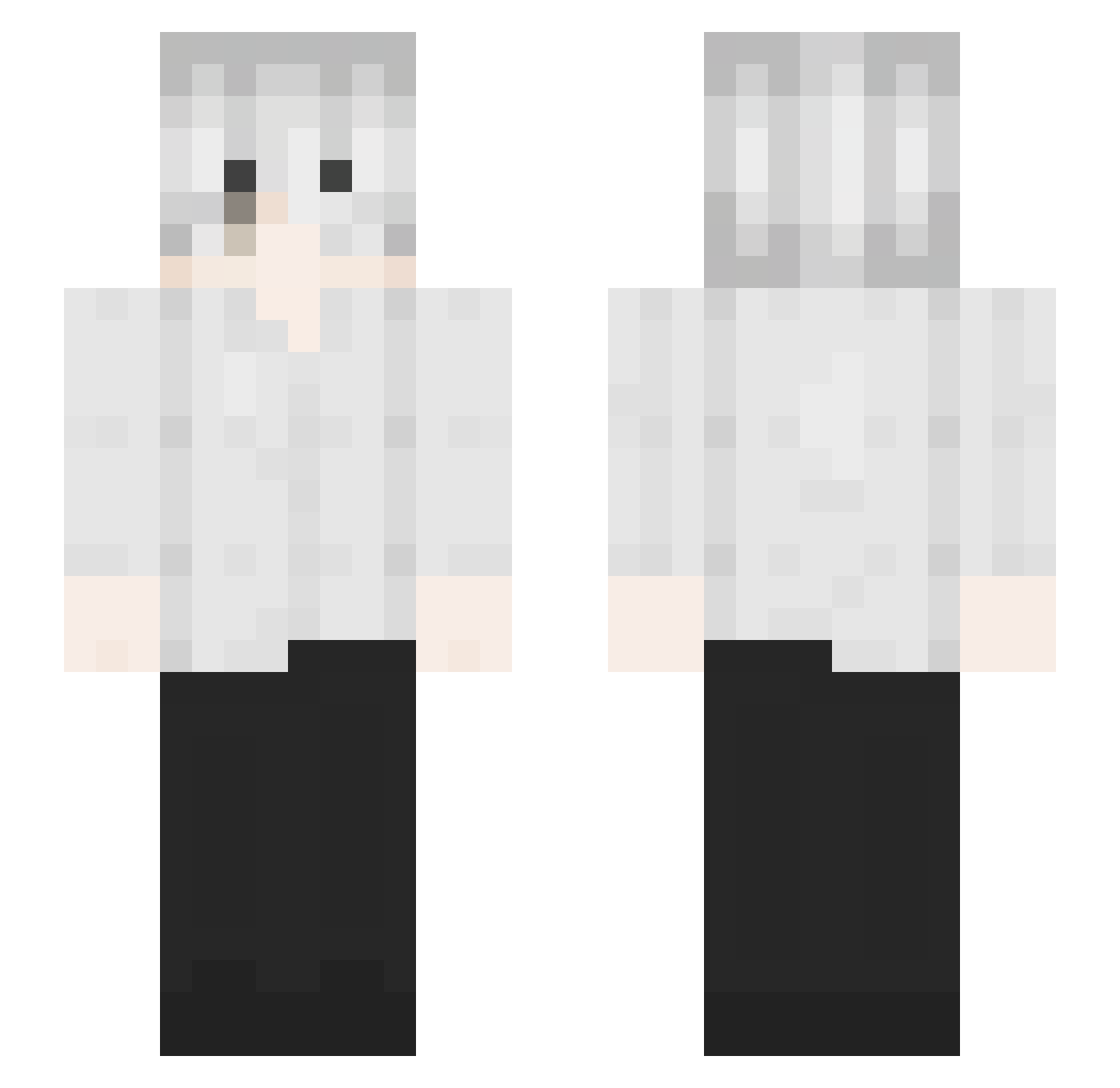
Current Minecraft skin of the player yotuber01, loaded from the official Mojang API. Rotate the 3D model with your mouse or finger, then download the skin as a PNG file and use it in Minecraft: Bedrock Edition or Java Edition for free. When yotuber01 changes their skin, this page updates automatically and the old skin stays in the history below.
Other players with this skin (126)
yotuber01 was the 116th player we have seen with this skin, first spotted on 20.10.2026. The same skin was seen on these players. Open a nickname to see their current skin and skin history.
 Yelowflashh 0933204959 Hannnzx Loloooop12 SuperHoo77 imhere12 ItsJason_31 fy_iceworld santana2k JustEDDD A__xushuci konmario A3KS_ bpuh halmaoSH zhang12450 konit1 Silencedead_ Toyakawa OutHaze G2_1BGF xiaoliangto knzhw __hime urjokewasntfun Izaya__ mikeyblade nslowyy notkxvin_ Mufst marzz WroXy4 finessecult tsakalang Accablement drainx_v xT0bik Ledusszl Mr_WestJun Nexus_Seal12 RudsonArruda velxr BottleofWaterMan SelfLoving_Blaze oldsix123 wknn 6Void bluevoltorb aleku4en nhatgamingne CraigFiscus aboodxddd Max_King1234 la_gioz Koea jx_lb daloroyy zedvz cursegeek i31010f
More Kaneki Ken Minecraft skins
How to install the yotuber01 skin
- Press the Download button above to save the skin as a PNG file.
- Minecraft: Bedrock Edition (PE): open the Dressing Room from the main menu (or tap your character → Edit Character), go to Classic Skins → Owned, press the + (new skin) button, choose the downloaded PNG and pick the Slim (Alex) model. Works on PC and mobile; consoles cannot import custom skins.
- Minecraft: Java Edition: open the Minecraft Launcher, go to the Skins tab, click New Skin, load the PNG, pick the Slim (Alex) model and press Save & Use. You can also upload it at minecraft.net → Profile → Change Skin.
The skin does not show up after import - what should I do?
Restart Minecraft and open the Dressing Room again - imported skins sometimes appear only after a restart. Also make sure you selected the imported skin and picked the Slim (Alex) model.
Which model should I choose, Classic or Slim?
This skin is designed for the Slim (Alex) model. If you pick the wrong model, the arms of the skin will look stretched or squeezed.
Is the skin of yotuber01 free to download?
Yes. Press Download, save the PNG file and use it in Minecraft: Bedrock Edition or Java Edition - no payment or registration needed. The skin also works on multiplayer servers and Realms.
More skins
Looking for more? Go back to all Minecraft skins and check the top skins of the week, month and all time, or find any player's skin by nickname.