
yonatan_gean - Minecraft Skins & Skin History
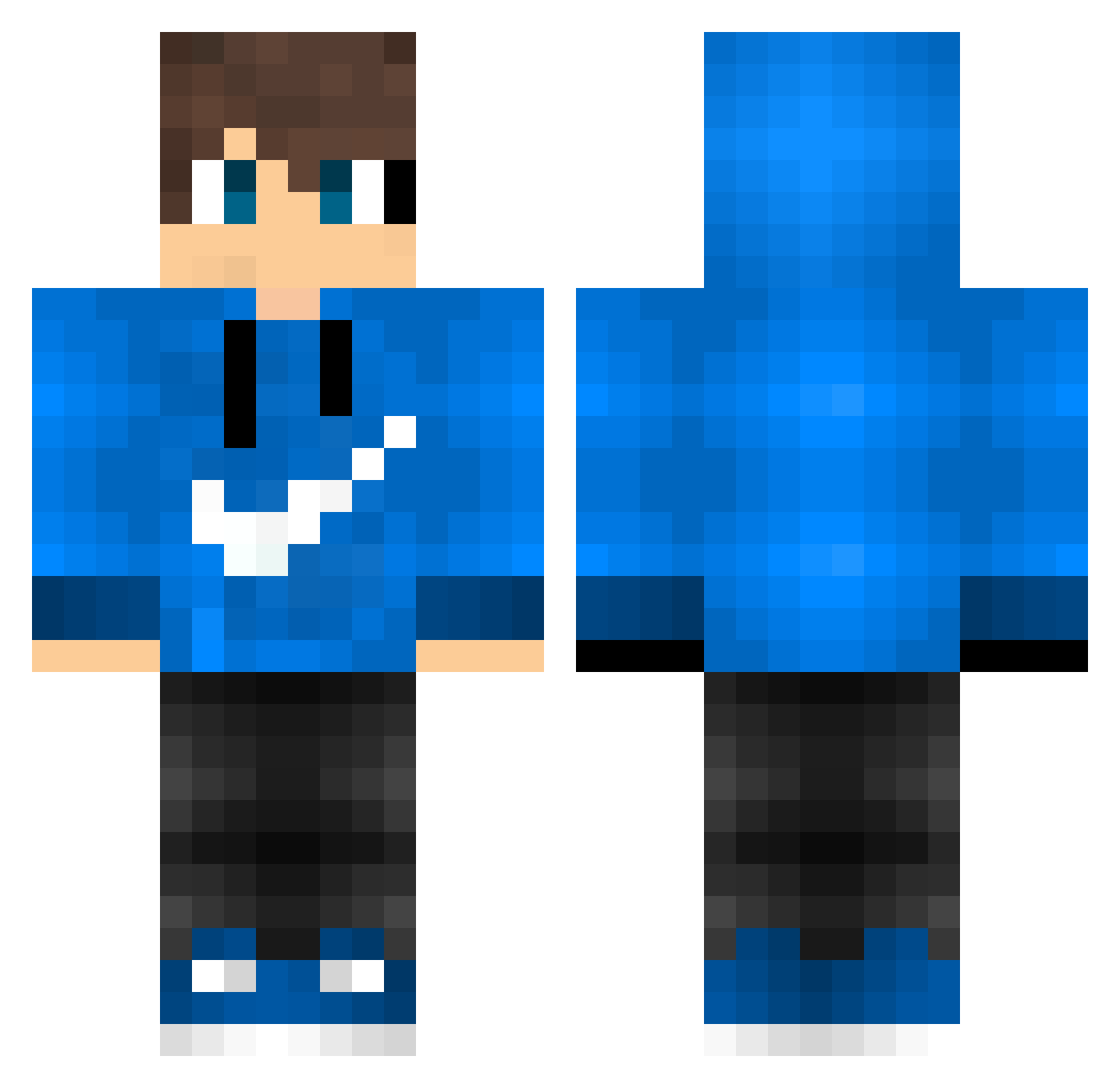
Current Minecraft skin of the player yonatan_gean, loaded from the official Mojang API. Rotate the 3D model with your mouse or finger, then download the skin as a PNG file and use it in Minecraft: Bedrock Edition or Java Edition for free. When yonatan_gean changes their skin, this page updates automatically and the old skin stays in the history below.
Other players with this skin (595)
yonatan_gean was the 72nd player we have seen with this skin, first spotted on 12.08.2026. The same skin was seen on these players. Open a nickname to see their current skin and skin history.
 MarcusGaming1 Justy0225 idotzror Toxic939 Woo_bang Luca_keller momo_531 nruxtabbiko Achtzehn7 Drakewade10 wingzisun Yuki_cGdUPZ knikkerman1 Andrask3n CHELSEA_TJ Rafael2306 Theloneman00 Takanashi_Rin SanzDut matasgamerLTU Super_Star09 Toutonbun UPChuckBGuck 2002maltes04 InfernoAlt2 Th1ag0x Yahya_X0_ julian_htl_ Ryftttt Kor_YT_somin Conmax252 vampshad1221 ChvmpionDrip CICINN Vitinho_Gamer07 TristenMW FITZ9 Packowitche HDantas ManuCasta jan664 drxblanc jiwonheo123 MattSwitch NachoEsserNr3 Savo0015 TheoPorto_7 Novak133 AlipPatur LordCAnter David_0718 MrKnoedelchen maximum65 P0werFl0 Ma11ty AdJieee Yotsuguchi darnedking6699 Mqttvq ShadowWarrior000
How to install the yonatan_gean skin
- Press the Download button above to save the skin as a PNG file.
- Minecraft: Bedrock Edition (PE): open the Dressing Room from the main menu (or tap your character → Edit Character), go to Classic Skins → Owned, press the + (new skin) button, choose the downloaded PNG and pick the Classic (Steve) model. Works on PC and mobile; consoles cannot import custom skins.
- Minecraft: Java Edition: open the Minecraft Launcher, go to the Skins tab, click New Skin, load the PNG, pick the Classic (Steve) model and press Save & Use. You can also upload it at minecraft.net → Profile → Change Skin.
The skin does not show up after import - what should I do?
Restart Minecraft and open the Dressing Room again - imported skins sometimes appear only after a restart. Also make sure you selected the imported skin and picked the Classic (Steve) model.
Which model should I choose, Classic or Slim?
This skin is designed for the Classic (Steve) model. If you pick the wrong model, the arms of the skin will look stretched or squeezed.
Is the skin of yonatan_gean free to download?
Yes. Press Download, save the PNG file and use it in Minecraft: Bedrock Edition or Java Edition - no payment or registration needed. The skin also works on multiplayer servers and Realms.
More skins
Looking for more? Go back to all Minecraft skins and check the top skins of the week, month and all time, or find any player's skin by nickname.